Project Highlights
This Wazuh project documents the deployment of an open-source security monitoring platform for a lab environment. It includes preparing a Debian server, applying basic host hardening, installing Wazuh, accessing the web console, and deploying agents for endpoint visibility and threat detection.
- Built a Wazuh monitoring server for threat detection and incident response practice.
- Prepared the host with SSH hardening, Fail2ban, WireGuard, and ZSH tooling.
- Installed Wazuh using the official installation script and validated web console access.
- Documented agent deployment steps for monitored endpoints.
- Focused on endpoint visibility, security monitoring, and blue team lab operations.
Wazuh: Because Your Network Deserves a Guard Dog with Superpowers!
Wazuh is an all-encompassing, open-source security platform designed for threat detection, incident response, and integrity monitoring. It provides advanced security analysis capabilities to detect intruders in real time, analyze software behavior on systems, and protect against both internal and external threats. Its modular architecture allows users to deploy the necessary components tailored to the specific needs of their security environment. Whether you're guarding against mischievous hackers or internal slip-ups, Wazuh is your go-to watchdog.
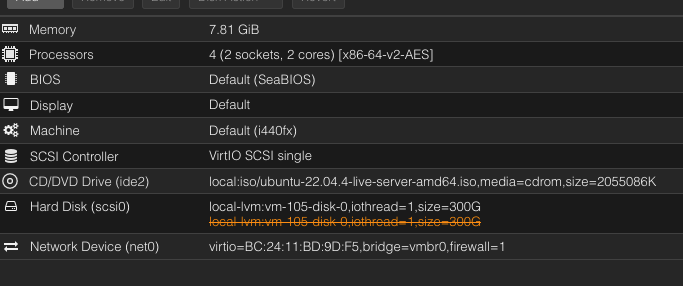
I create a new Debian server with these services:
-
1
We install basic security tools. First, we secure the SSH server.
sshhard
[sudo] password for user:
PermitRootLogin no
PermitEmptyPasswords no
-
2
Fail2ban installation
f2binst
dpkg-query: no packages found matching rsyslog
Instalando el paquete rsyslog...
Reading package lists... Done
f2s ● fail2ban.service - Fail2Ban Service Loaded: loaded (/lib/systemd/system/fail2ban.service; enabled; preset: enabled) Active: active (running) since Sun -
3
Wireguard installation
wireinst nalazuh.conf
dpkg-query: no packages found matching wireguard
Instalando el paquete wireguard...
Reading package lists... Done
Building dependency tree... Done
-
4
ZSH installation
zshinst
¿Deseas instalar la ZSH? [s/n]: s
Cloning Oh My Zsh...
We copy this script and execute it on Ubuntu 20.
curl -sO https://packages.wazuh.com/4.7/wazuh-install.sh && sudo bash ./wazuh-install.sh -a
❯ curl -sO https://packages.wazuh.com/4.7/wazuh-install.sh && sudo bash ./wazuh-install.sh -a                    nalanga@nalazuh 07:56:29 AM
[sudo] password for nalanga:
05/05/2024 07:56:39 INFO: Starting Wazuh installation assistant. Wazuh version: 4.7.4
05/05/2024 07:56:39 INFO: Verbose logging redirected to /var/log/wazuh-install.log
After installing Wazuh by downloading the script from the wazuh.com website, we can access the web interface to start deploying agents. The script will provide us with the username and password.
INFO: You can access the web interface https://IP:443
    User: admin
    Password: pUiz8M2mL+7bu???EBFmdgpItUAG3QVC
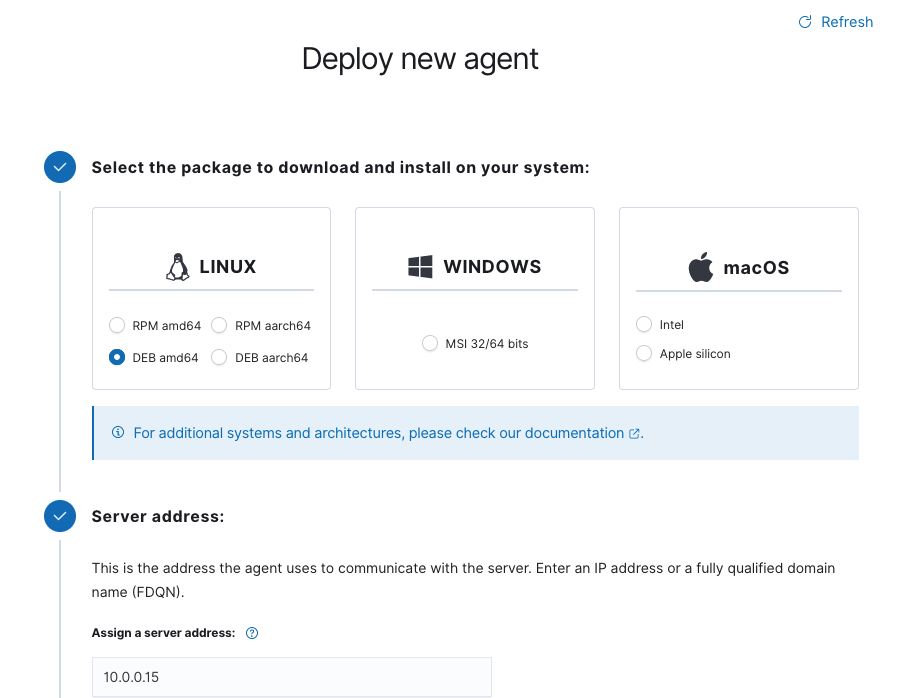
Agent installation steps
Steps
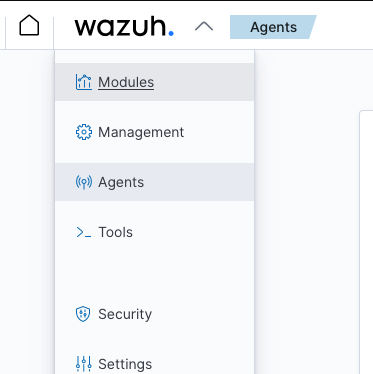
Agents
First, we need to deploy the agent on the server.