
Setting Up a Site-to-Site VPN in Azure
This guide will walk you through setting up a secure site-to-site VPN connection between your Azure environment and your office network. We'll cover everything from creating the virtual network to establishing the connection.
Step-by-Step Setup:
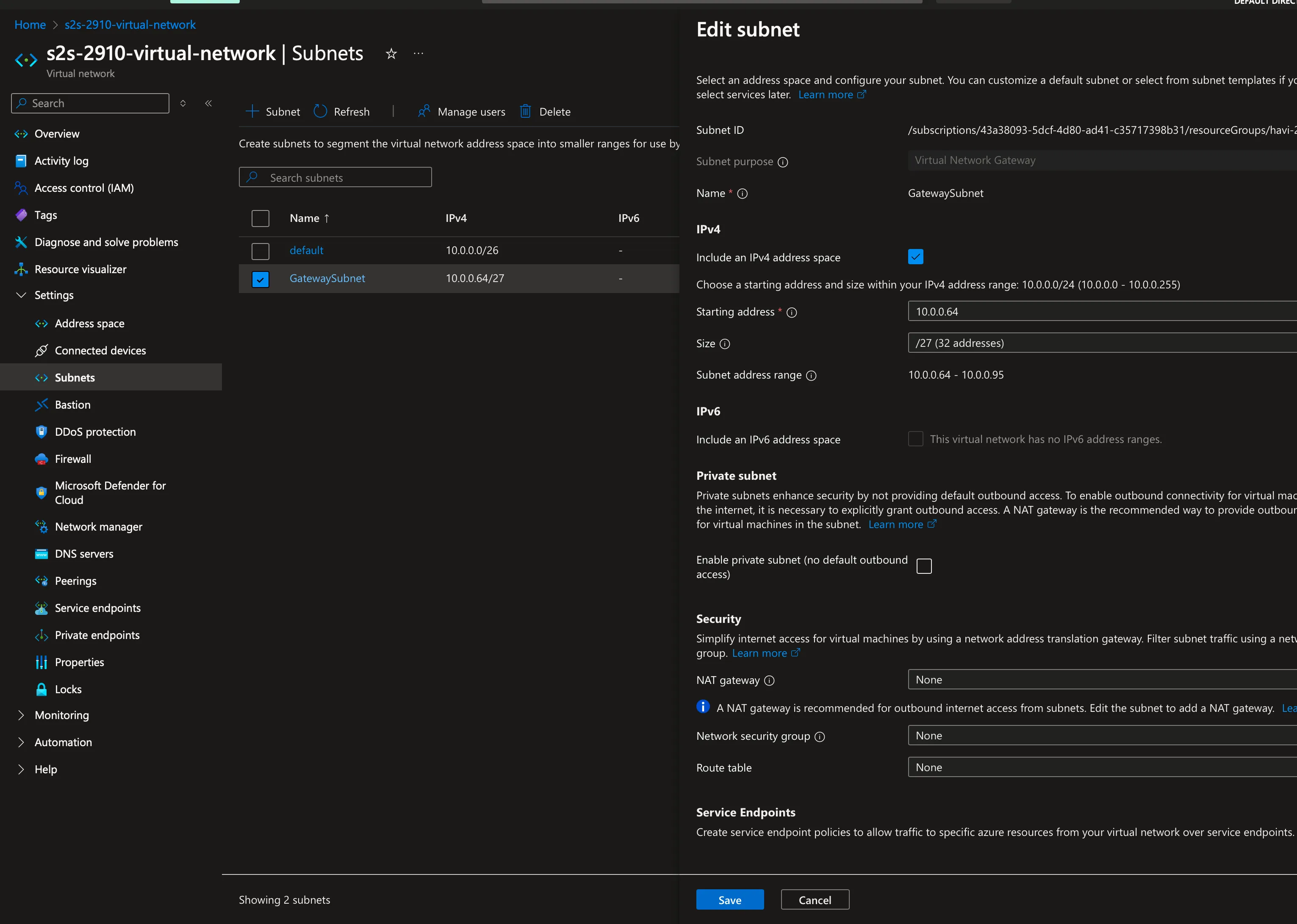
1. Create Virtual Network
Create a virtual network named 4rji-2910-Site2Site with the following configuration:
- Address space: 10.0.0.0/26
- Gateway subnet: 10.0.0.94/27
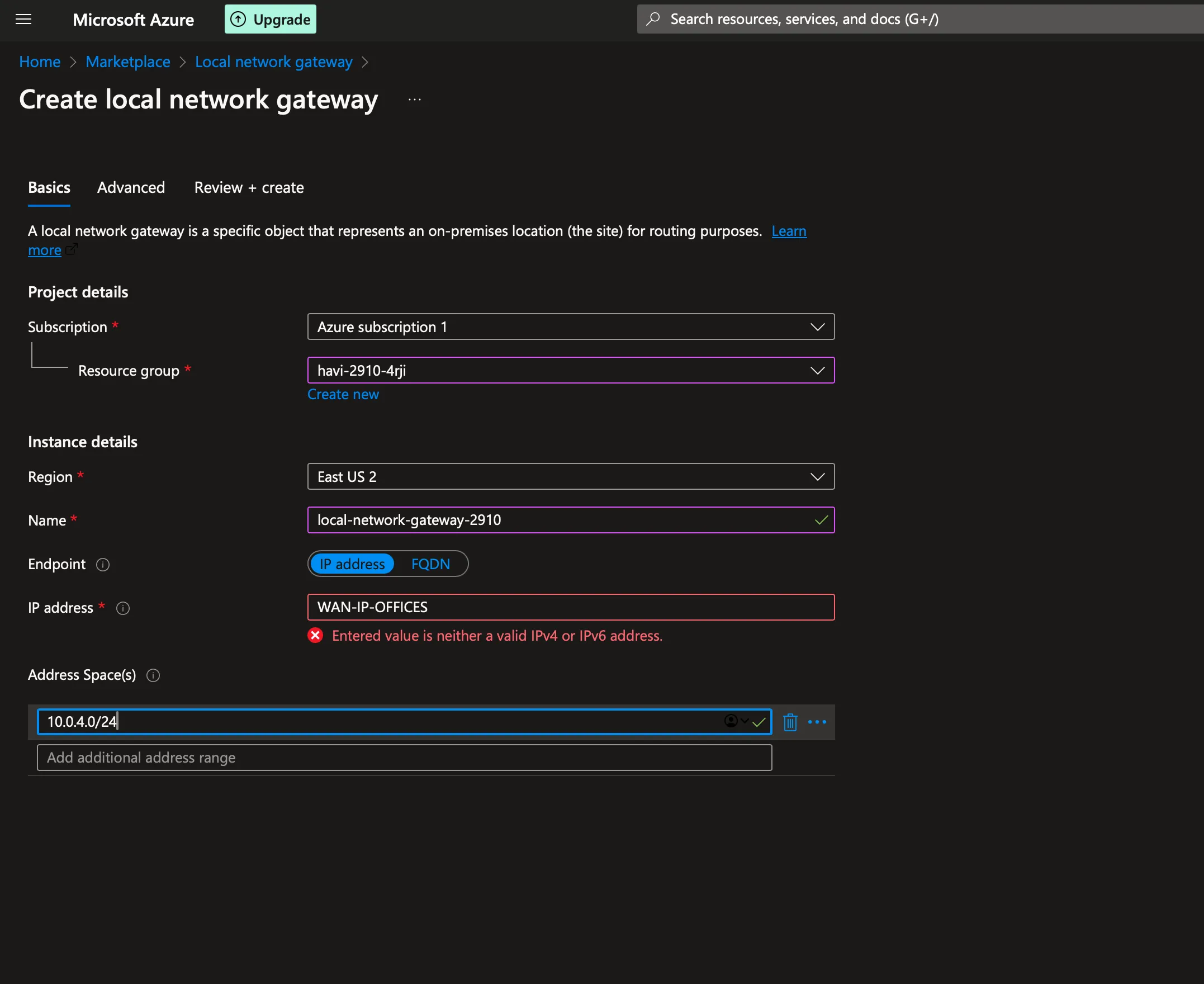
2. Create Local Network Gateway
Configure the local network gateway with your office's public IP address and local subnet ranges that need to connect to Azure.
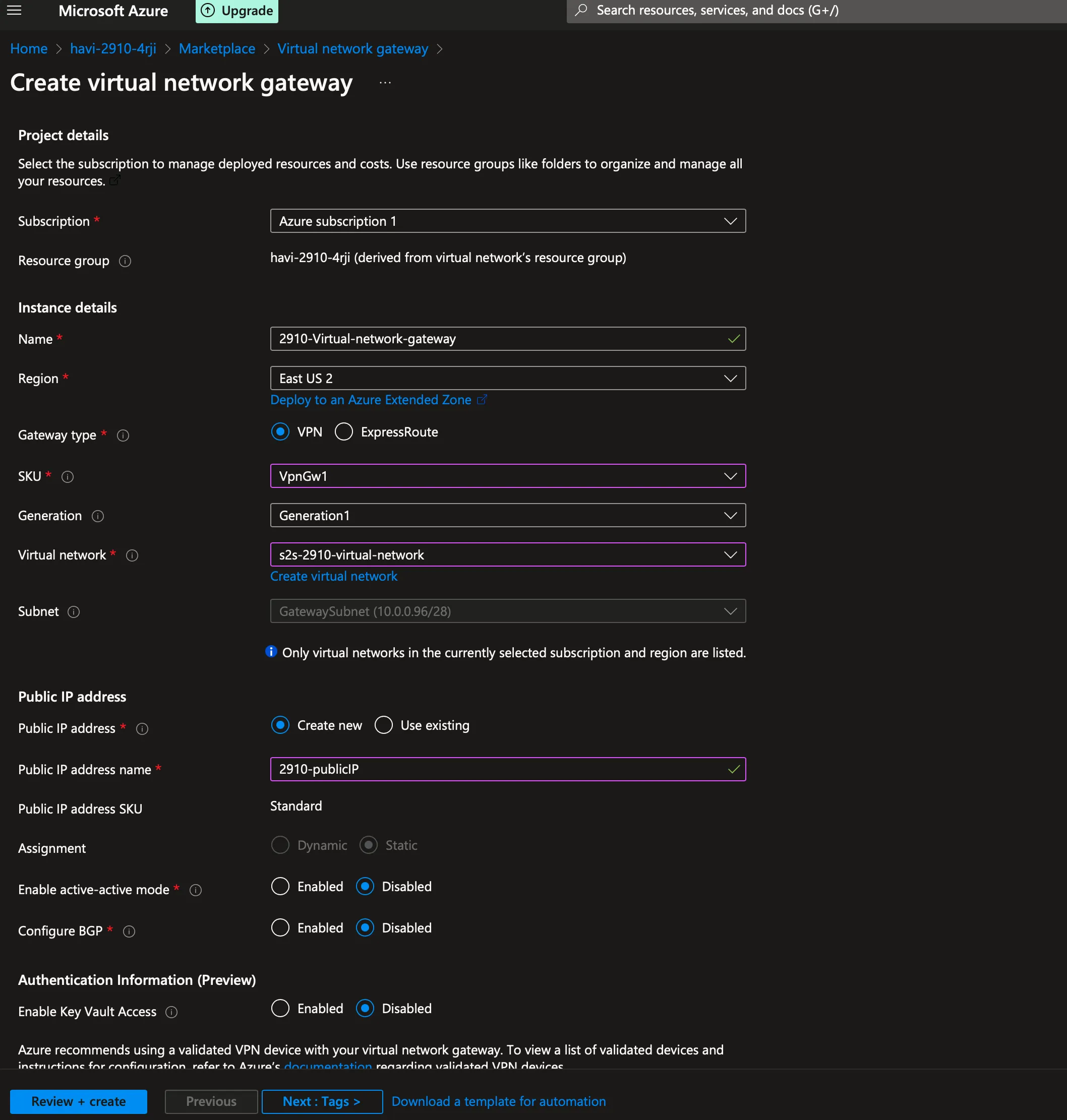
3. Create Public IP Address
Create a public IP address for the virtual network gateway.
4. Create Virtual Network Gateway
Set up the virtual network gateway using the previously created public IP address.
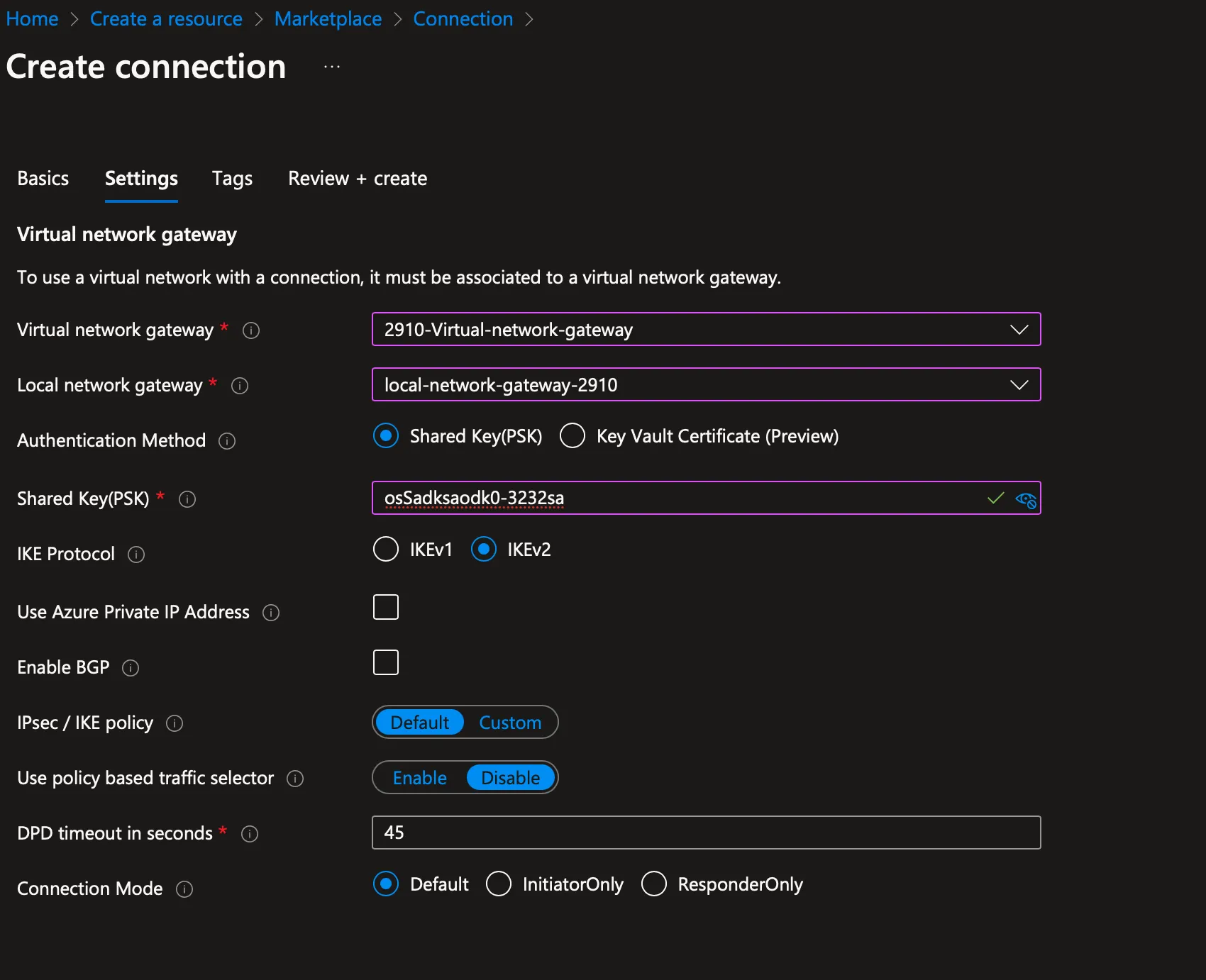
5. Create Connection
Establish the connection between the virtual network gateway and local network gateway.
6. Create Virtual Machine
Create a virtual machine in the virtual network with the following credentials:
- Username: admin123
- Password: qydbuv-5Gomdy-hufrin12
Remember to keep your credentials secure and update them regularly for better security.