
A step to make a dropbox
To ensure your Pi always connects to your preferred network when others are unavailable, configure the default Wi-Fi and then add new connections as needed.
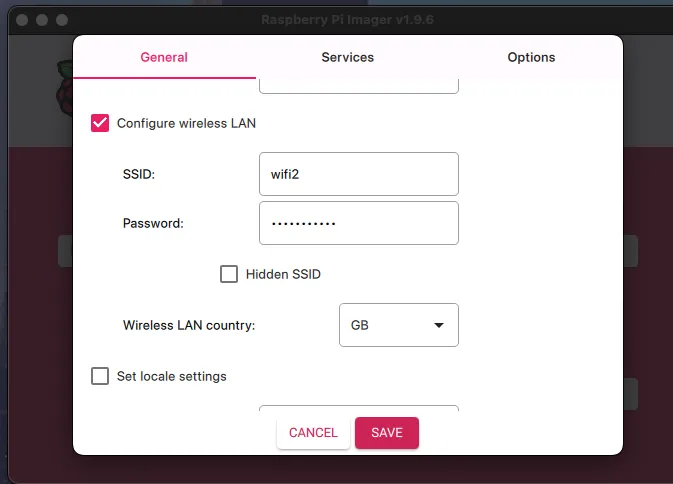
Default Wi-Fi Configuration
These settings define your own Wi-Fi network as the fallback/default connection.
Adding a New Wi-Fi Network
Run the following commands in your terminal to connect and save a new network.
sudo nmcli device wifi connect WIFINAME --asksudo nano /etc/NetworkManager/system-connections/WIFINAME.nmconnectionUnder [wifi-security], add:
psk=WIFIPASSWORDApply and Verify
sudo systemctl restart NetworkManager
nmcli -t -f NAME connection show --active
Automate with Cron
Ensure the interface restarts every 15 minutes and reconnects automatically.
sudo crontab -e

# Add this line:
*/15 * * * * /usr/local/bin/refresh_wifi.sh >> /var/log/refresh_wifi.log 2>&1
With this, your Pi will try to reconnect to any saved network automatically.
curl -o /usr/local/bin/refresh_wifi.sh https://raw.githubusercontent.com/4rji/bina/refs/heads/main/binarios/refresh_wifi.shsudo chmod +x /usr/local/bin/refresh_wifi.sh