
NukeVault: An Encrypted Vault That Destroys Itself
A desktop application built with Go and Wails 3 for controlled digital-forensics labs. It stores files inside an encrypted .nukevol container and exposes them through a local WebDAV mount only after the vault has been unlocked.
This is not a normal password-protected folder. NukeVault is intentionally destructive and should only be used with disposable test data. It is designed to demonstrate what happens when encryption, authentication pressure, and secure deletion are combined in one application.
Quick Navigation
-
1
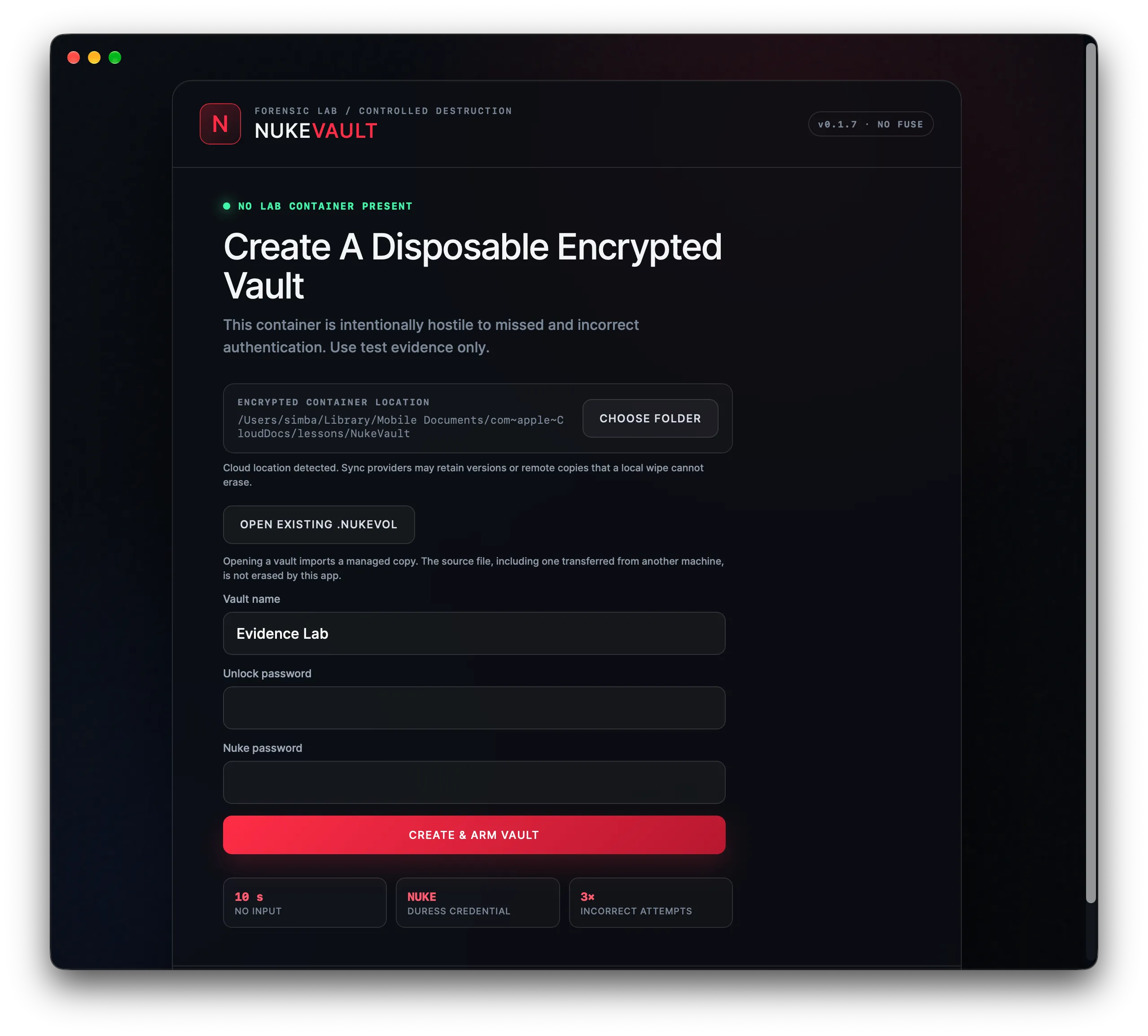
Create a disposable encrypted vault
When a vault is created, the user defines two different passwords:
- The normal password unlocks the encrypted container.
- The Nuke password immediately starts the destruction process.
The container is intentionally hostile to missed and incorrect authentication — use test evidence only. A cloud location will warn that sync providers may retain versions or remote copies a local wipe cannot erase.
-
2
The 10-second unlock challenge
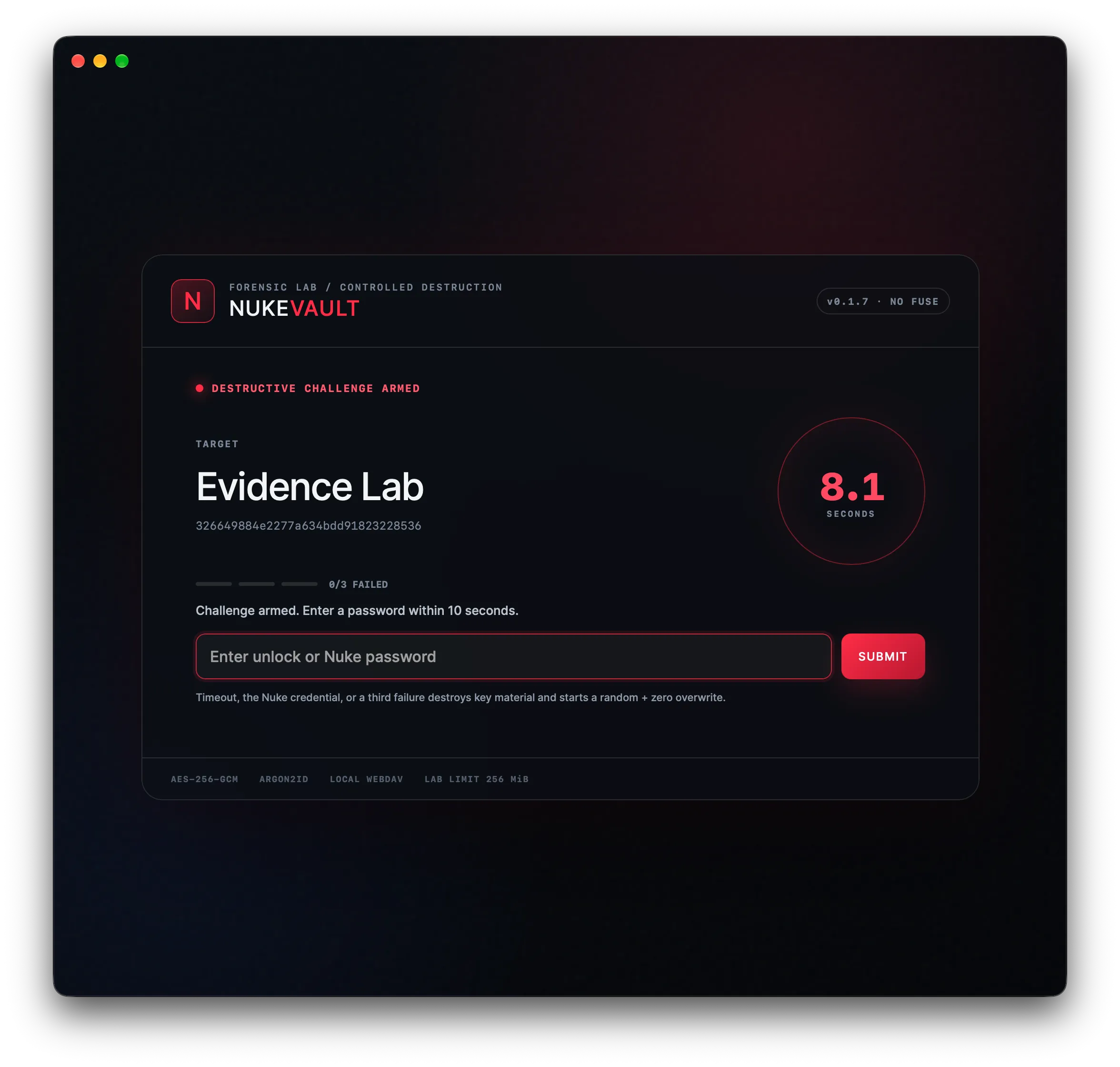
Opening a vault starts a 10-second challenge. If the correct password is entered, NukeVault decrypts the vault in memory and mounts its contents through a loopback-only WebDAV server. The original container remains encrypted while it is locked.
Timeout, the Nuke credential, or a third failure destroys key material and starts a random + zero overwrite.
-
3
Unlocked: the live WebDAV session
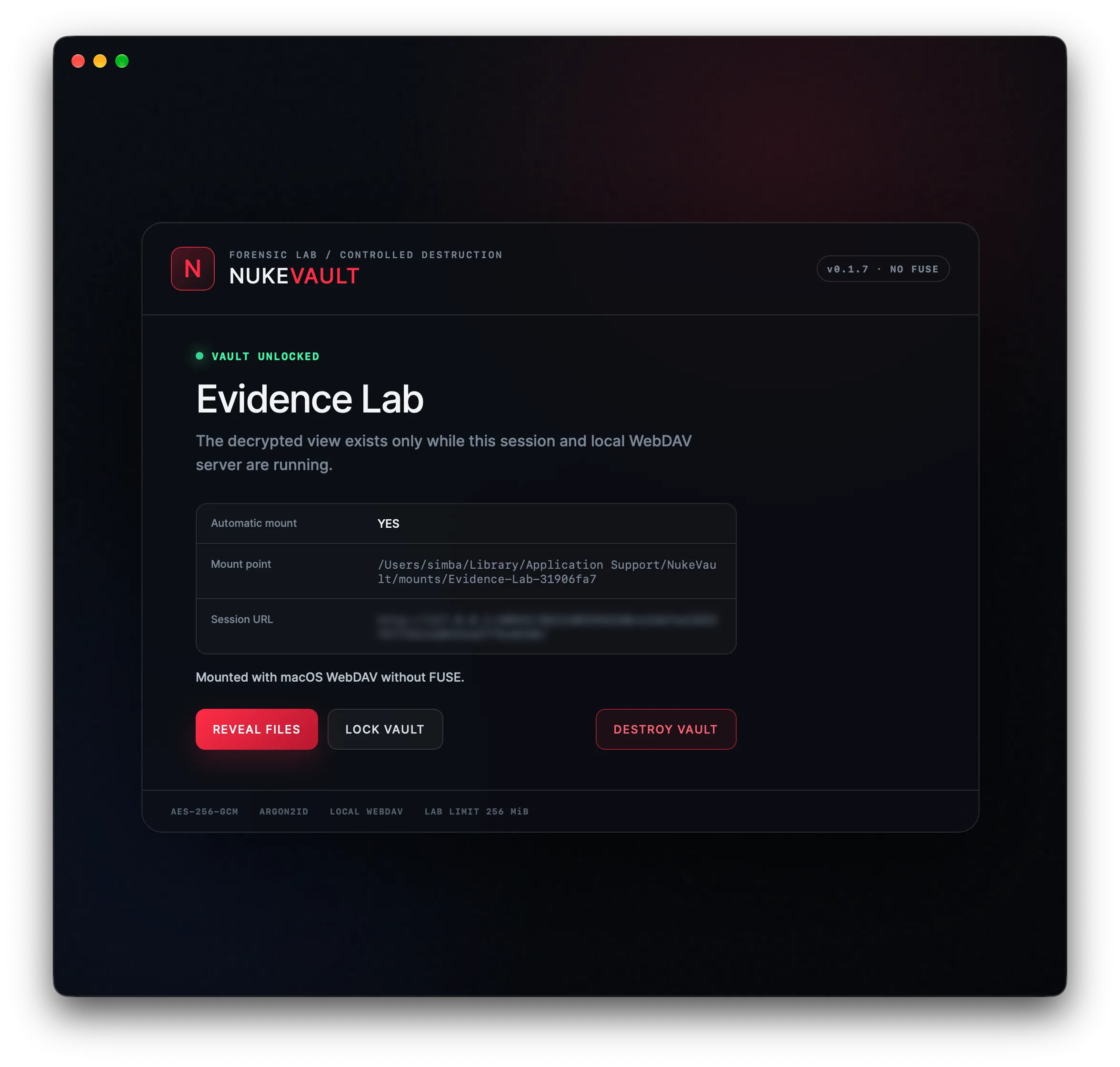
Once unlocked, the decrypted view exists only while the session and the local WebDAV server are running. The vault is mounted with macOS WebDAV without FUSE.
When the user selects Lock & Exit, NukeVault unmounts the decrypted view, closes the WebDAV session, clears its active runtime state, and exits the application.
-
4
Self-destruction and lab wipe
The vault begins destroying itself when any of these conditions occur:
- No password is entered within 10 seconds.
- The dedicated Nuke password is entered.
- Three incorrect passwords are entered.
Failed attempts and the current deadline are saved locally. Closing and reopening the application does not reset the attempt counter or provide a new 10-second window. If the deadline expires while the application is closed, the Nuke sequence starts when the vault is opened again.
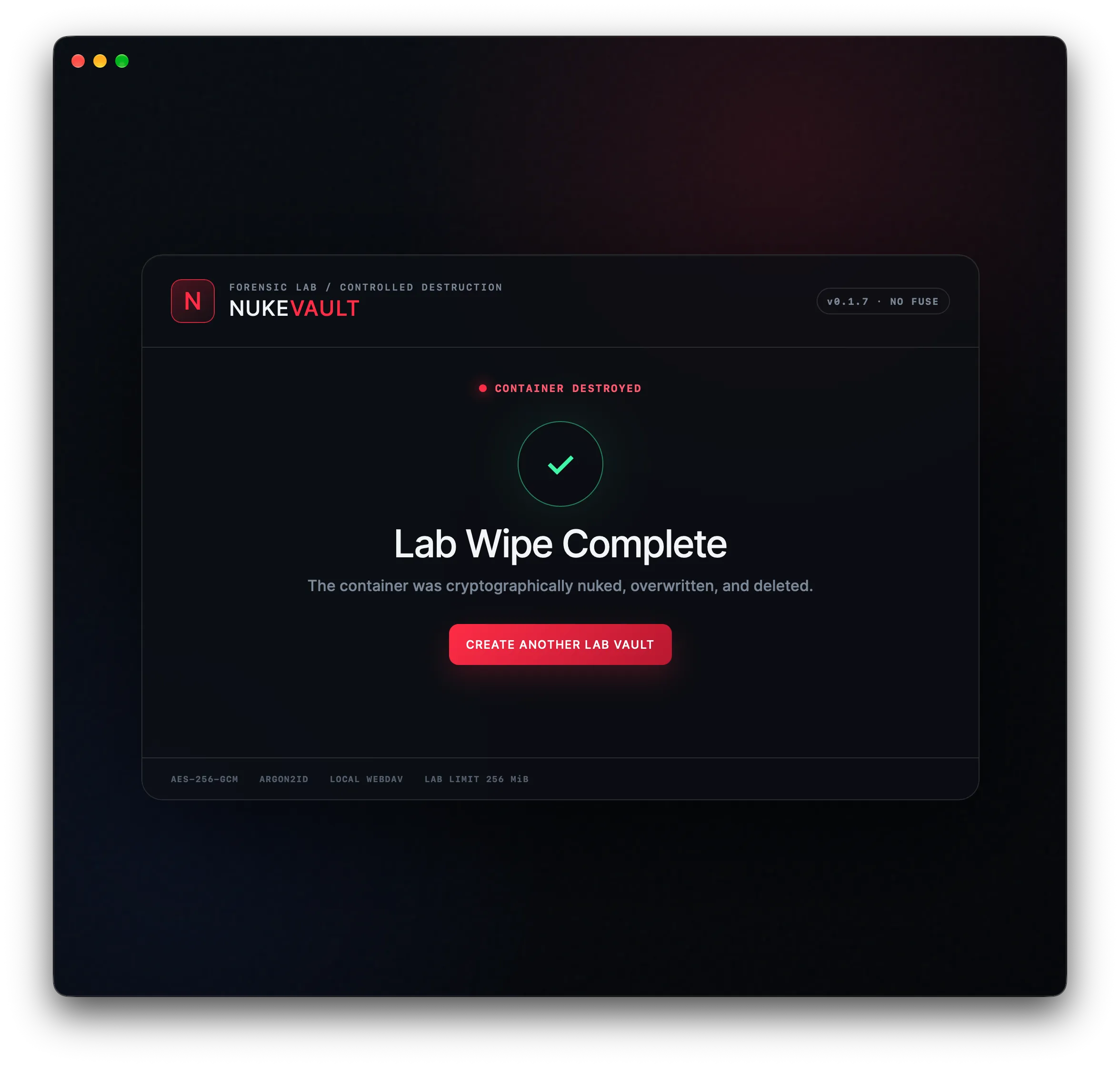
During destruction, NukeVault first destroys the encrypted key material. It then overwrites the entire container with random data, overwrites it again with zeros, flushes the changes, and deletes the file.
-
5
Portable .nukevol files
A
.nukevolfile can be transferred from another computer and opened with Open Existing.nukevol. NukeVault validates the container and imports a copy into its managed storage directory before starting the password challenge.The transferred source file is not deleted automatically. Only the managed copy is included in the Nuke operation, so any additional copies must be handled separately.
-
6
Important limitations
NukeVault is a laboratory and educational tool, not an anti-forensics guarantee. SSD wear leveling, APFS copy-on-write behavior, cloud synchronization, snapshots, and backup services may retain older copies even after the local container is overwritten.
The strongest part of the Nuke process is the destruction of the encrypted keys. Without those keys, the remaining encrypted payload cannot be opened normally. The overwrite passes are included to make the destruction process visible and useful for controlled forensic experiments.
Never use NukeVault as the only storage location for important or irreplaceable data.