
My Tools Inventory
At first, I had the need to manage my own tools, so I created a basic list and used `grep` to search through it. It worked, but was very rudimentary. I made an alias to speed things up, and from there the idea of a full program came up.
My Current Tool
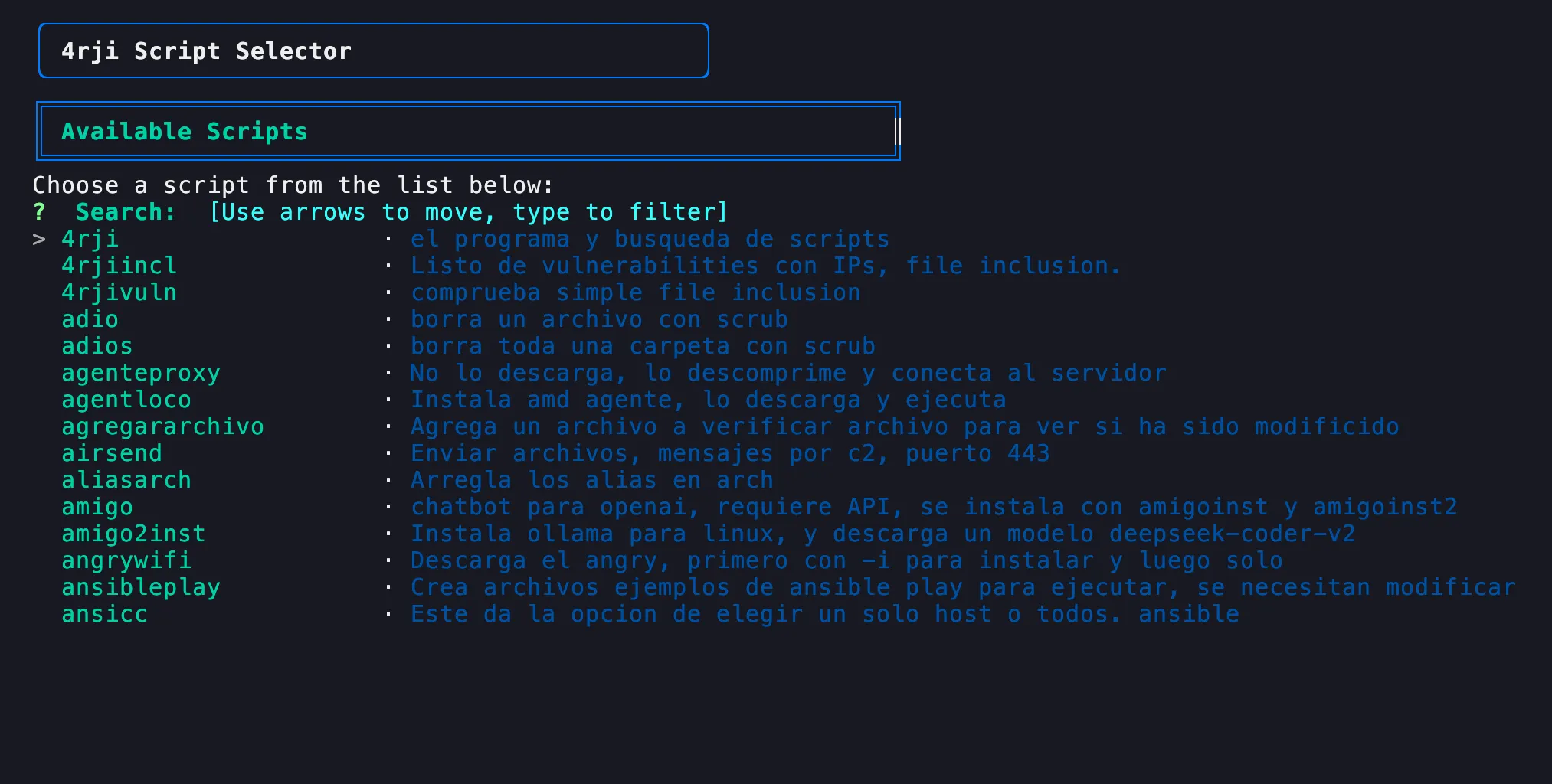
1. The Beginning: Just a List
I started learning the Linux interface and found dialog, so I began using it. However, it wasn't very fast since it didn't allow me to search or view anything, so I kept looking for other options.
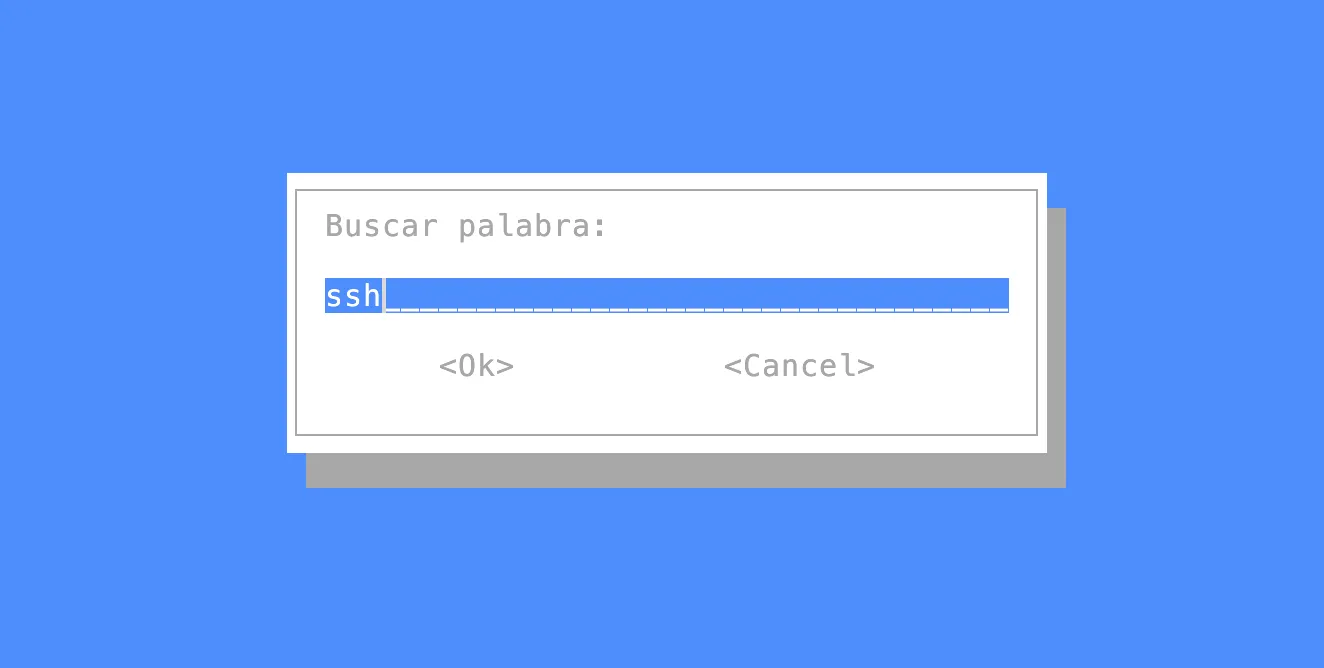
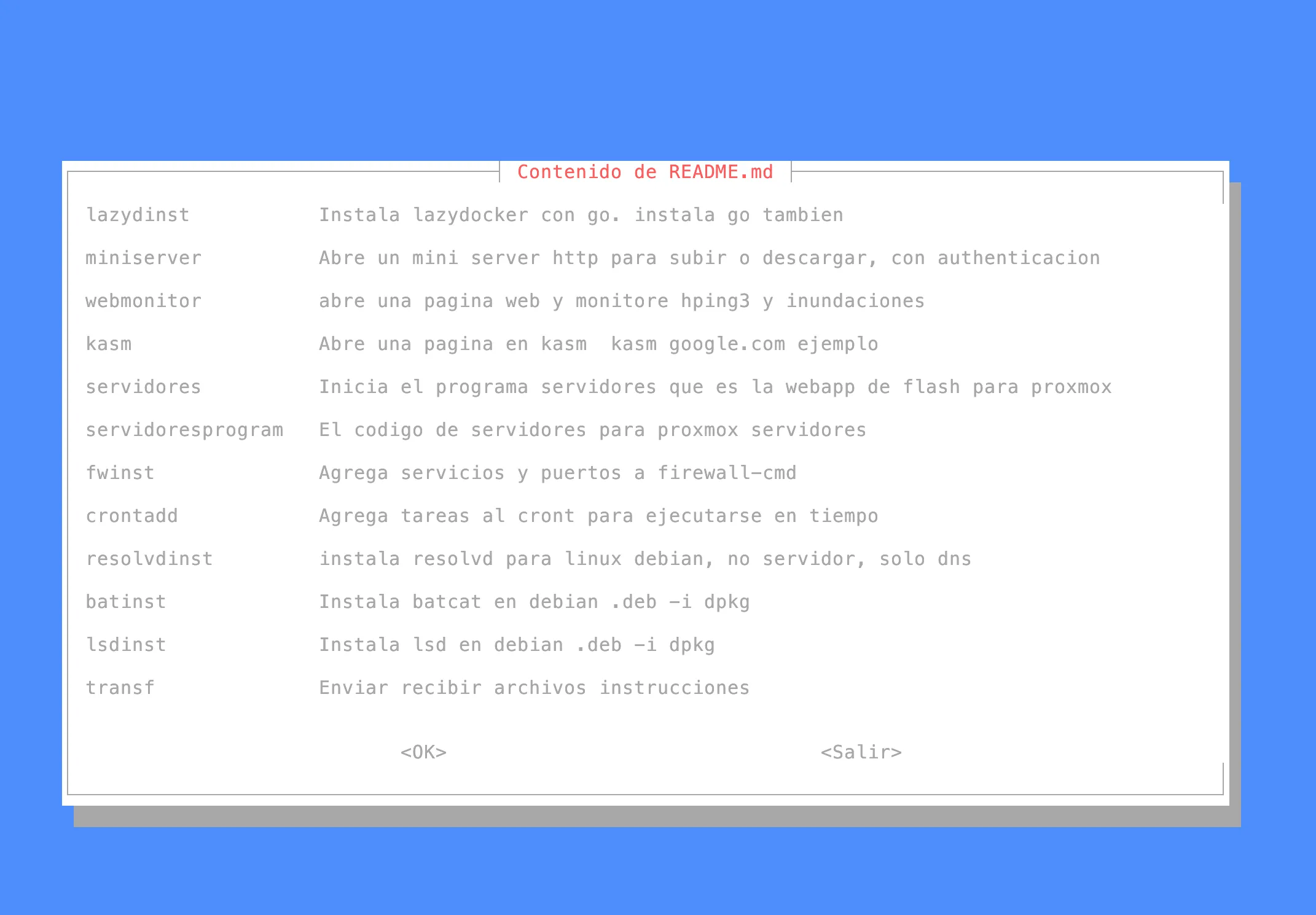
2. Adding Color with `batcat`
Eventually I discovered `batcat`, which allowed me to make the output easier to read using color and formatting.

3. Better Formatting with `column`, `awk`, and `sed`
As I learned more Unix tools like `column`, `awk`, and `sed`, I improved the output format, making the list look cleaner and easier to scan.

4. Searching Inside Scripts
When my toolset passed 500 scripts, it became hard to classify them. I added functionality to search inside the scripts using `grep`, to find things like all scripts that used the word "agent".
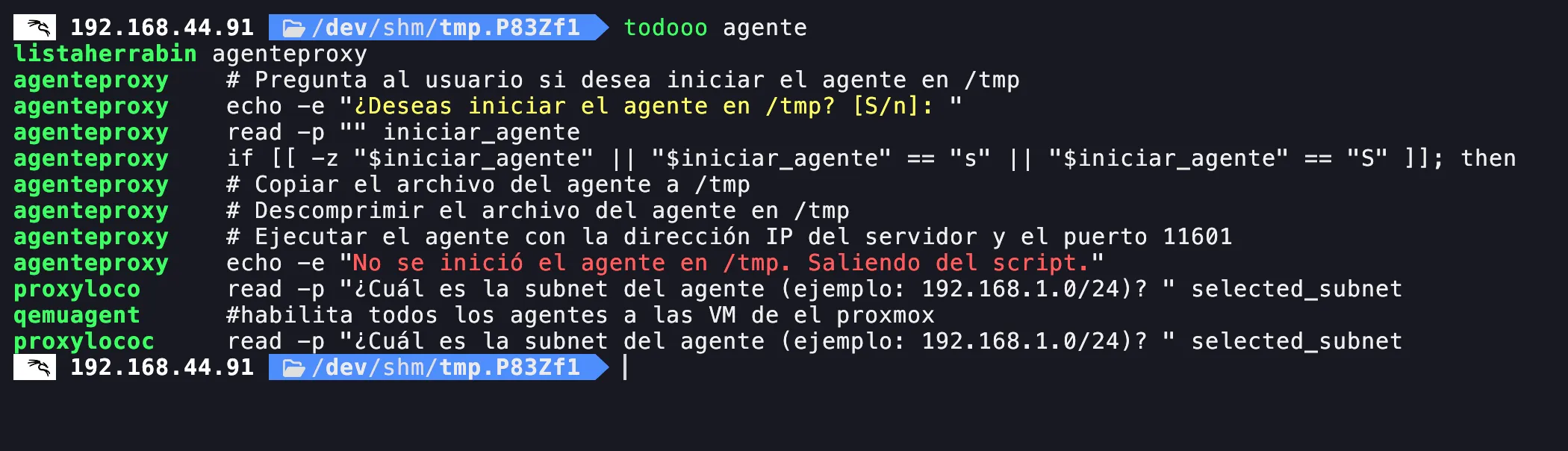
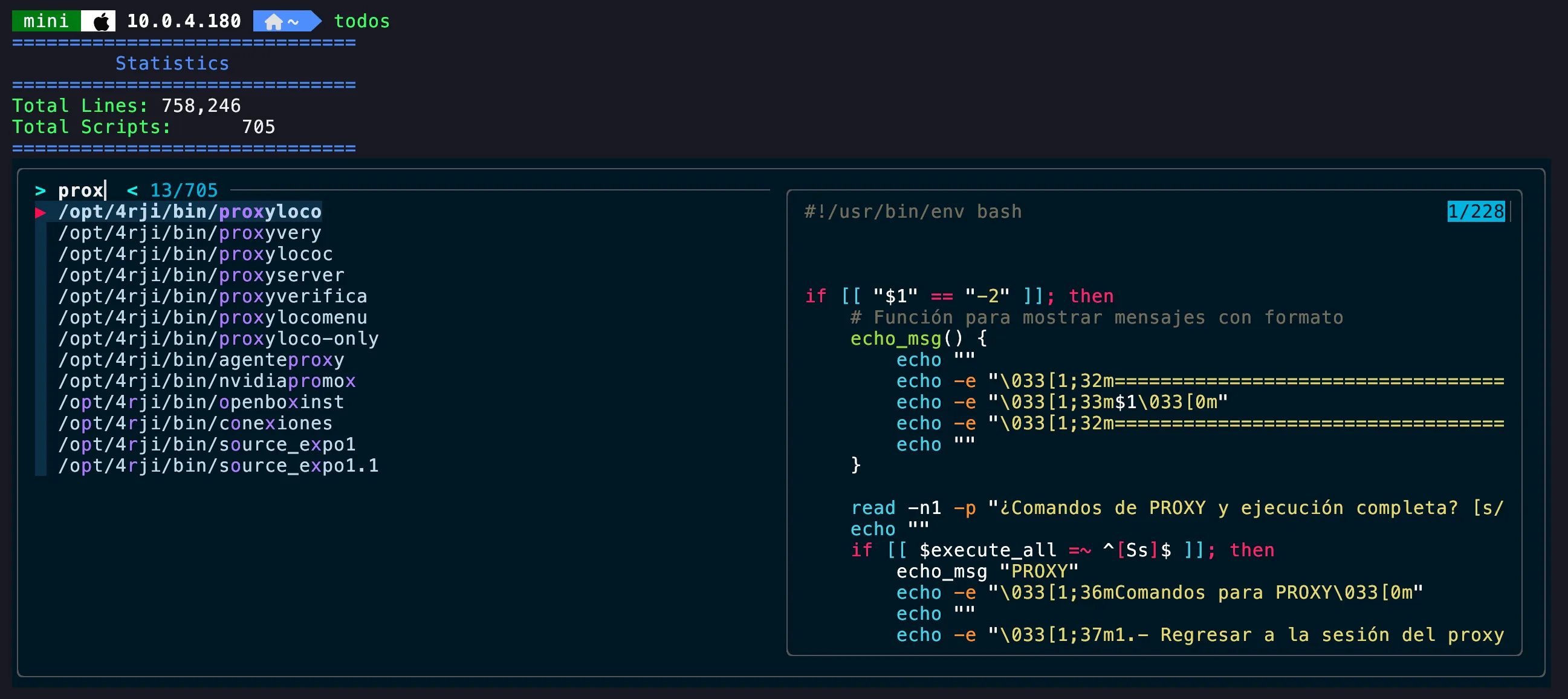
5. Fuzzy Search with `fzf` + Code Preview
Later I discovered `fzf` and realized I needed to preview code before running a script. This version added fuzzy search and preview capability.
6. Rewriting in Go
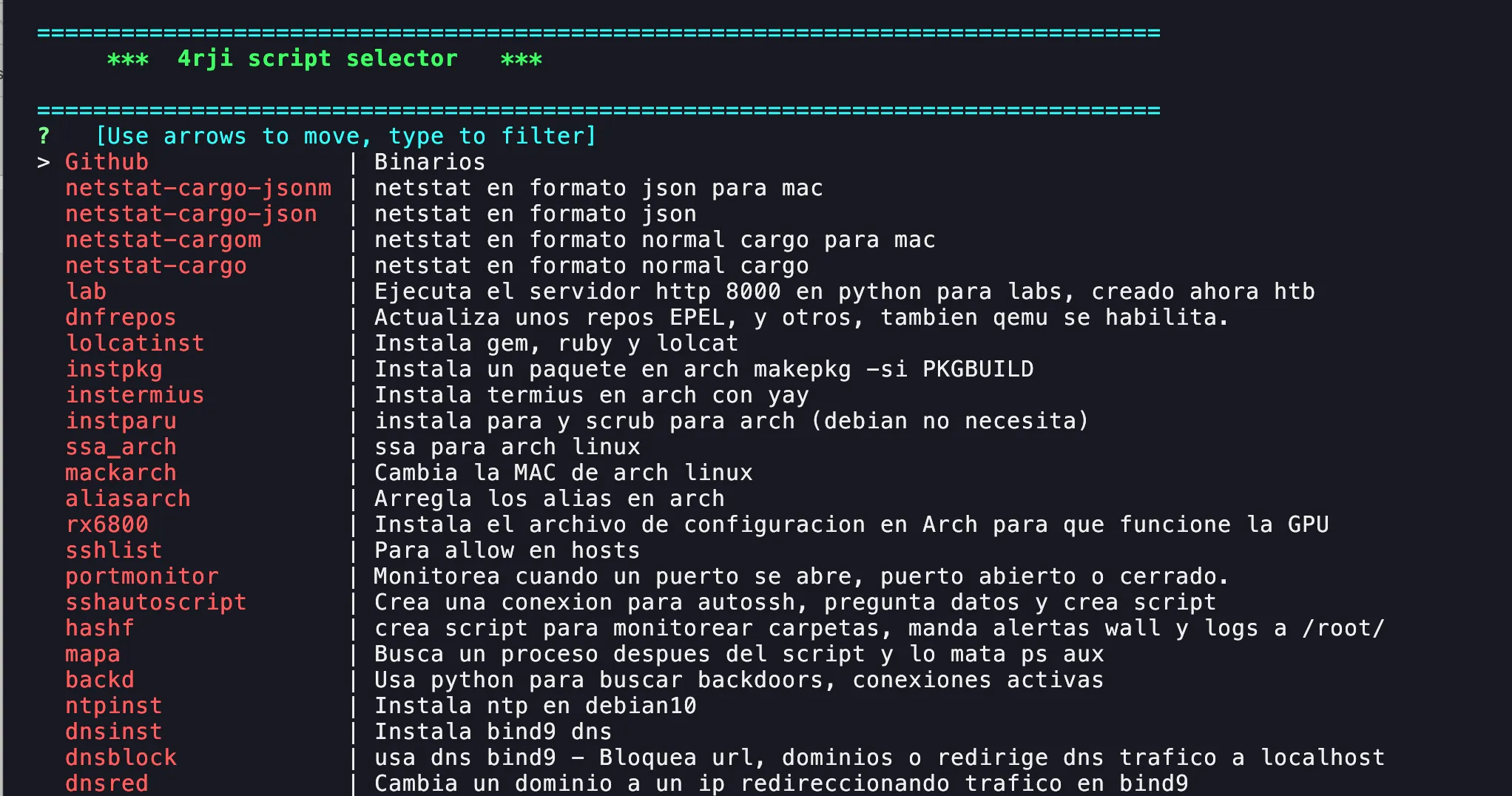
I started learning the Go programming language, and began building binary versions of the tool. I also changed the design a bit to make it faster and cleaner.
7. Metadata and Images
Finally, I added a small database with better descriptions and images per script/tool. Here's what it looks like now:
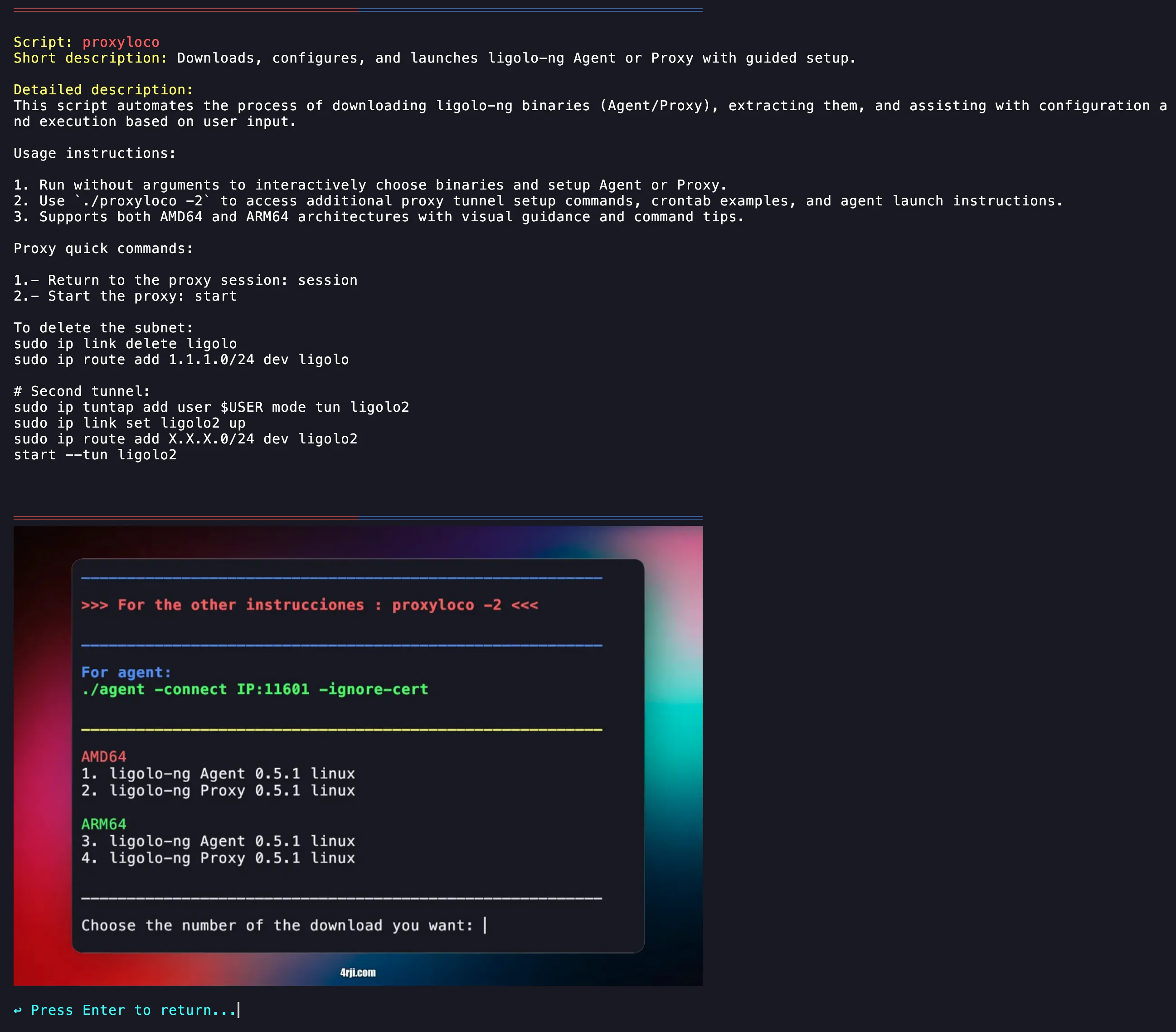
This tool is now a fast, practical way to search and manage my personal library of Linux scripts and tools. Hopefully it gives others ideas for building their own inventories.