
Project Highlights
Kemp LoadMaster lab focused on ESXi deployment, virtual service configuration, SSL integration, DNS routing, and load balancing for lab infrastructure.
- Deployed Kemp LoadMaster on ESXi from OVF/VMDK files and configured licensing tied to a static MAC address.
- Created virtual services, SubVS entries, and real server mappings to route traffic to backend systems.
- Integrated Cloudflare DNS and SSL certificates to support encrypted public access to internal services.
- Built load balancing rules for a Docker-based lab and documented traffic redirection across remote server locations.
Kemp
LoadBalancer Essentials is your go-to solution for distributing network traffic across multiple servers. It ensures that no single server gets overwhelmed, improving performance, reliability, and scalability. Perfect for businesses looking to optimize server resources efficiently.
Installation on ESXi
ESXI
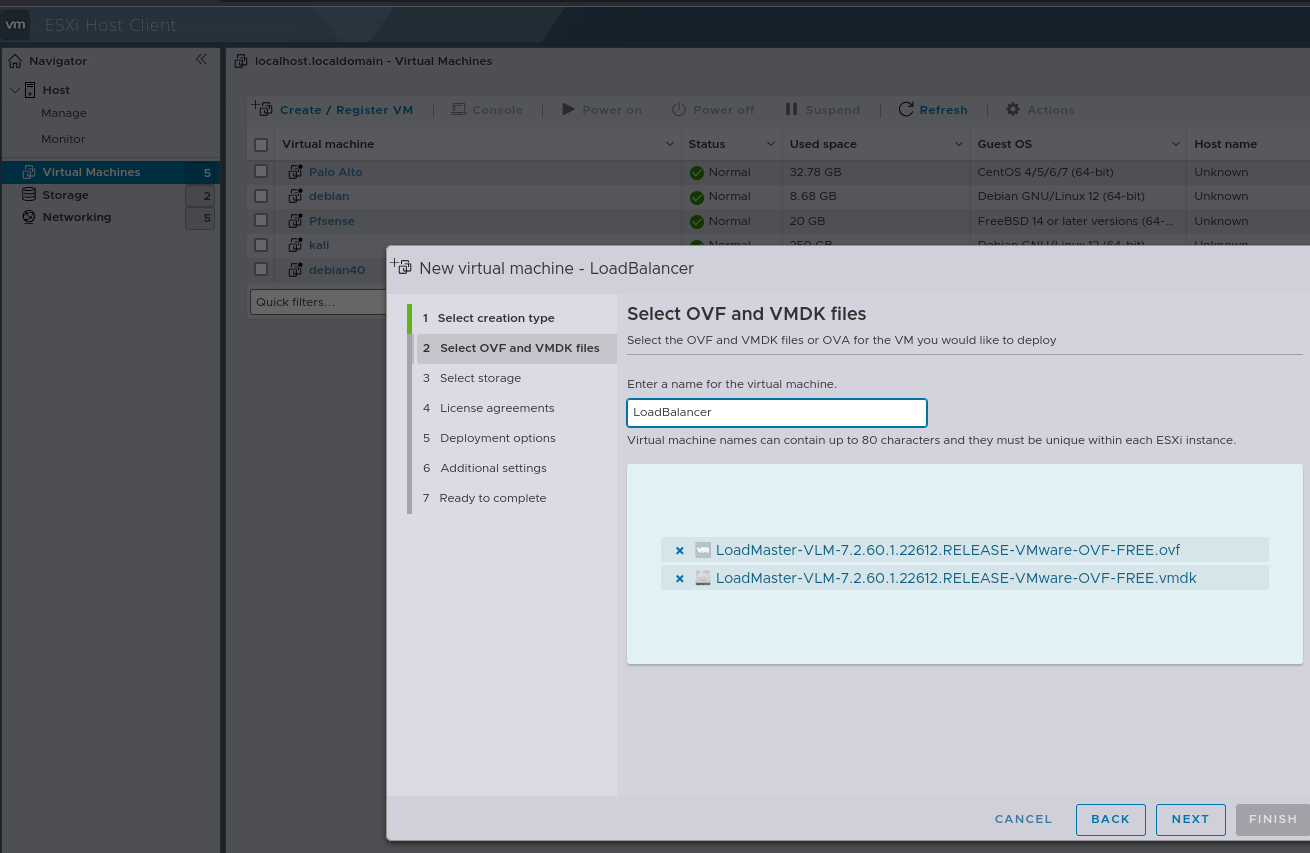
Download and import the .ovf and .vmdk files.
MAC
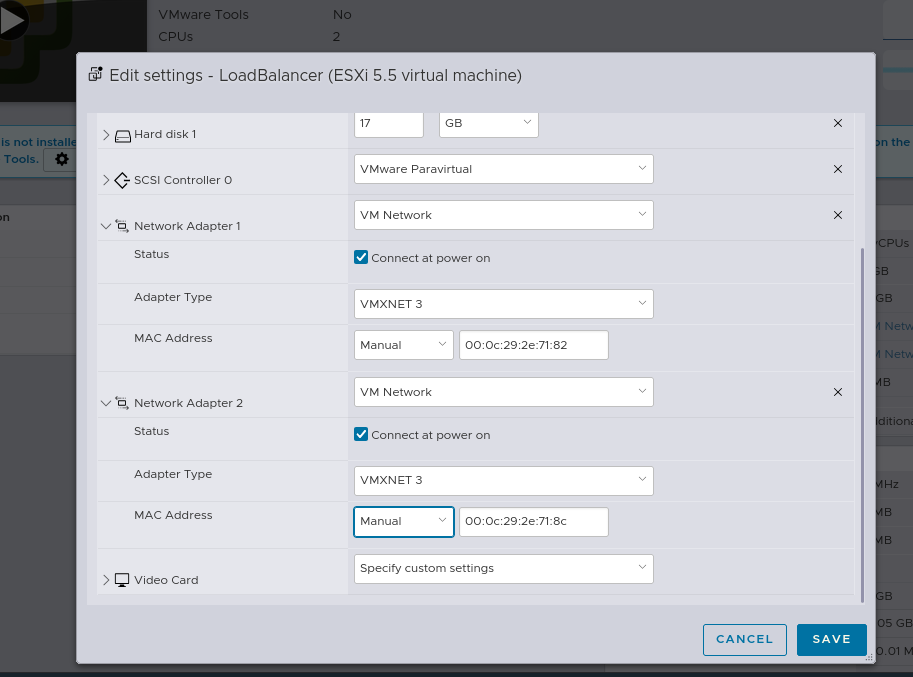
Set a fixed MAC address because the license is tied to the MAC address.
License
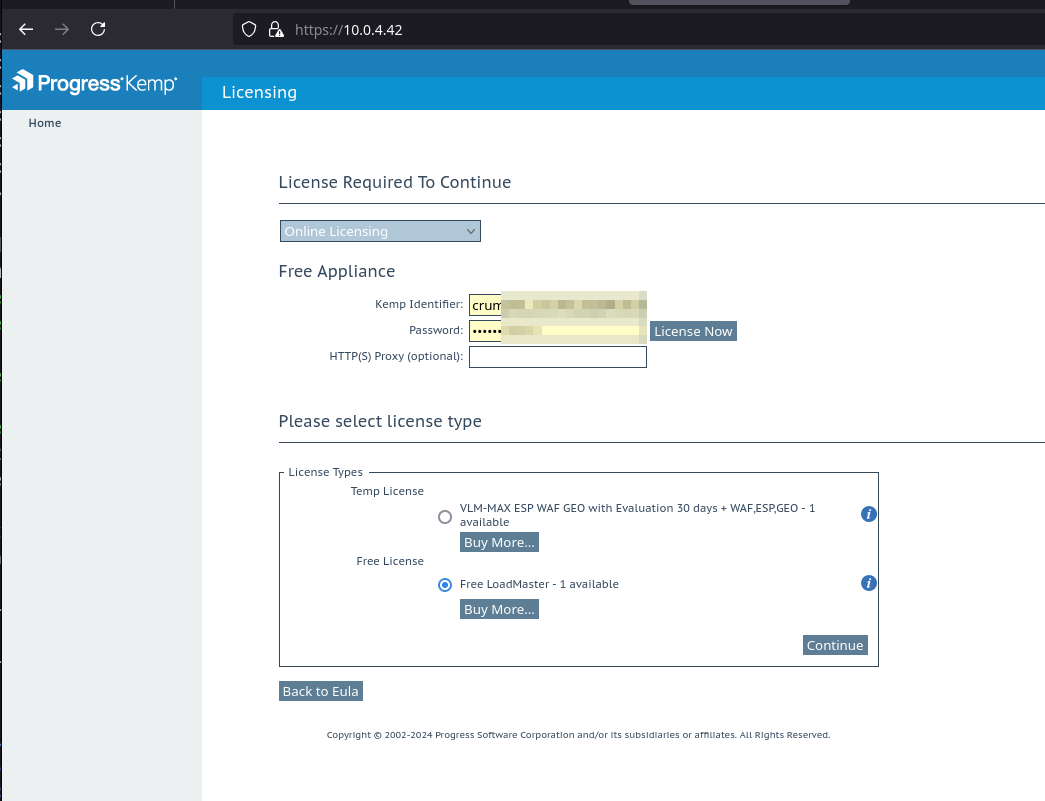
Log in with the credentials you registered to obtain the license.
Virtual-Ser
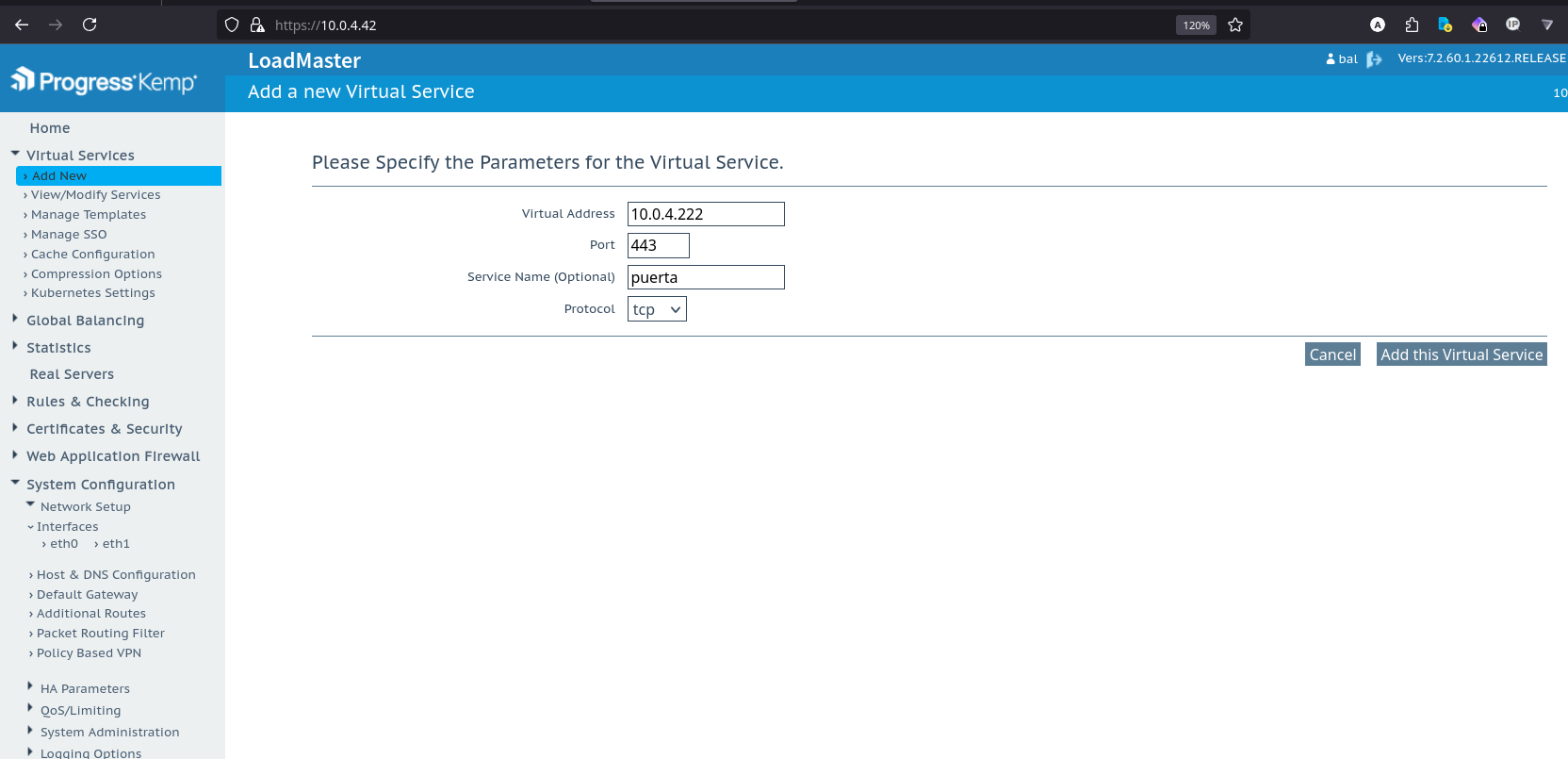
Add the first virtual switch within your LAN IP range.
SubVS
Assign a name and add your first SubVS.
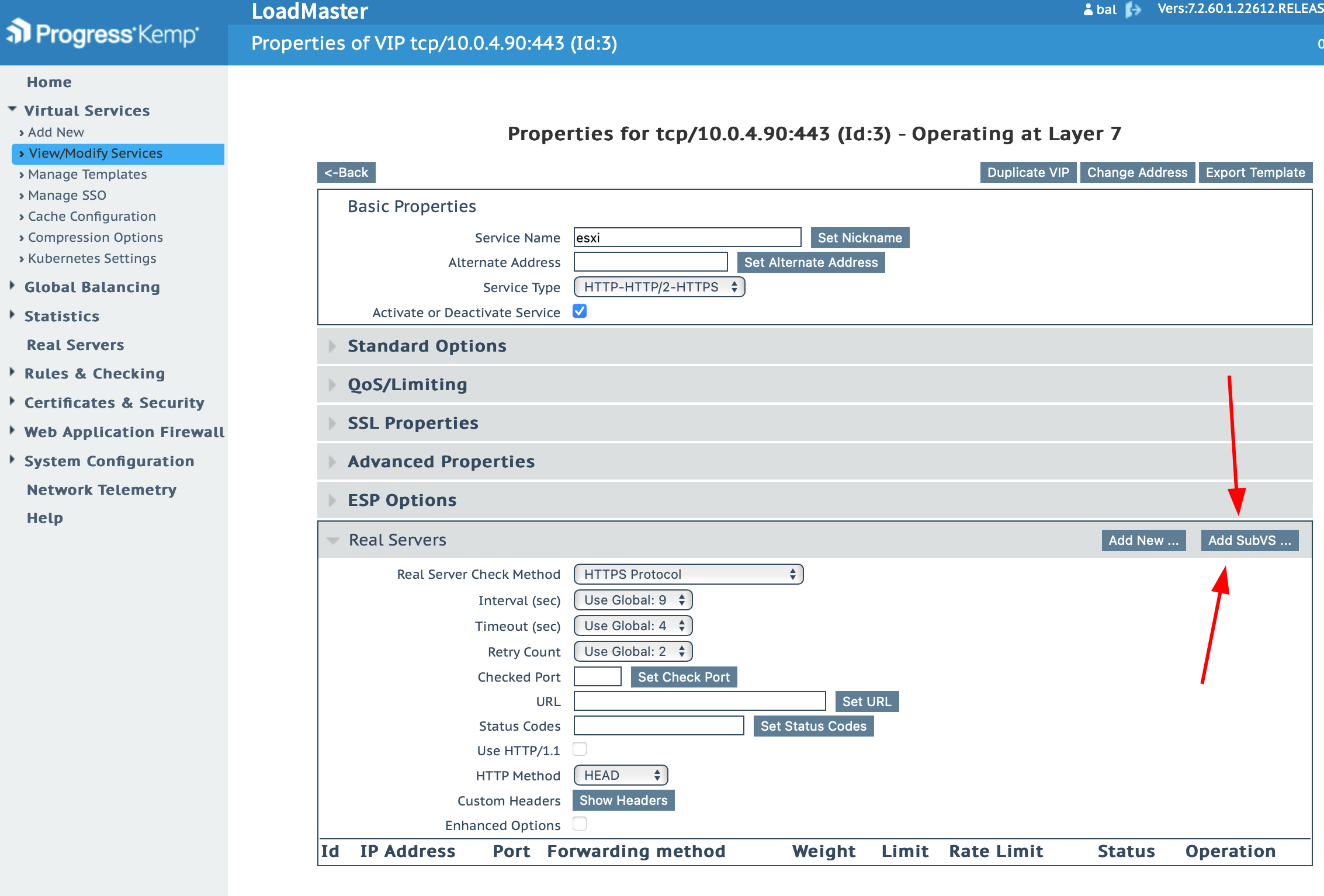
Then modify the newly created SubVS; it’s located below.
Real-Server
Add your server's address and the port it’s running on.
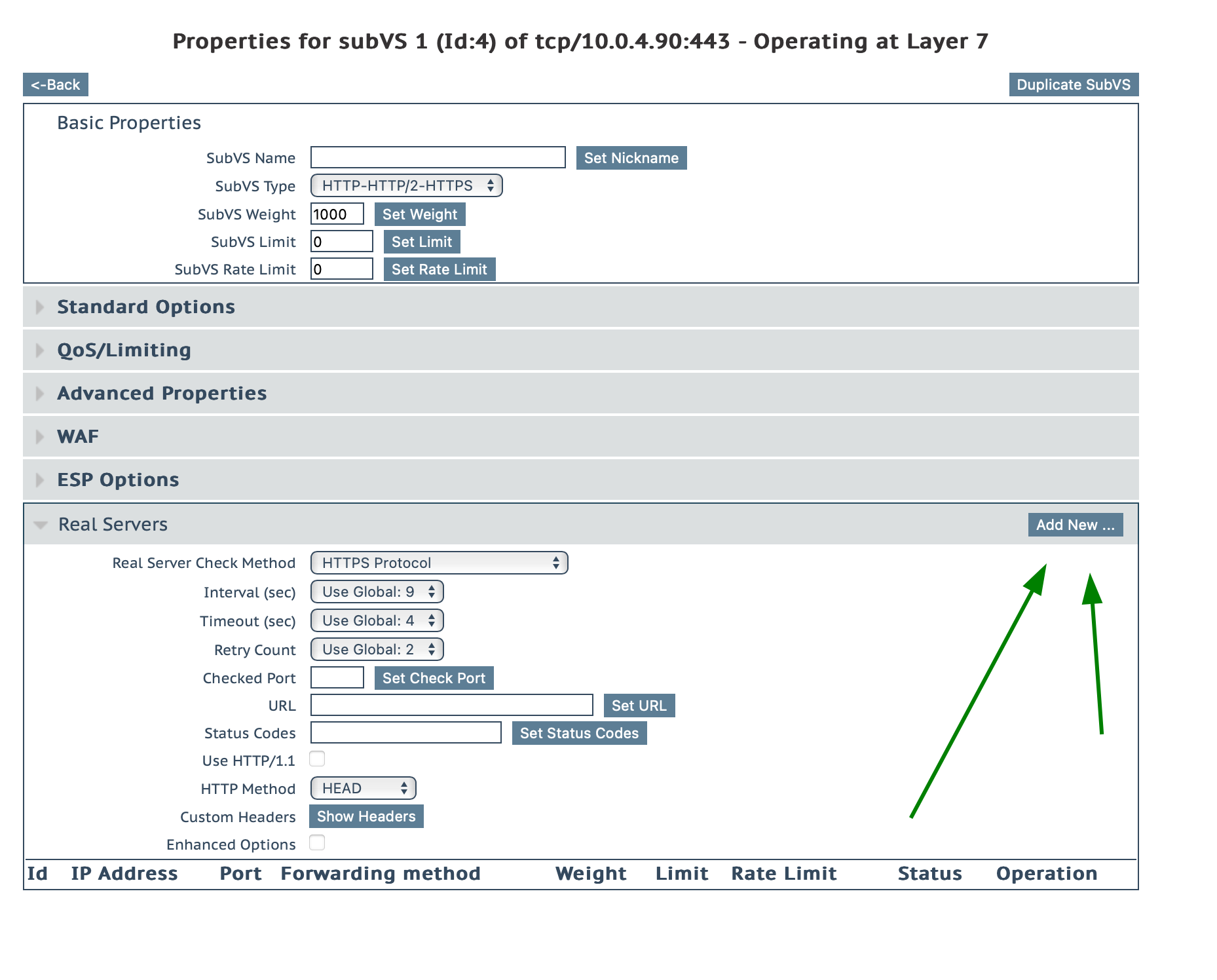
Testing
Now you can test the server. Go to the newly created IP, and it should display the server you assigned in the Real Server step.
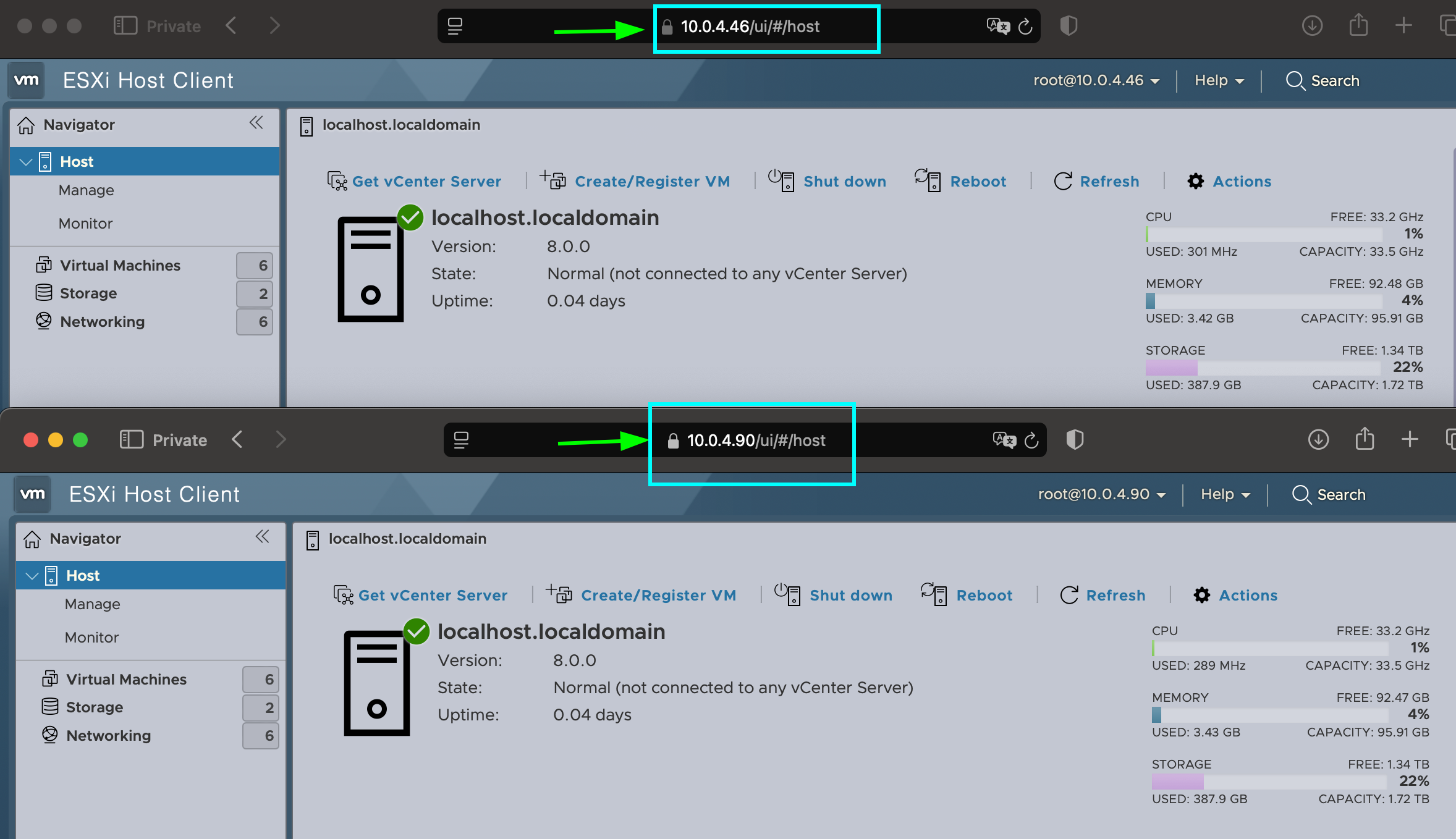
Here, we can see that the ESXi server now runs on both the newly created IP and the original IP.
Setting Up Your SSL Certificate and Domain
I will use Cloudflare for both.
-
First, set it to Full encryption.
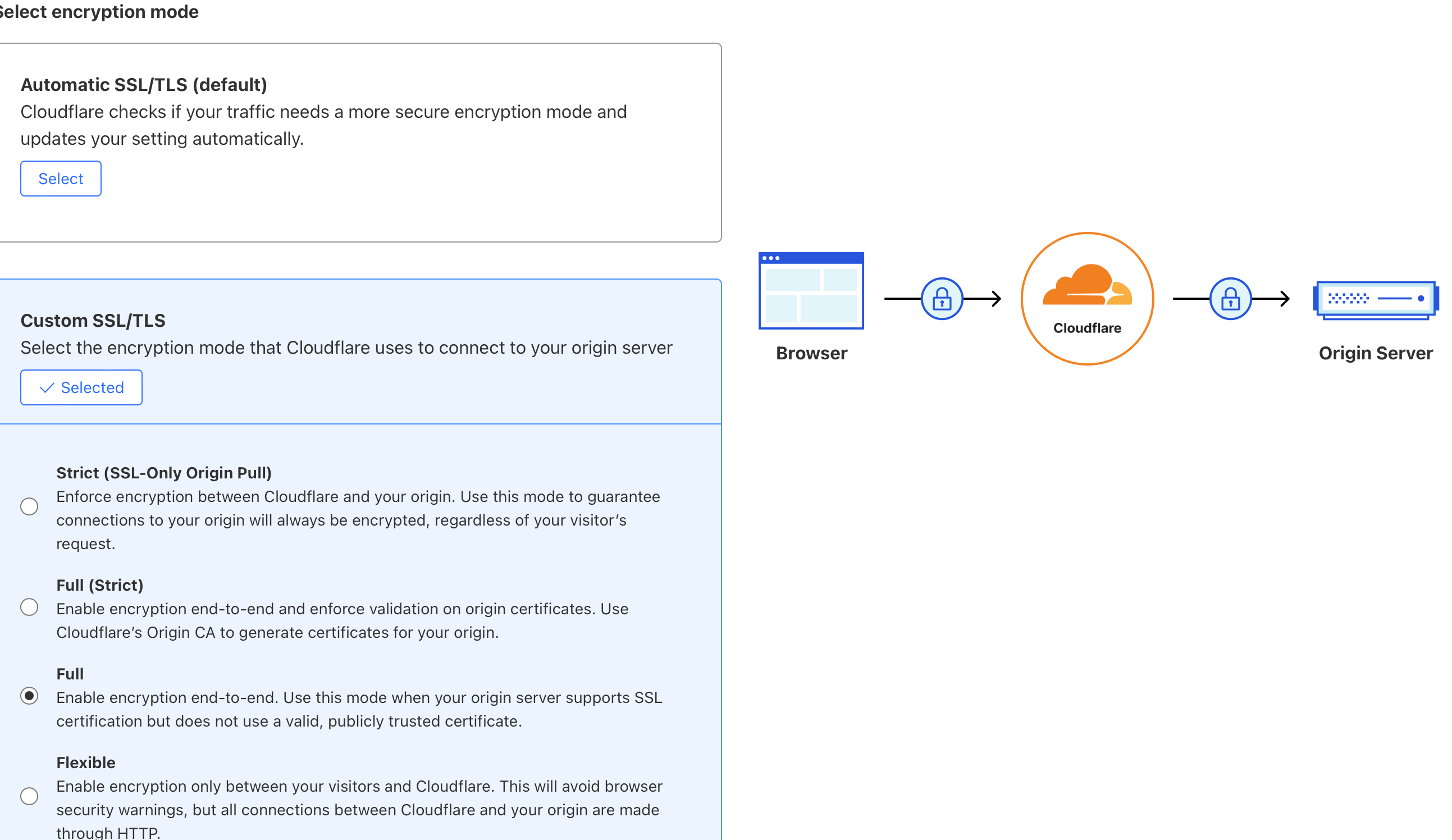
-
Return to the Kemp server and generate the certificate first.
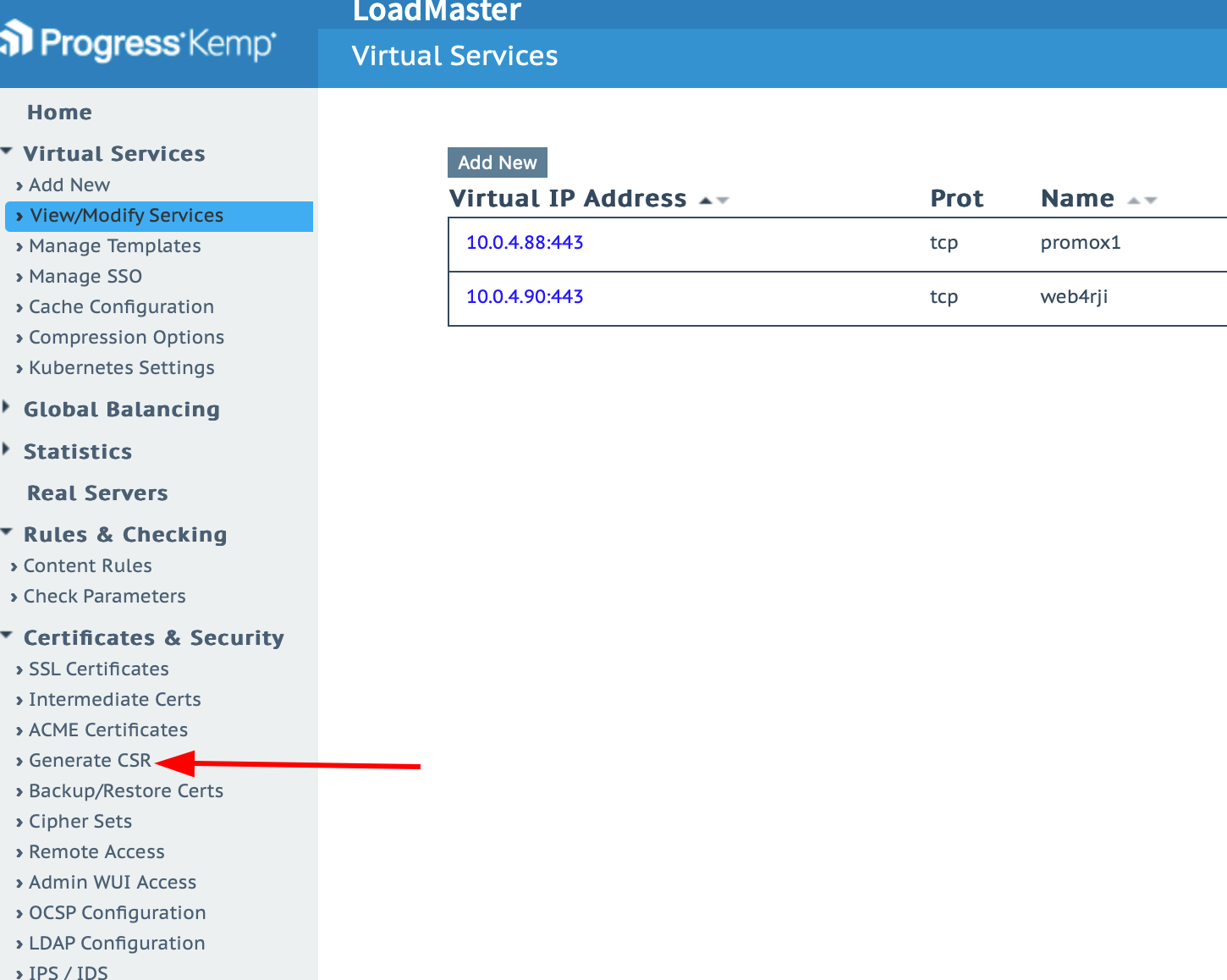
-
Generate the PEM and KEY keys.
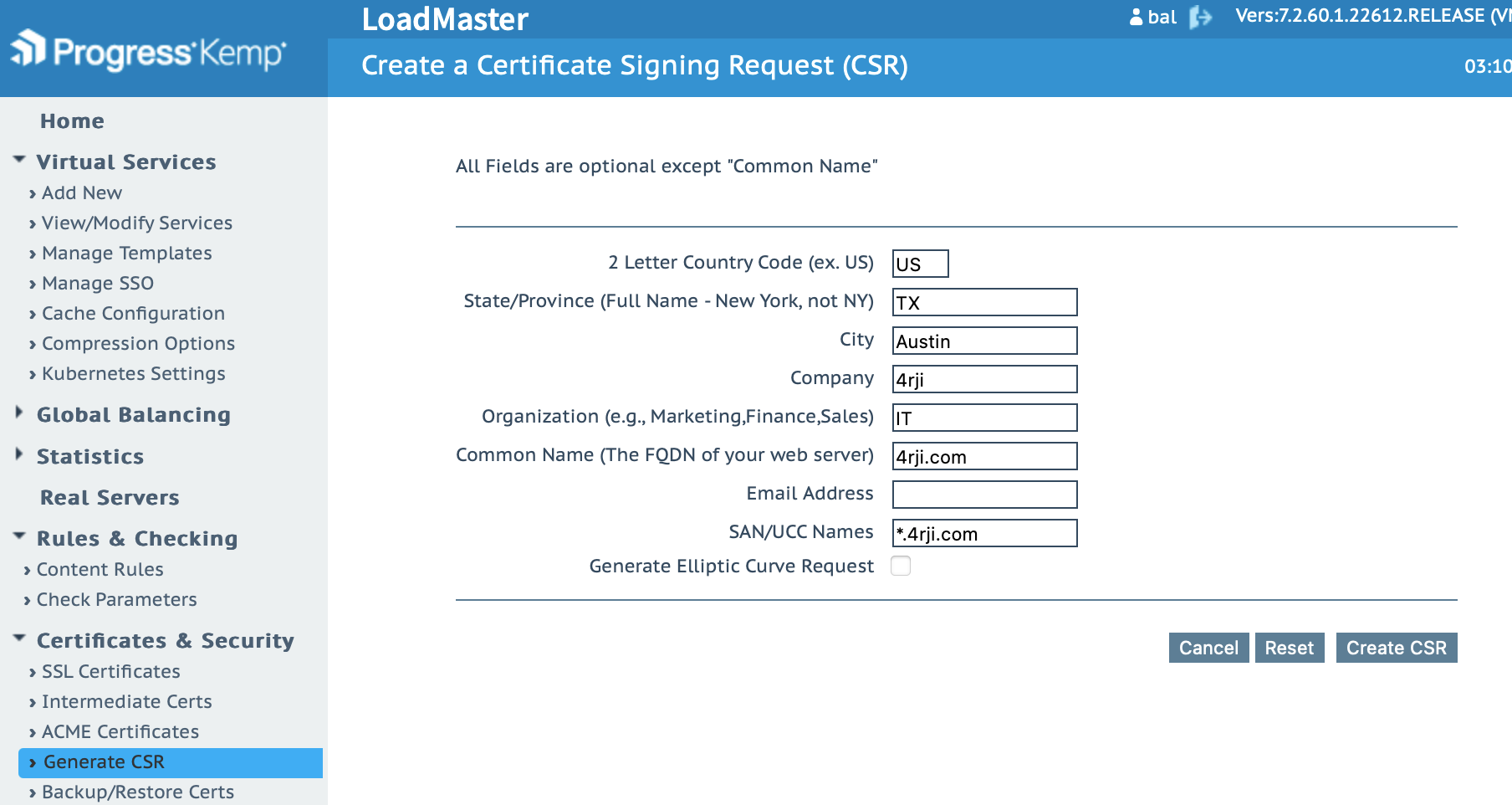
-
Return to Cloudflare and create the certificate.
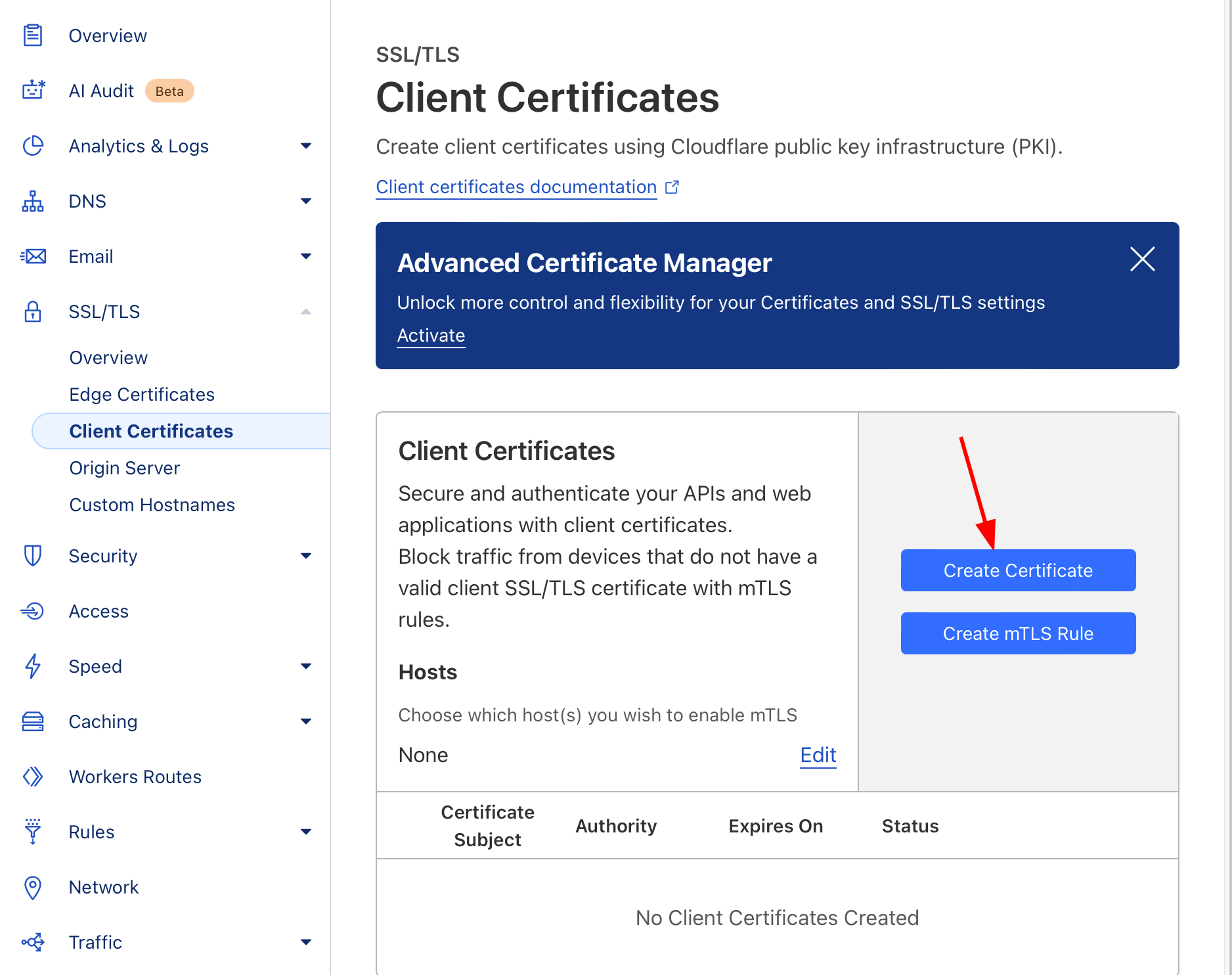
-
Copy the first key generated on the KEMP server here.
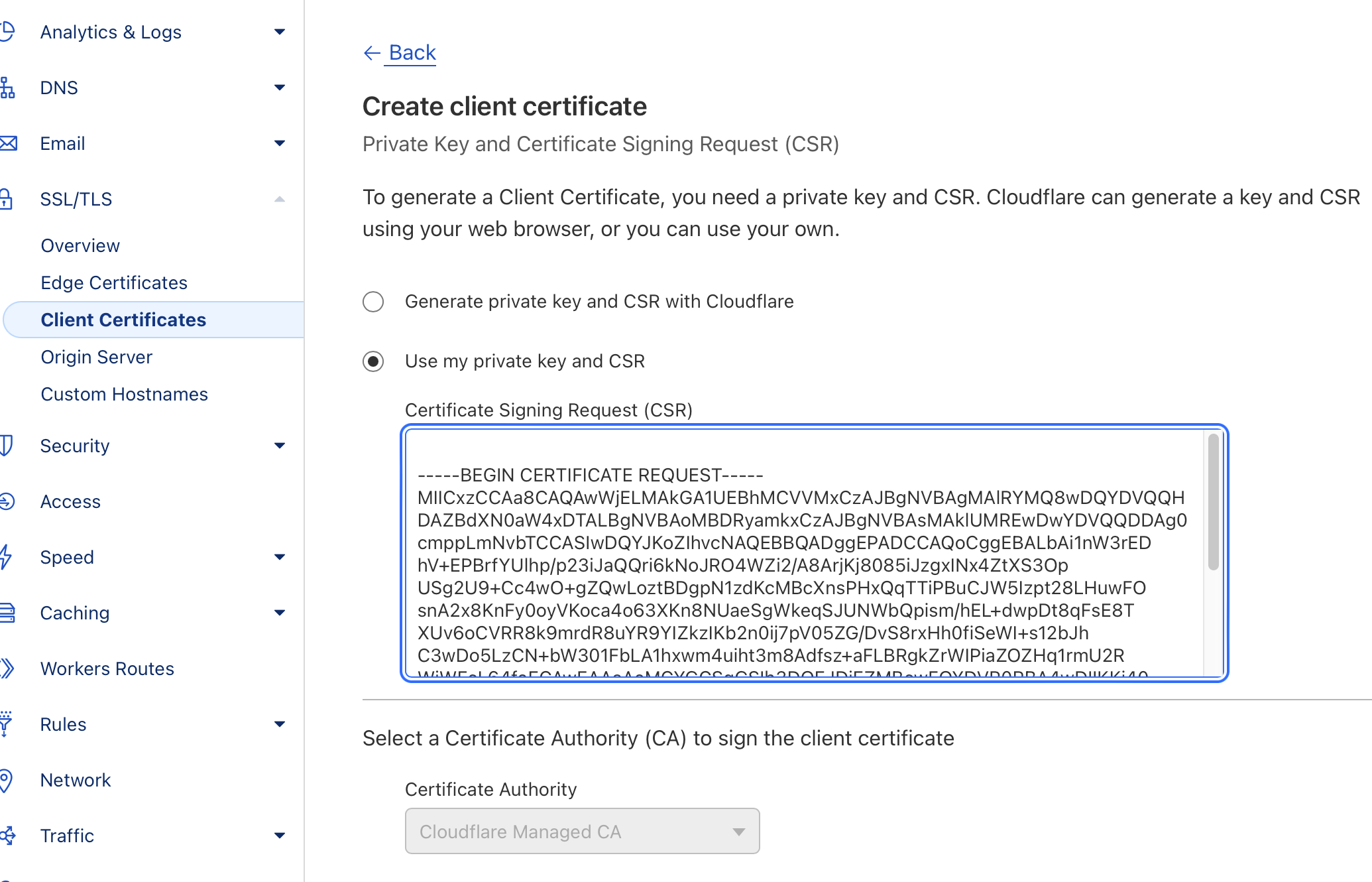
-
Cloudflare will generate a PEM key; save it in a file because it will be uploaded to the Kemp server.
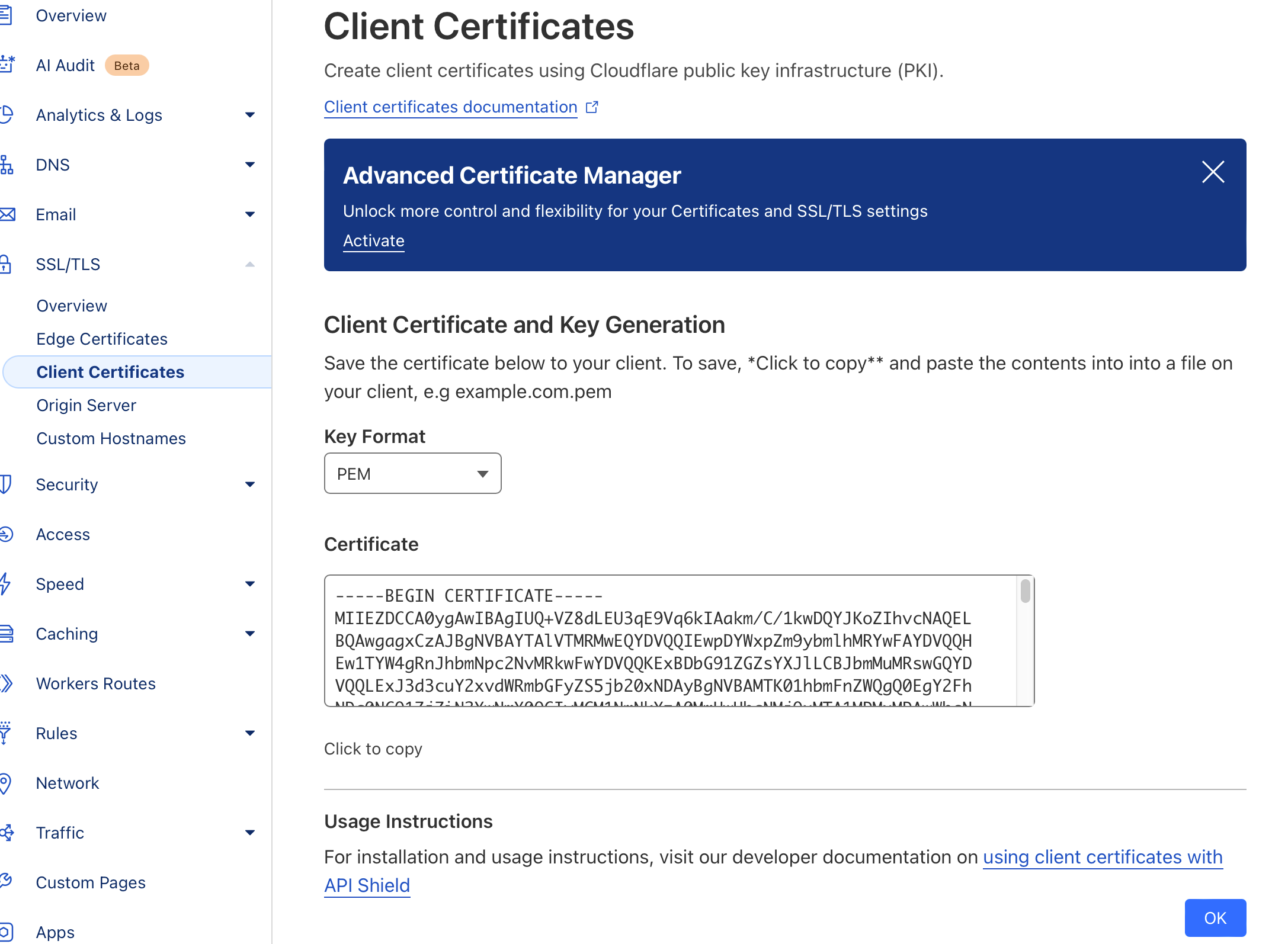
-
Now save the second key generated by Kemp; this is the private key. Also, save it in a .key file.
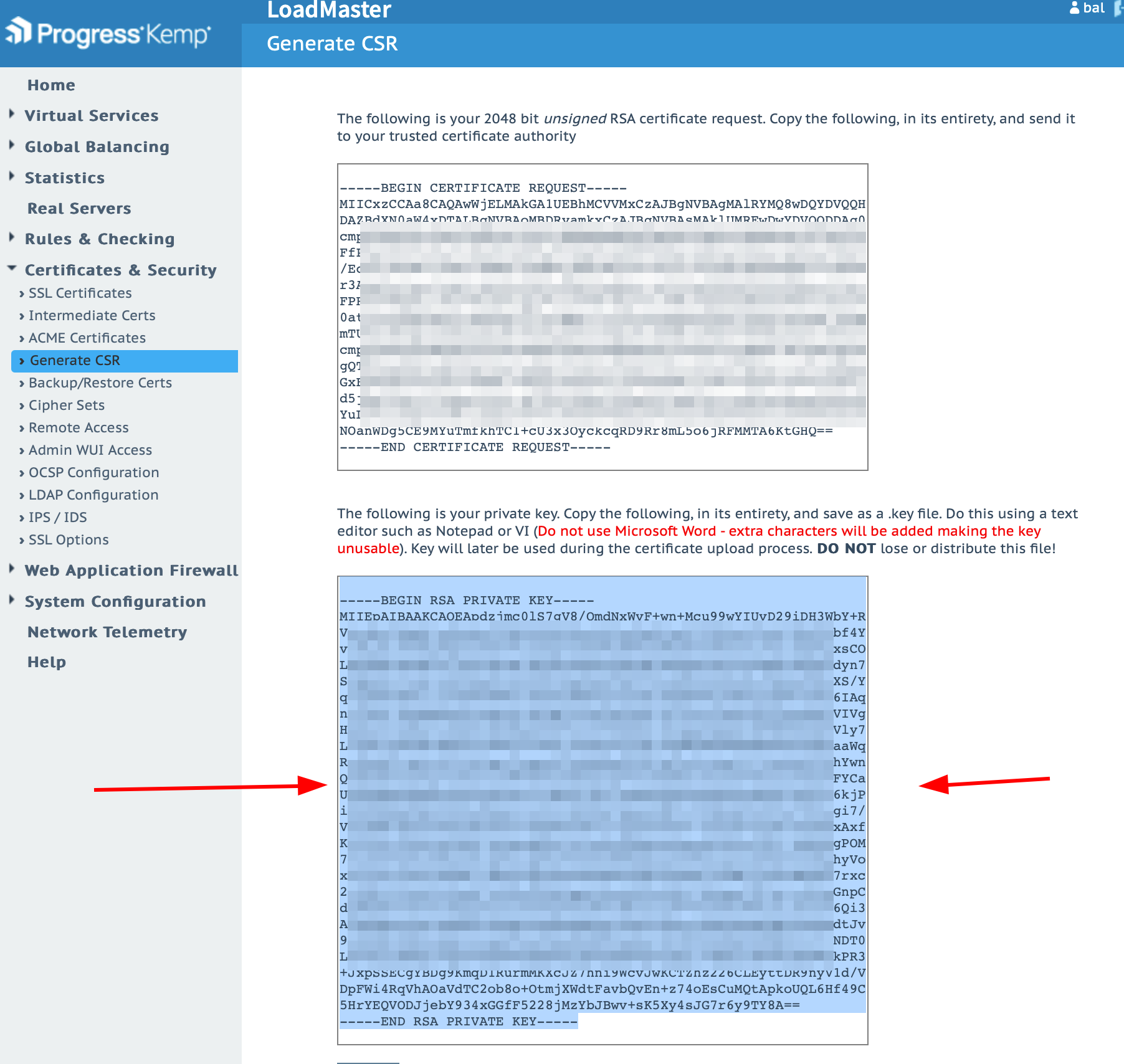
-
Now import the files to Kemp.
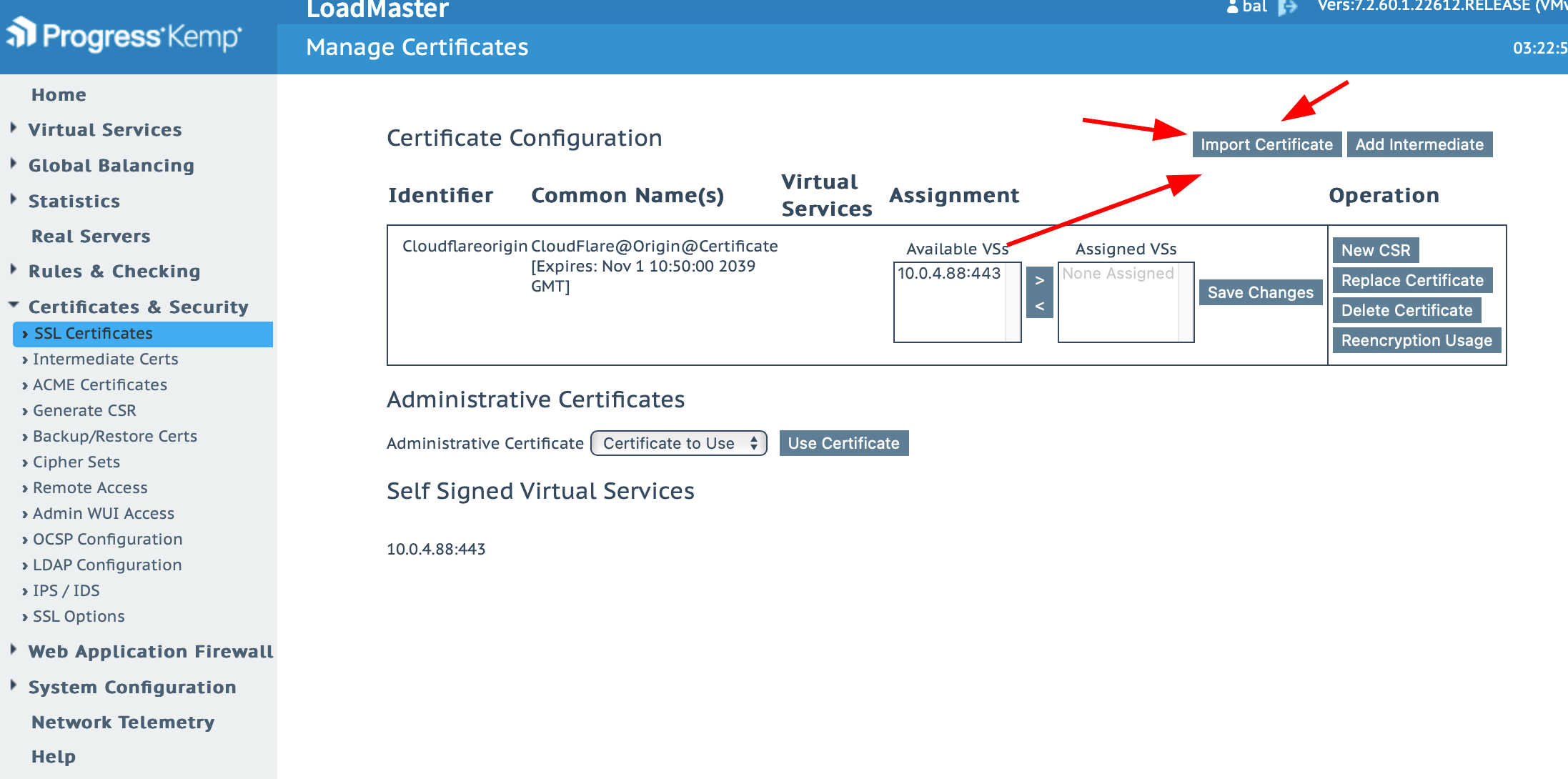
-
Now, search for "Cloudflare Origin ECC PEM" on Google and download the certificate. Add it to Kemp.
https://developers.cloudflare.com/ssl/static/origin_ca_ecc_root.pem
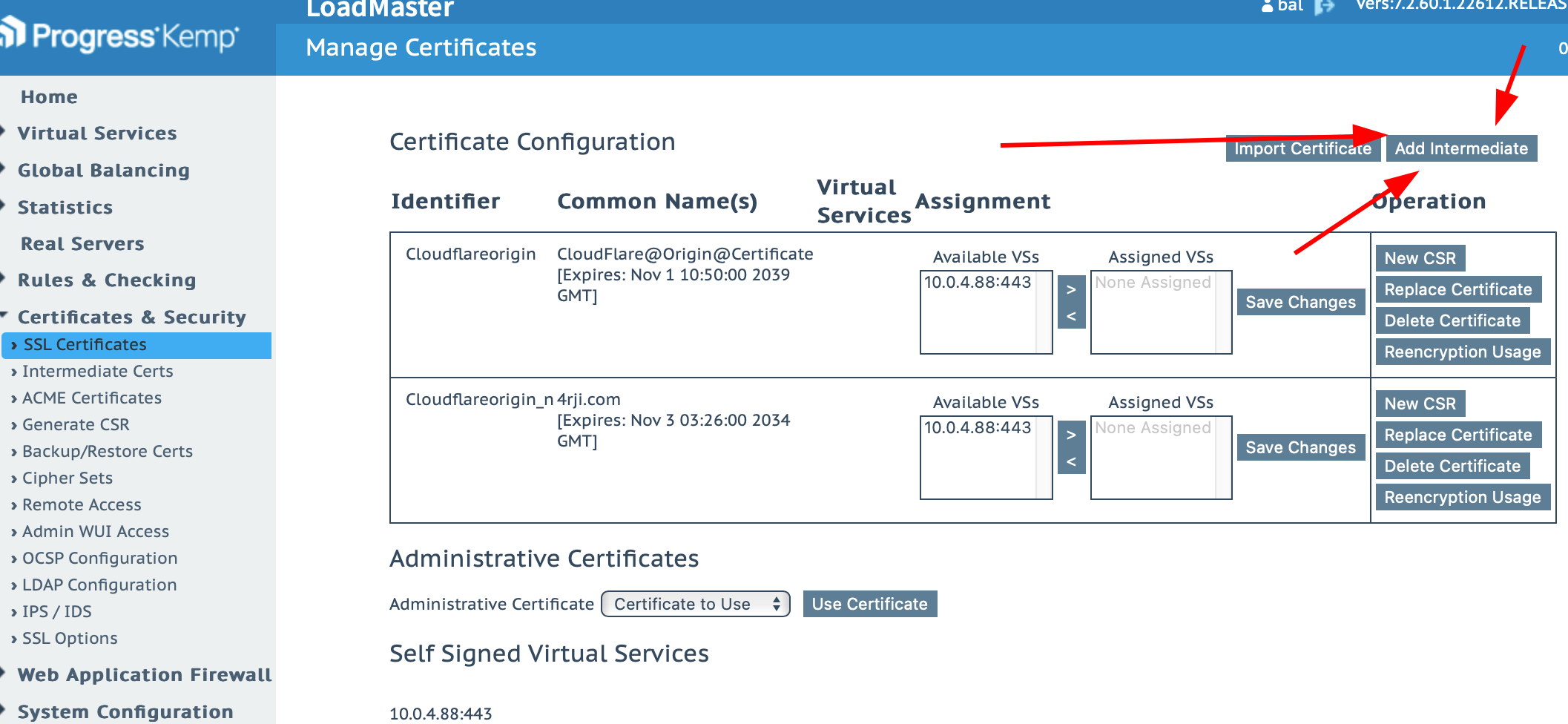
-
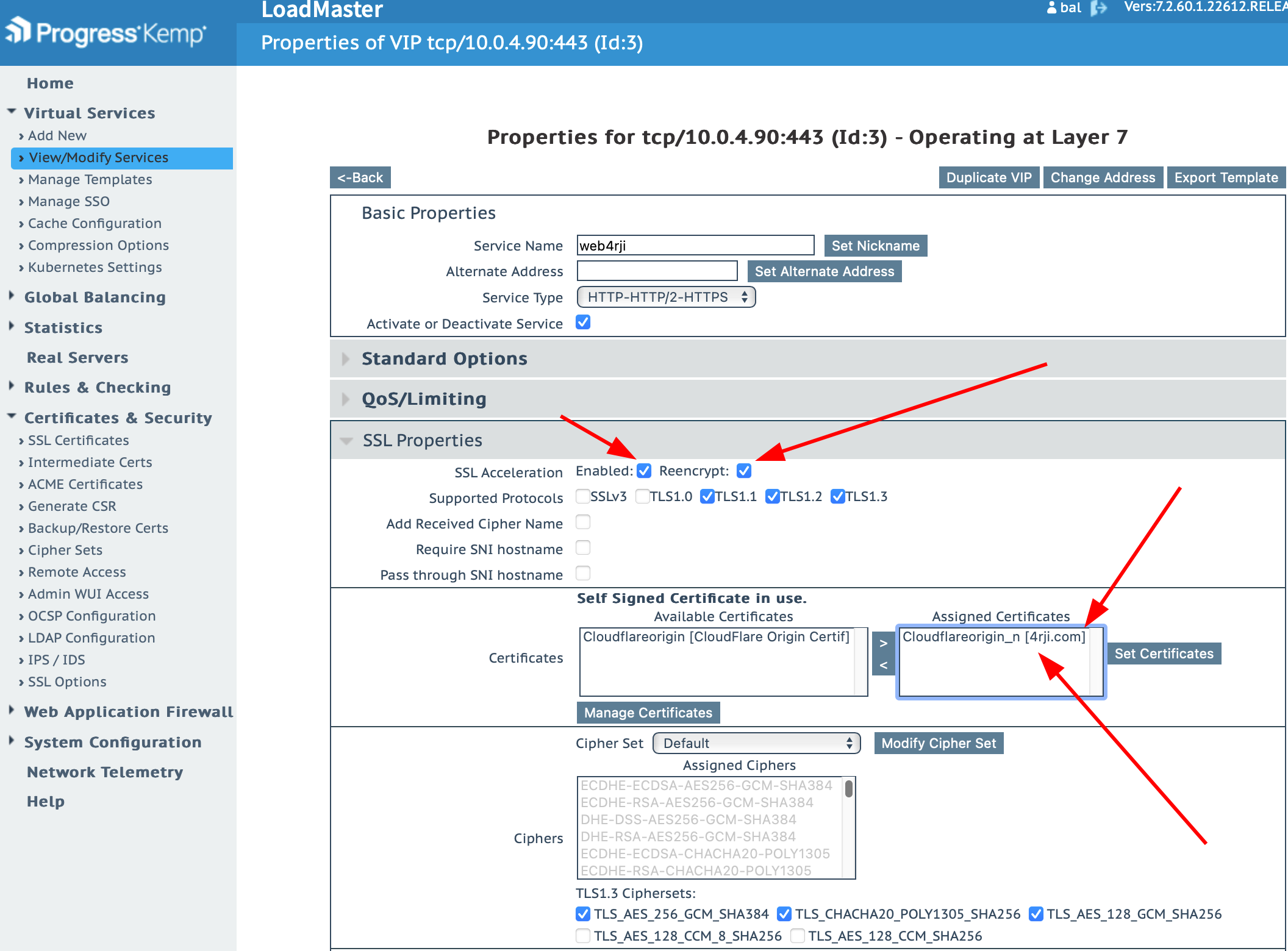
Return to the service editing, and add the certificate with encryption.
-
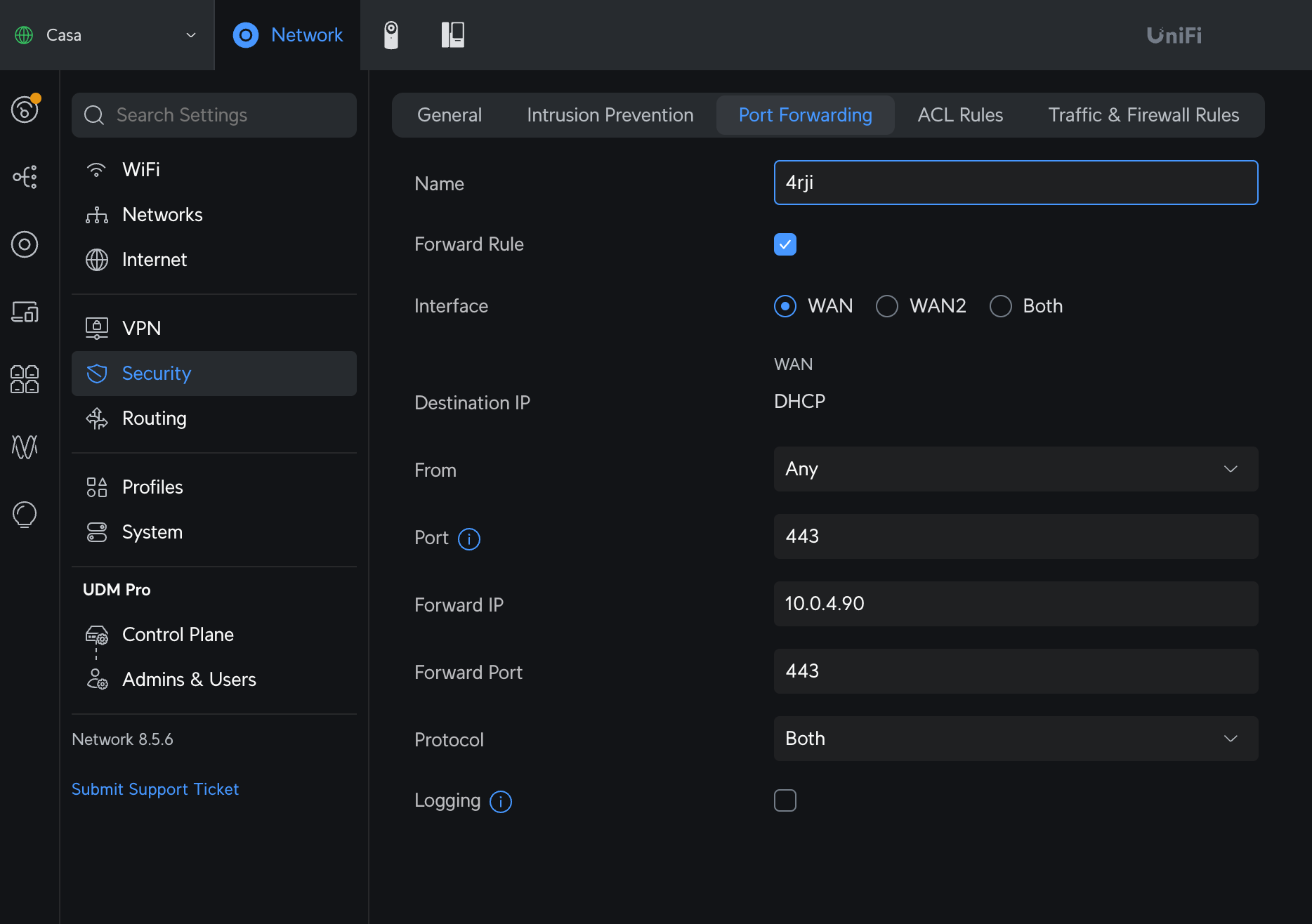
Go to your router and open the port to redirect it to the Kemp IP.
-
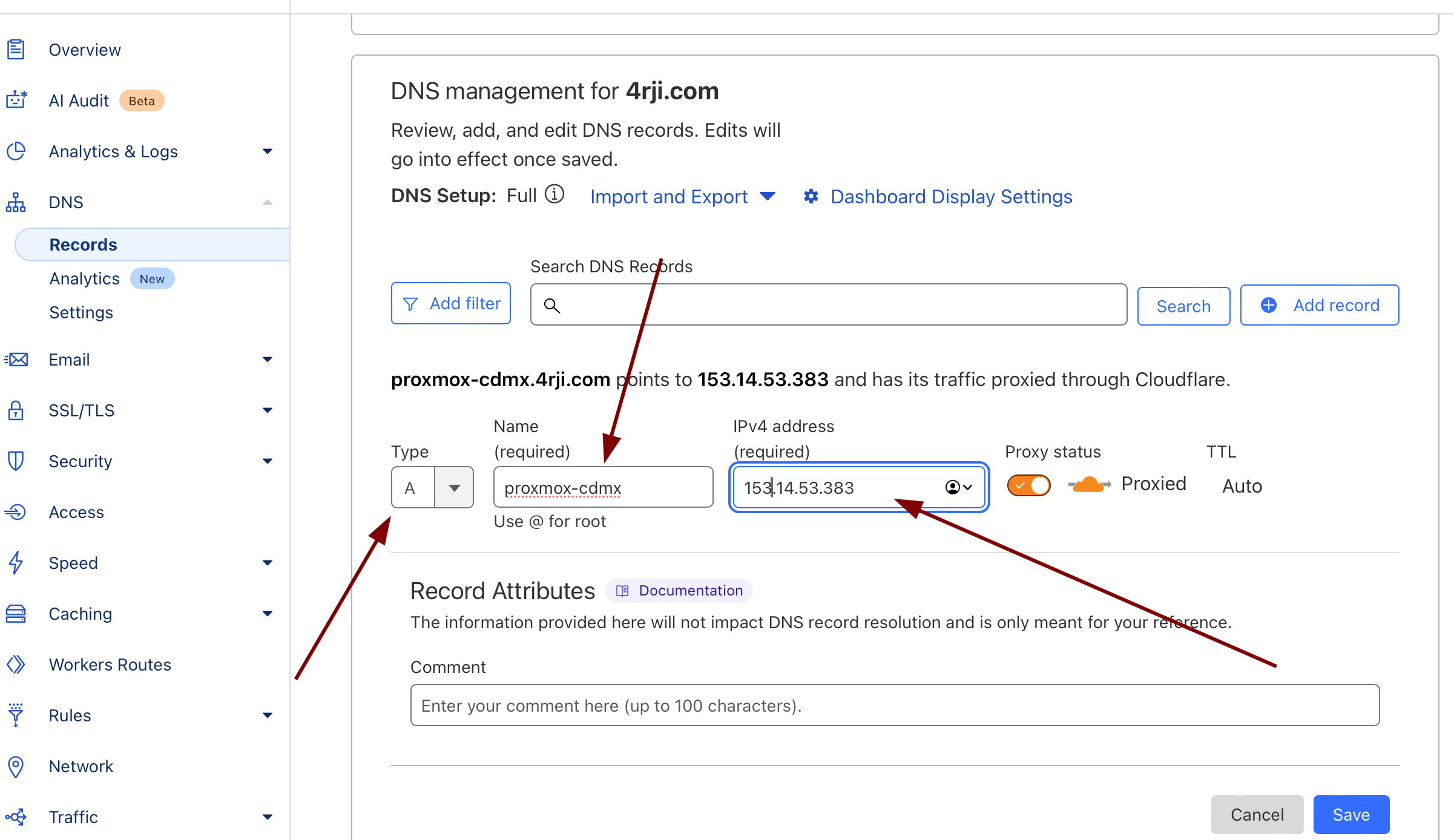
Now, in Cloudflare, add an A DNS record to redirect it to our WAN IP.
-
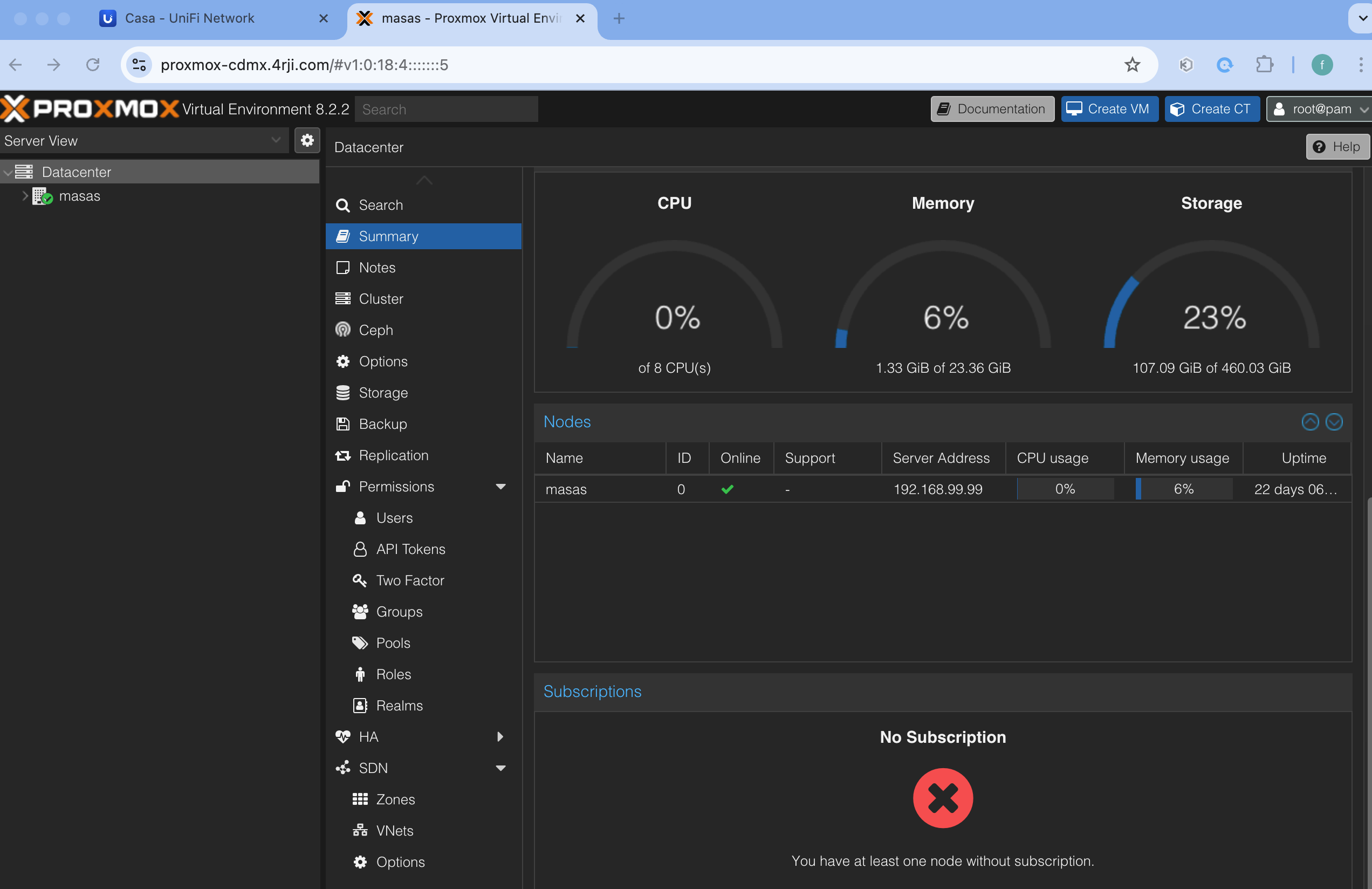
As we can see, the created address now points directly to our server in Mexico City, regardless of the fact that the address points to our USA server's IP. Through Kemp, we can redirect the traffic to our server via a site-to-site connection.
-
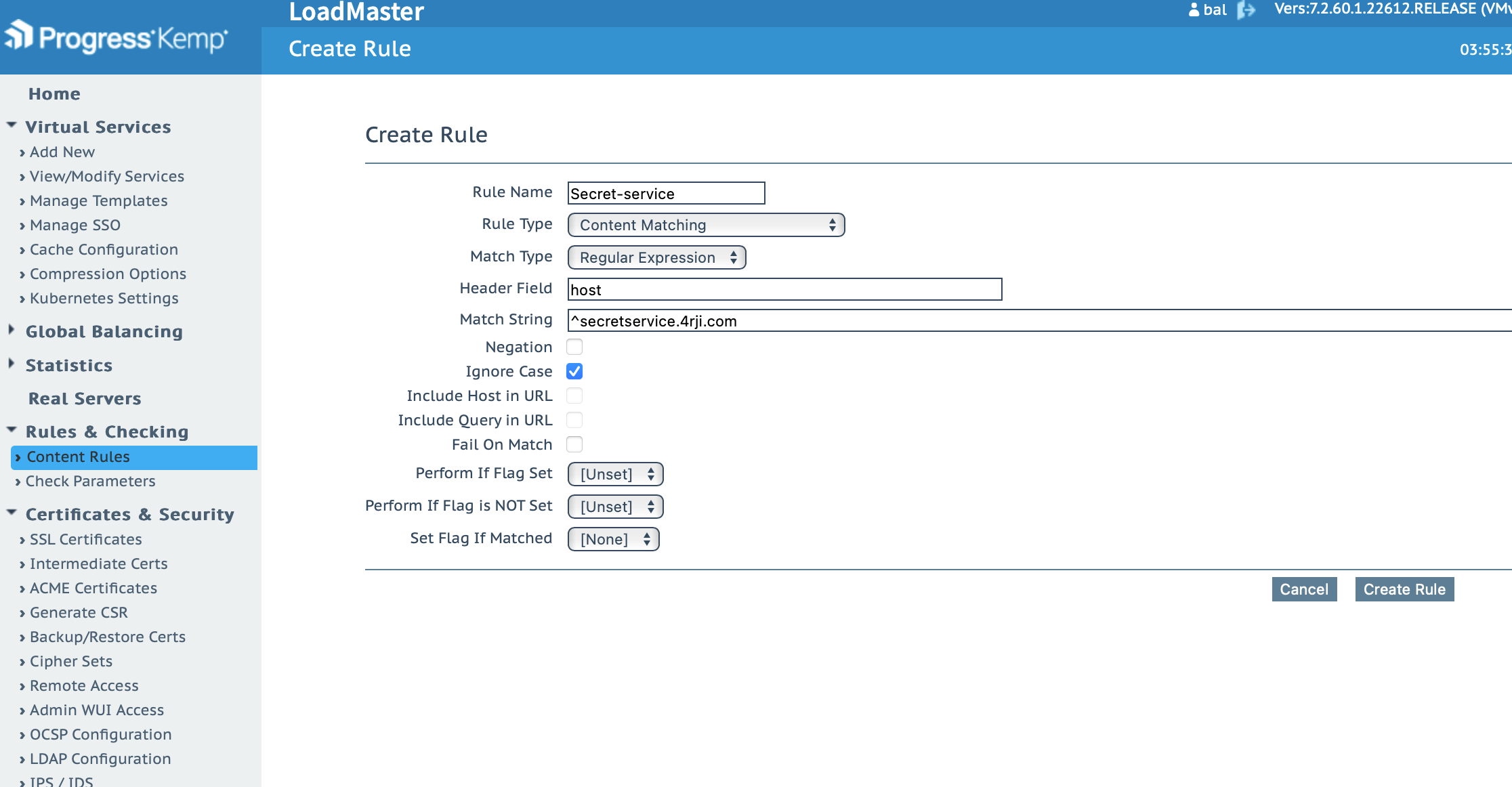
Now I’ll create a rule to allow access to our secret server located in a hidden place in another country.
-
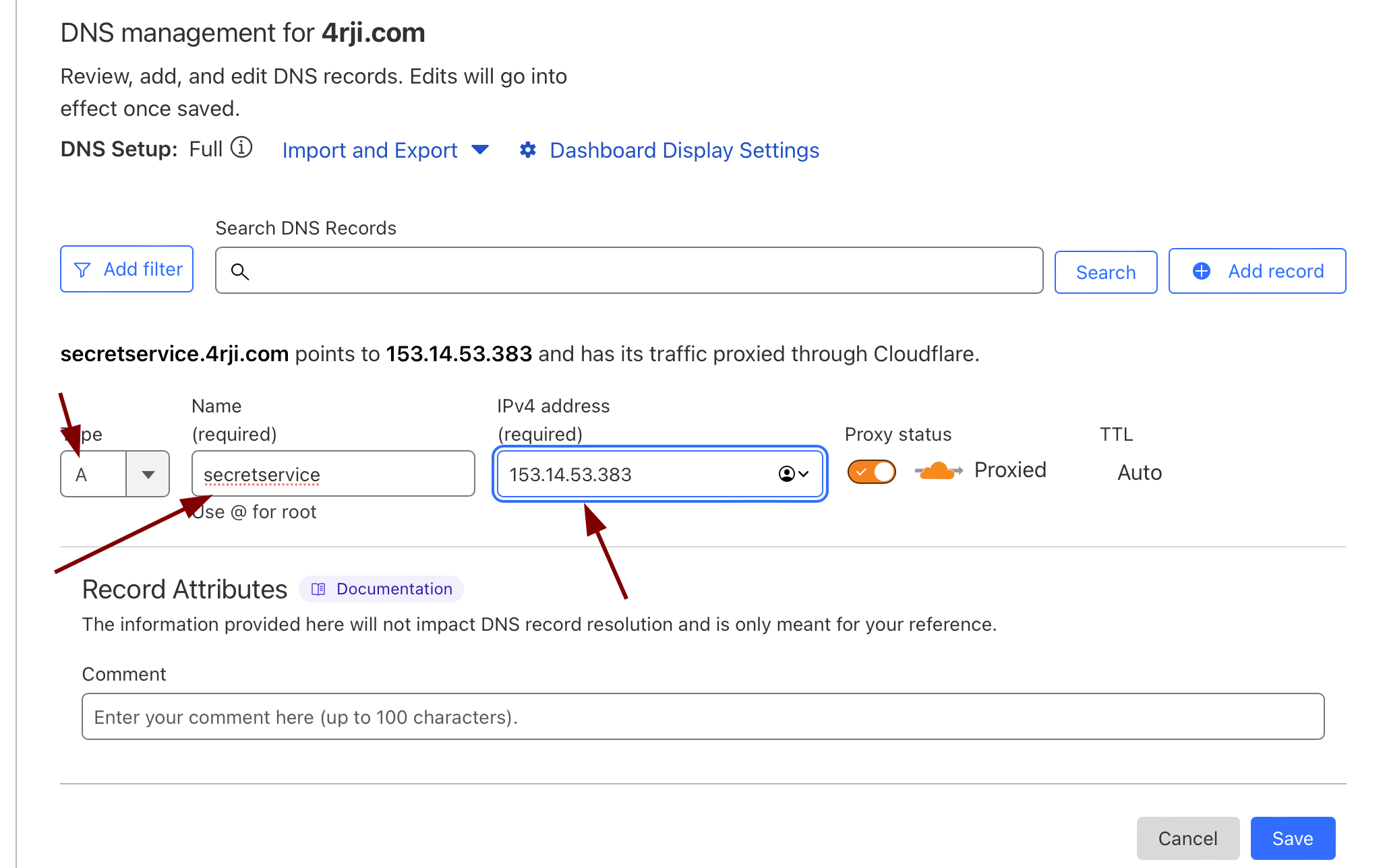
Now create a new DNS rule in Cloudflare.
-
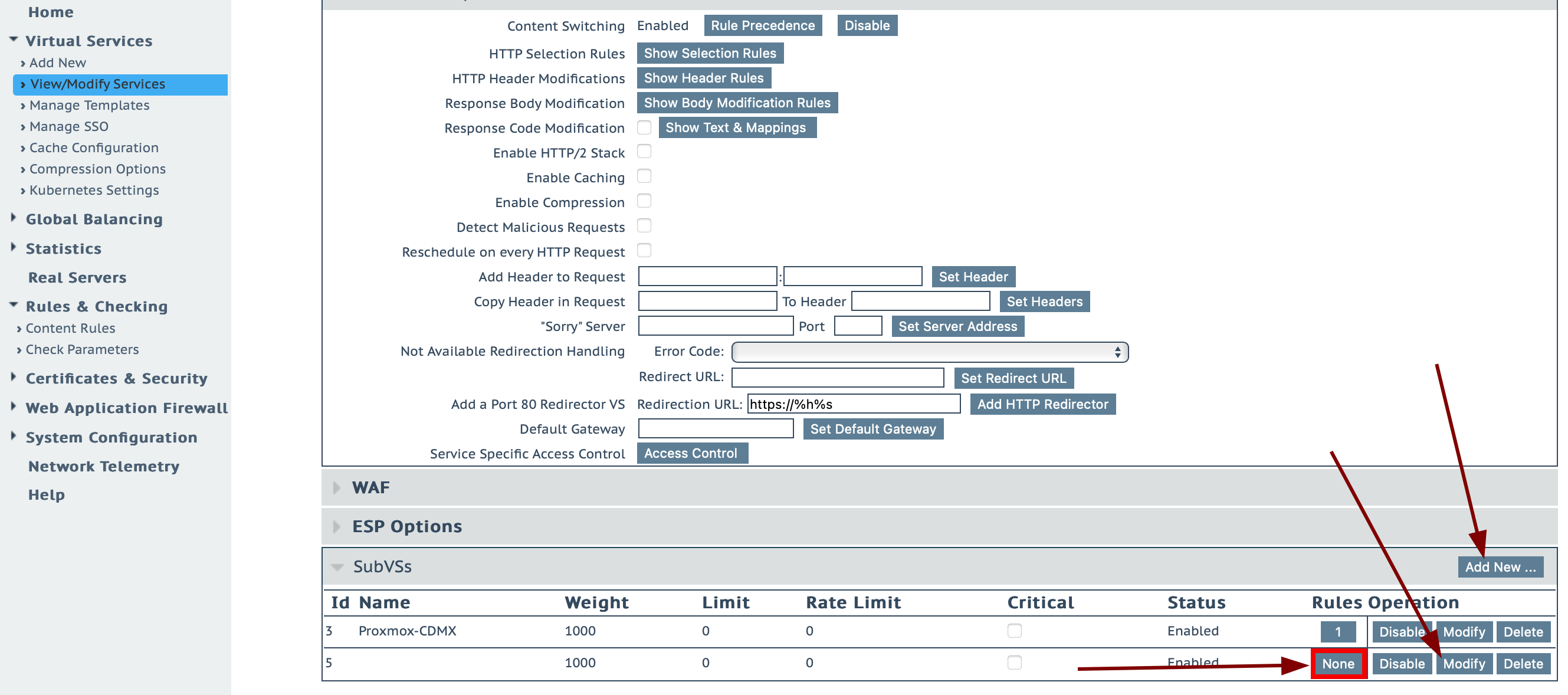
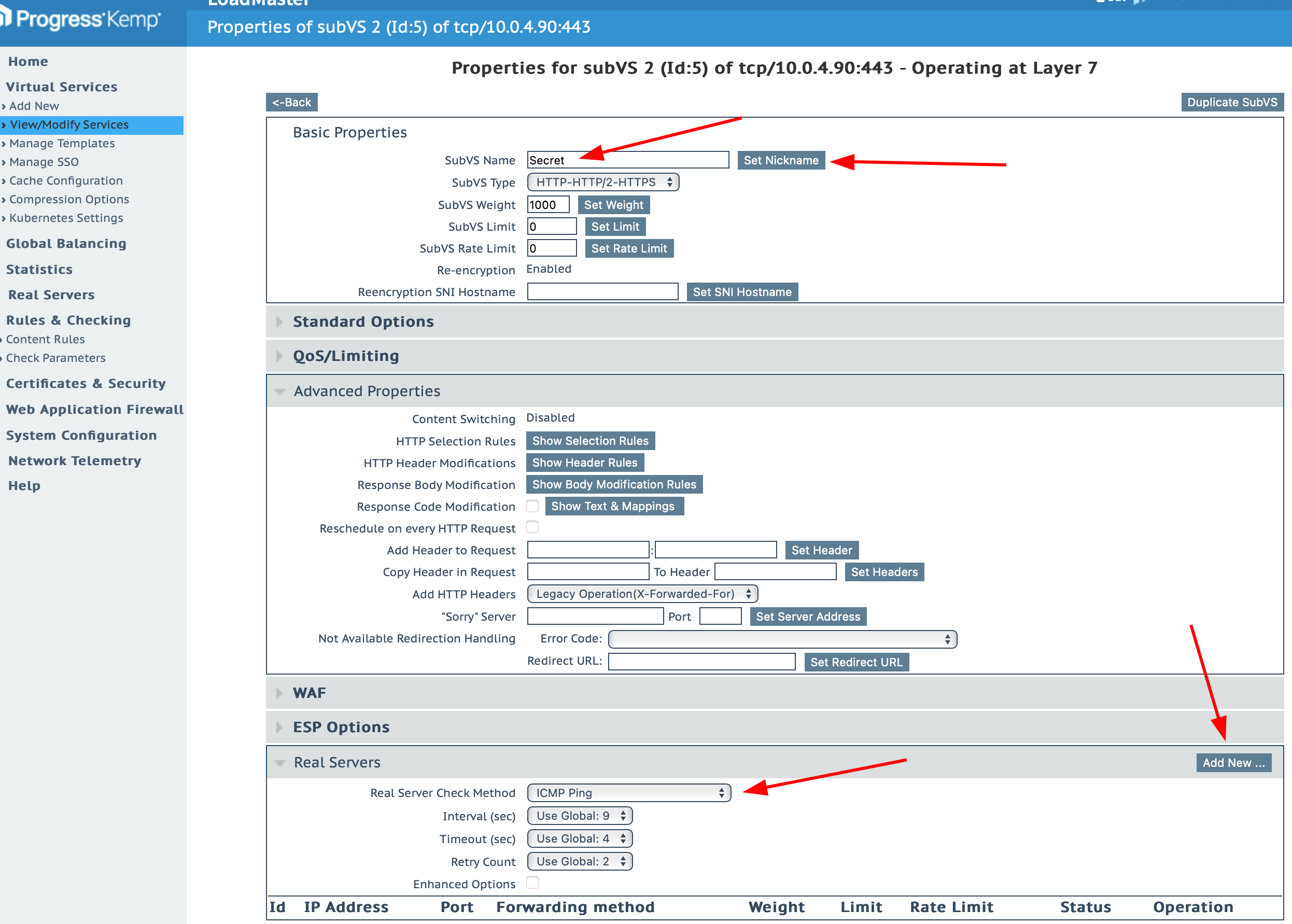
Now, just add the secret server's IP so that Kemp knows where to route the traffic from the rule.
-
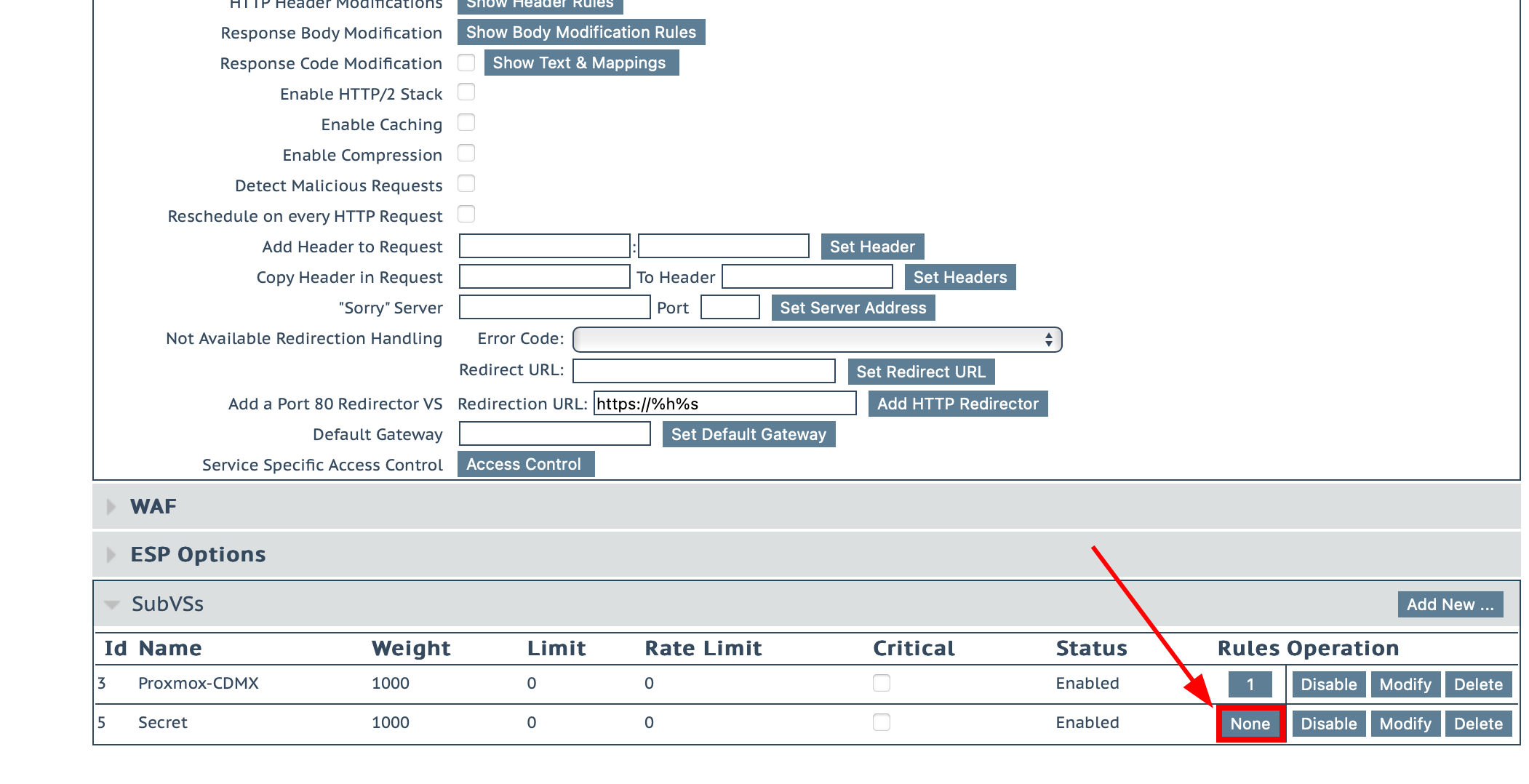
First, Add a new SubVS, and when editing it, add the following.
-
Add the rule to our server by enabling it in Advanced Properties and then in SubVS (select the rule secret).
-
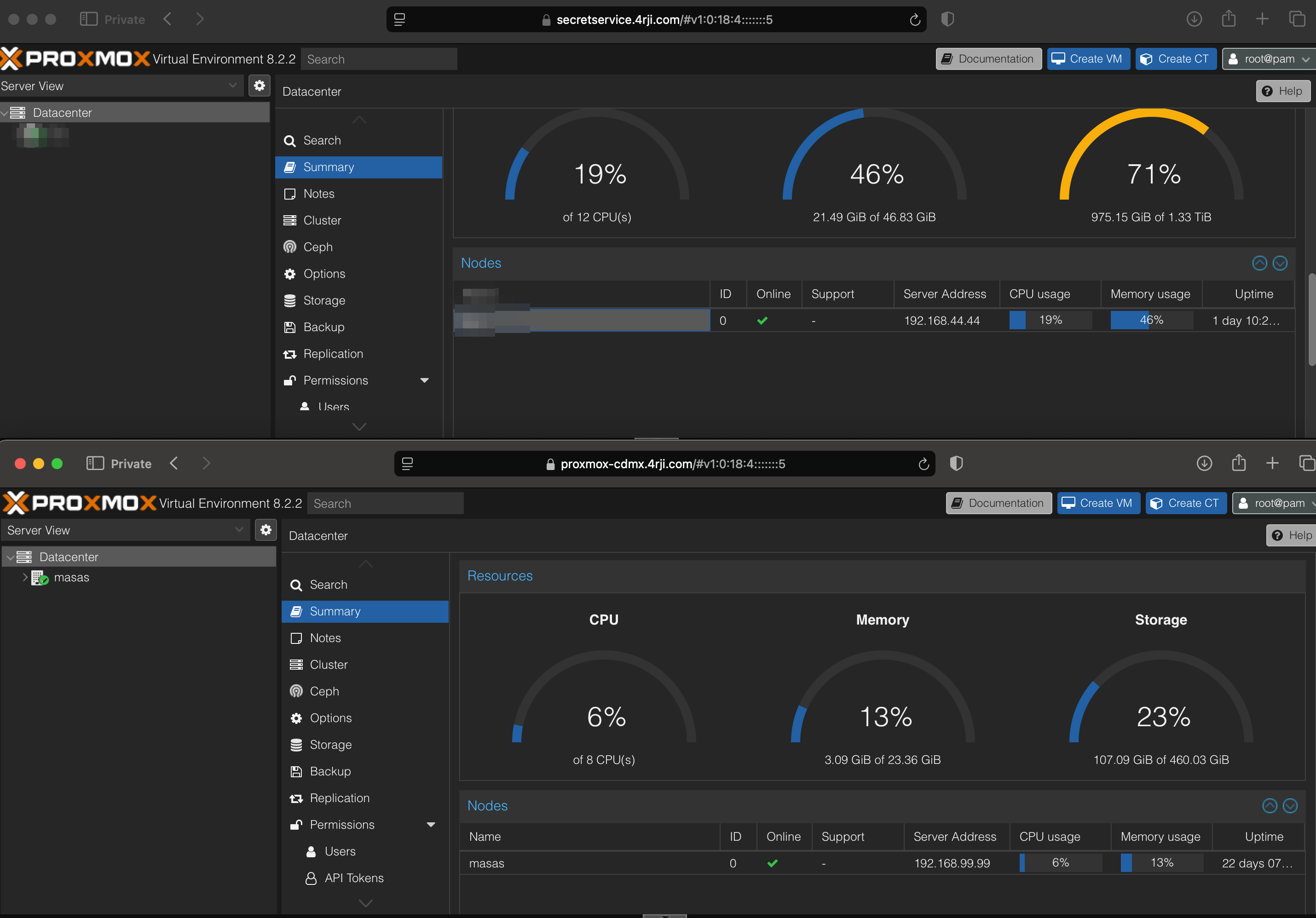
Now it's working correctly; Kemp is handling the traffic redirection, allowing me to access my servers using the SSL certificate and hiding my IP address by using Cloudflare.
Load Balance Configuration
I will use it to have redundancy in my Docker hacking lab.
-
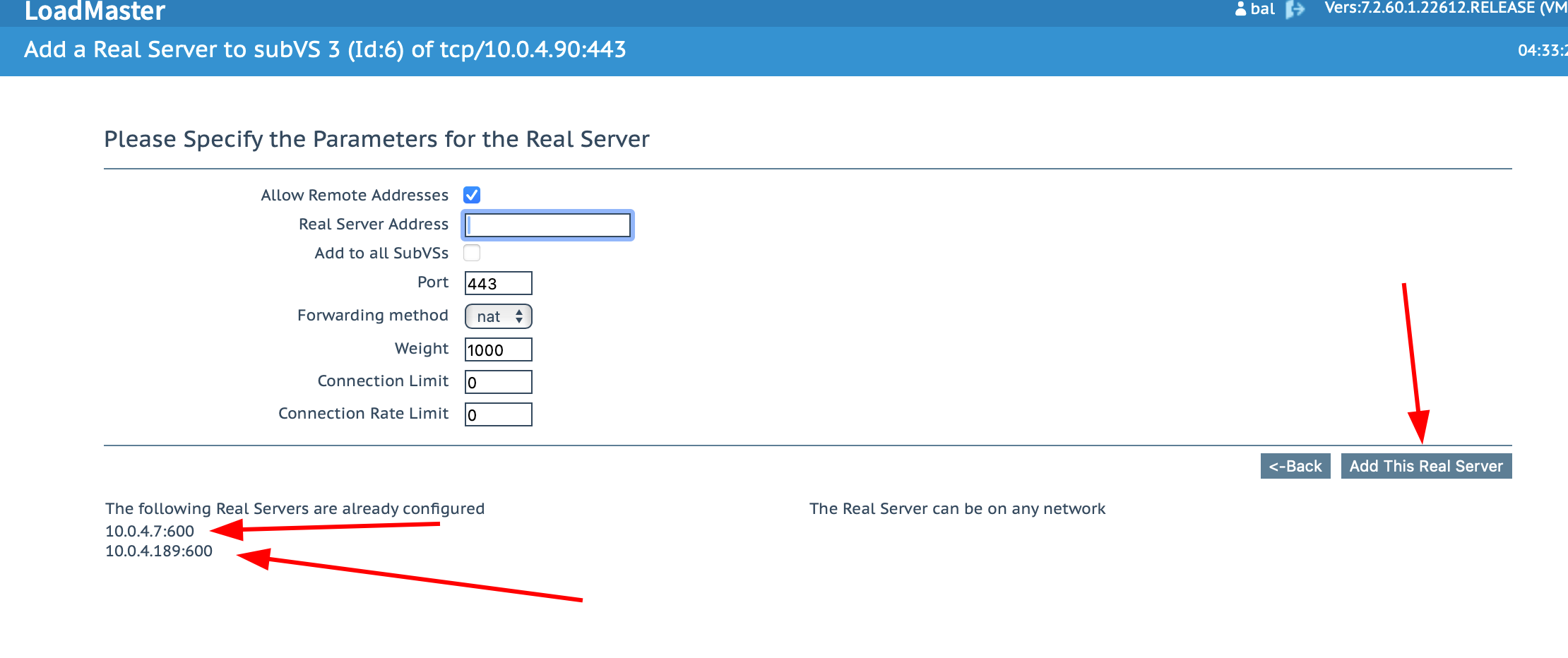
First, I add the IP addresses of the servers in Real Server.
-
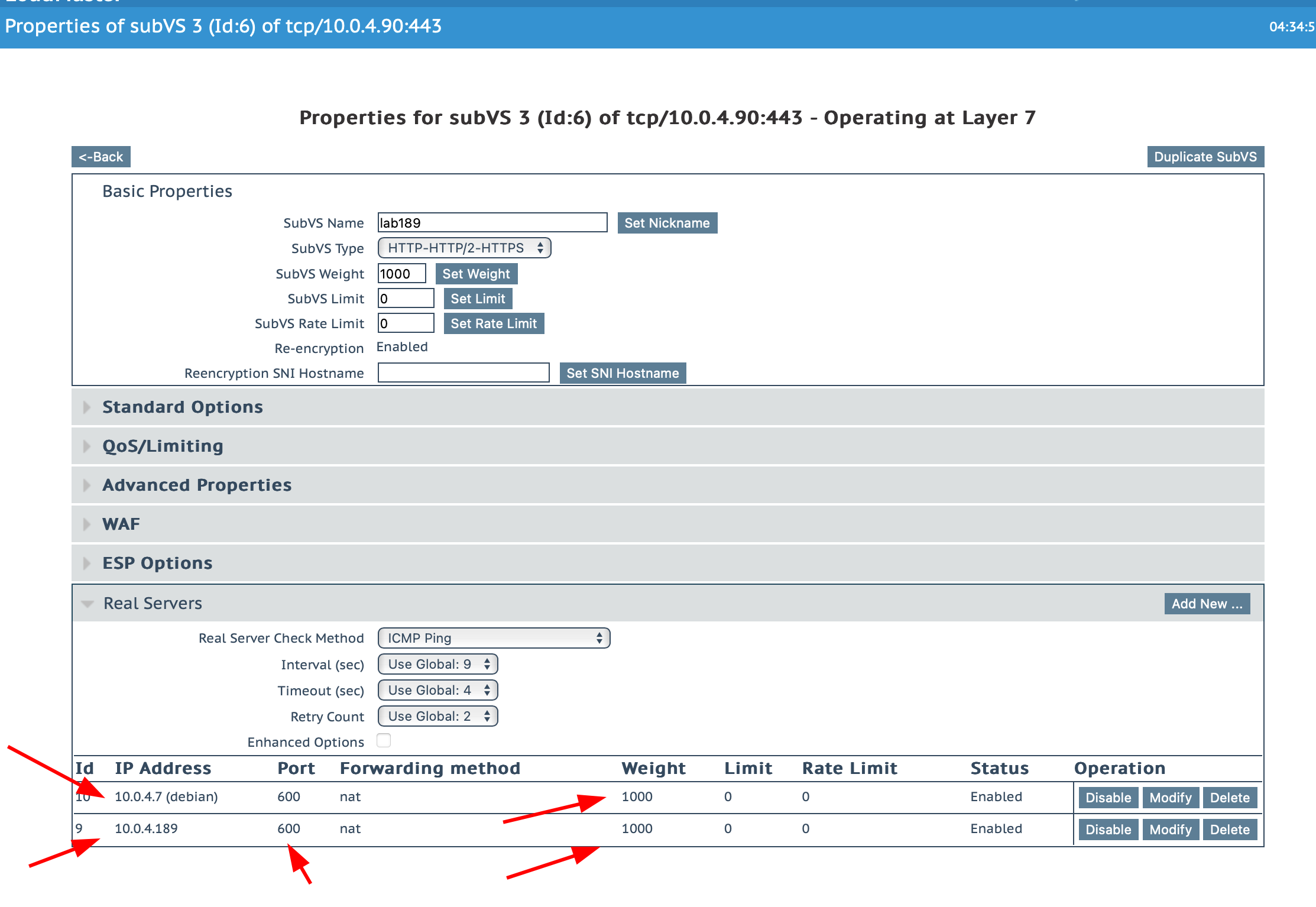
It should look like this.
-
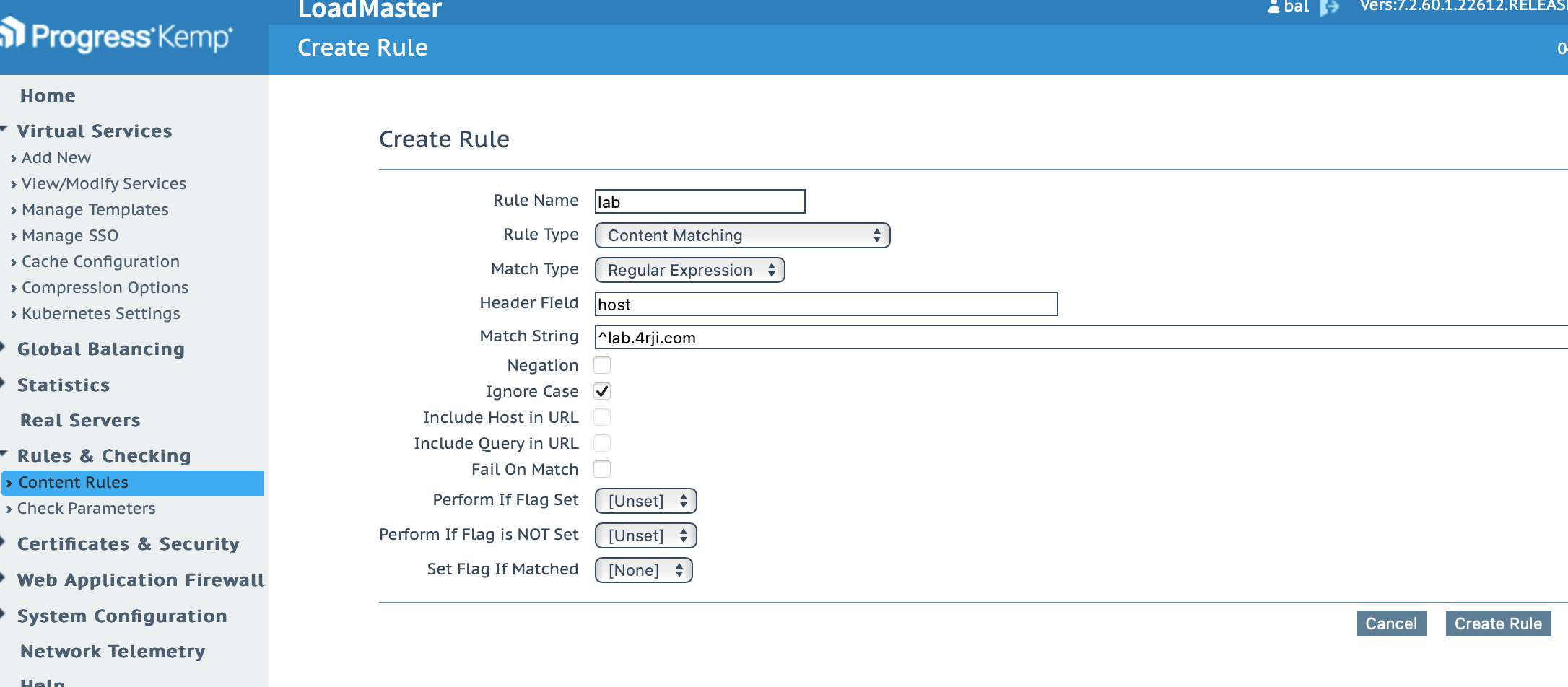
Create the rule for the lab.
-
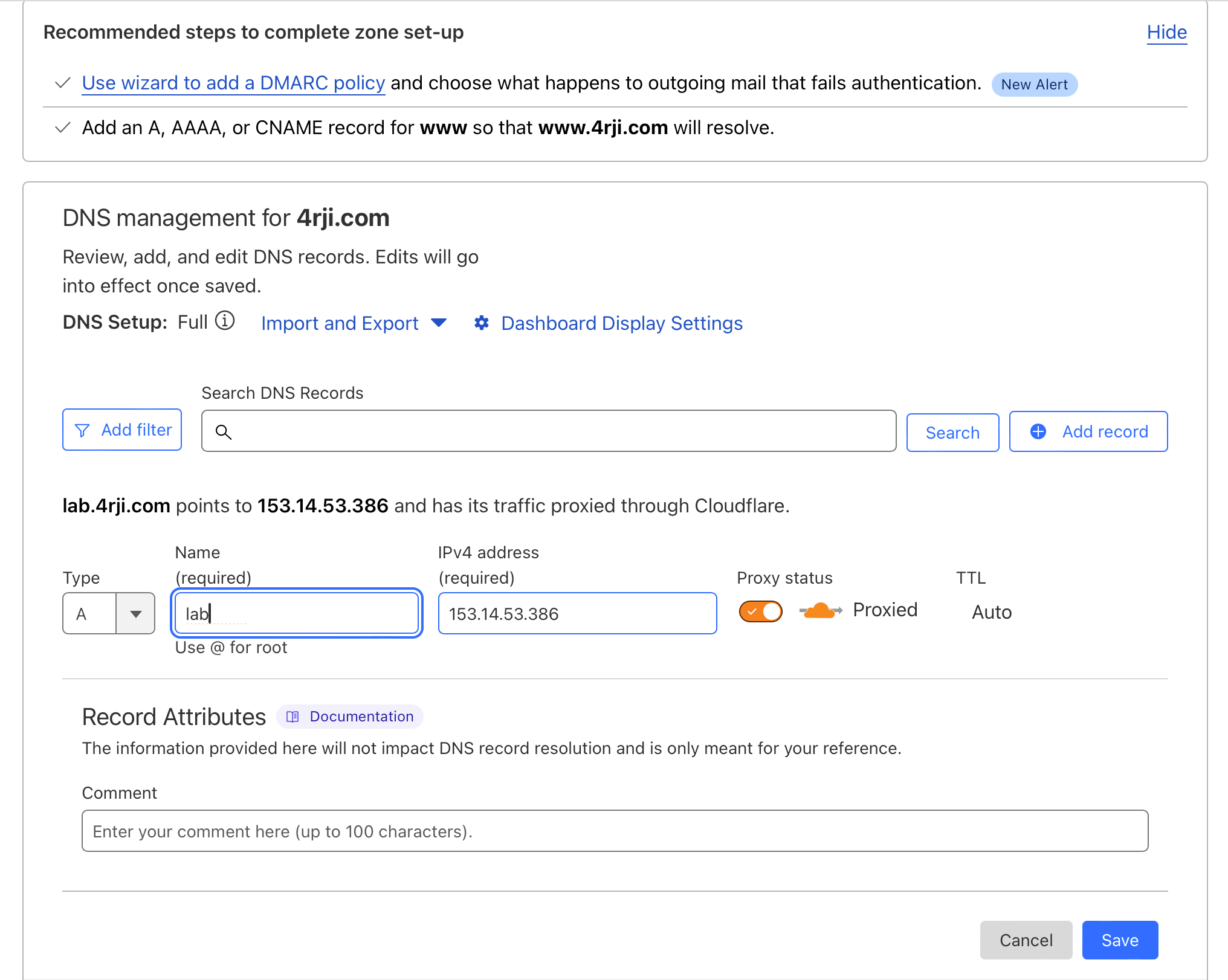
Return to Cloudflare and add a new DNS record for lab2; I had to switch to lab2 because lab was already in use.
-
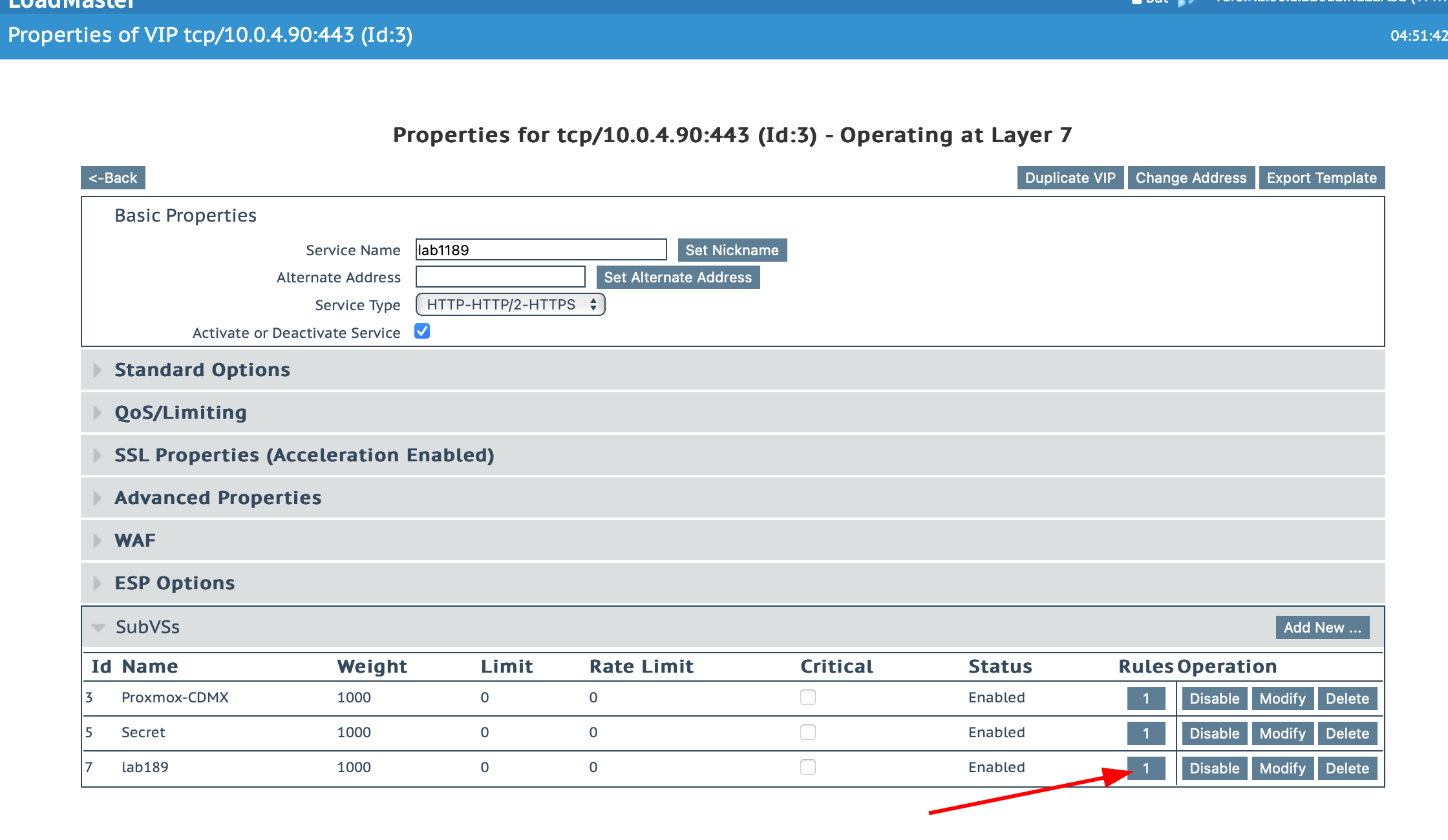
Assign the rule to the created page.
-
Titulo
