
Overview
This homelab is my daily environment for learning and testing cybersecurity and infrastructure. It connects multiple sites across two countries through site-to-site tunnels, all integrated into a private VPN that allows secure access from anywhere.
The lab hosts several self-hosted services that support my daily workflow. It also includes environments for network testing, penetration testing practice, monitoring, and experimenting with new technologies.
I use the lab to analyze traffic, route connections through different paths, test defensive tools, and simulate real-world security scenarios.
Sometimes I also use it to play hacker and break my own network before someone else does.
Lab Journey
This homelab started as a small environment to learn networking and cybersecurity. Over time it expanded into a multi-site lab with VPN connectivity, self-hosted services, and testing environments for security and infrastructure experiments.
If you want to see how the lab started and how it evolved, you can read the full story here.
Hardware
The lab runs on a five-node Proxmox datacenter plus a mix of UniFi gear, embedded systems, portable security hardware, and small device platforms used for testing, automation, and recovery workflows.
Auxiliary Hardware
Device Inventory
| Device | Model | Role | Location |
|---|---|---|---|
| Gateway | UXG Lite | Security gateway / routing | Mega |
| Gateway | UDR | Router / WiFi gateway | Mazapana |
| Gateway | UCG Ultra | Gateway / controller | LoroX |
| Gateway | UDM | Router / WiFi gateway | CJS |
| Gateway | UDM | Router / WiFi gateway | Changa |
| Gateway | UDM Pro | Core gateway | Casa |
| Switch | USW Flex Mini | Access switch | Mega |
| Switch | US-8-60W | PoE switch | Casa |
| Switch | US-8-60W (Desk) | Access switch | Desk |
| Switch | USW-16-PoE | Core PoE switch | Casa |
| Access Point | AC Pro | Wireless AP | Mazapana |
| Access Point | NanoHD | Wireless AP | Cozy |
| Access Point | AC Lite | Wireless AP | Basement |
| Access Point | AC Lite | Wireless AP | Desk |
| Access Point | AC Mesh Pro | Outdoor / mesh AP | Cozy |
| Access Point | U6 Lite | Wireless AP | Casa |
| Cameras (6) | UniFi | IP cameras | Casa |
| Phone | Touch Max 07AB | VoIP phone | Casa |
Network
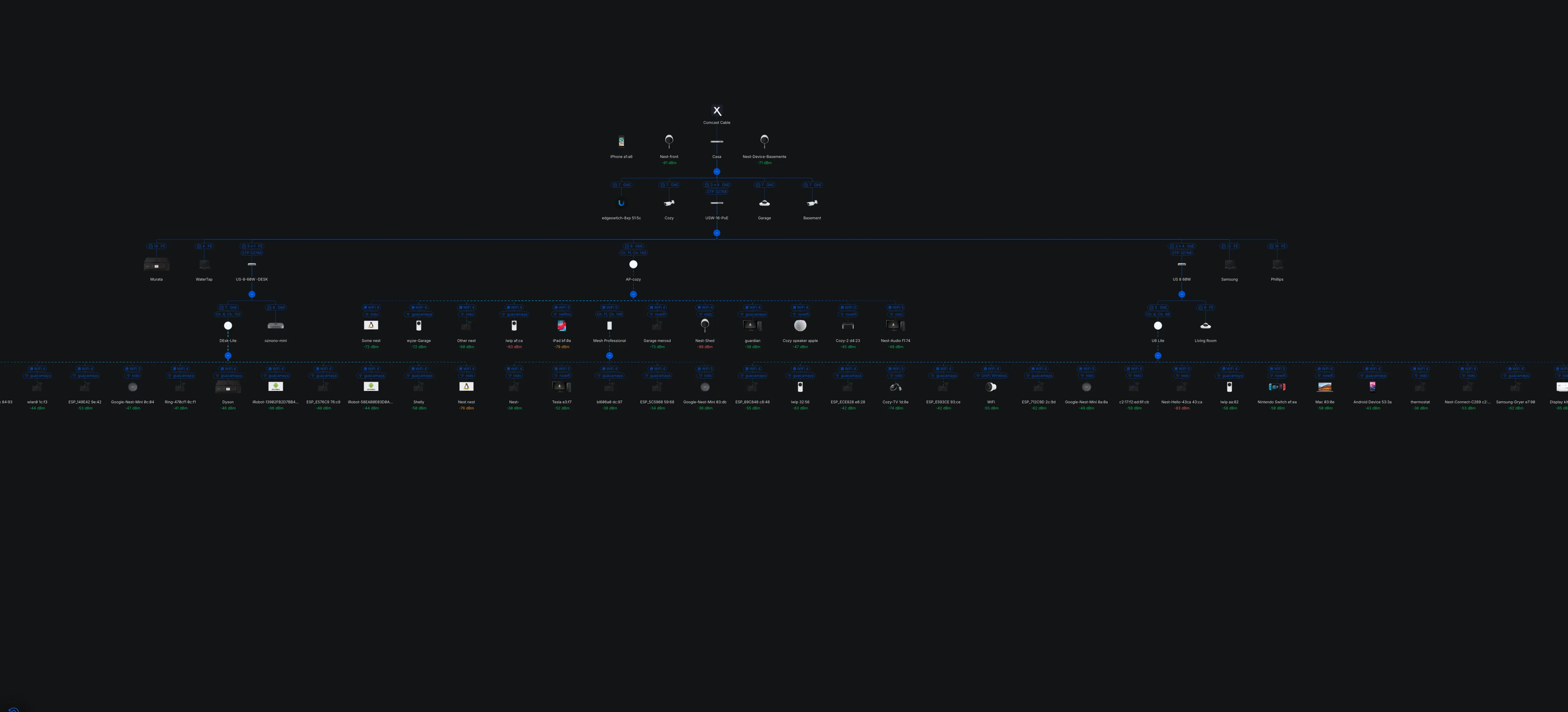
UniFi-based network spanning five sites across two countries, interconnected through site-to-site VPNs and private remote access.
Fiber is the primary WAN, with Starlink configured as failover. Segmentation is built on 802.1Q VLAN tagging over trunk links across the environment.
Public-facing services are hosted from a separate remote site with limited inbound access, using a single external entry point, internal routing, and port forwarding.
The network also includes WireGuard, backup VPN paths, regional blocking, dedicated camera and VoIP networks, and policy-based VPN routing for selected traffic.
Network Capabilities
- 6 site-to-site VPN links across 2 countries and 5 states
- Private remote access VPN (WireGuard)
- Backup VPN paths
- 802.1Q VLAN tagging and trunking
- Port forwarding and internal service routing
- Policy-based VPN routing
- Regional traffic blocking
- Dedicated camera and VoIP networks
Network Hardware
| Device | Model | Role | Location |
|---|---|---|---|
| Gateway | UXG Lite | Security gateway / routing | Mega |
| Gateway | UDR | Router / WiFi gateway | Mazapana |
| Gateway | UCG Ultra | Gateway / controller | LoroX |
| Gateway | UDM | Router / WiFi gateway | CJS |
| Gateway | UDM | Router / WiFi gateway | Changa |
| Gateway | UDM Pro | Core gateway | Casa |
| Switch | USW Flex Mini | Access switch | Mega |
| Switch | US-8-60W | PoE switch | Casa |
| Switch | US-8-60W (Desk) | Access switch | Desk |
| Switch | USW-16-PoE | Core PoE switch | Casa |
| Access Point | AC Pro | Wireless AP | Mazapana |
| Access Point | NanoHD | Wireless AP | Cozy |
| Access Point | AC Lite | Wireless AP | Basement |
| Access Point | AC Lite | Wireless AP | Desk |
| Access Point | AC Mesh Pro | Outdoor / mesh AP | Cozy |
| Access Point | U6 Lite | Wireless AP | Casa |
| Cameras (6) | UniFi | IP cameras | Casa |
| Phone | Touch Max 07AB | VoIP phone | Casa |
VLANs
| VLAN | Name | Subnet | Purpose |
|---|---|---|---|
| 1 | Default | 192.168.1.0/24 | Home network |
| 2 | Nowifi | 10.0.44.0/24 | Isolated devices |
| 3 | nido | 192.168.2.0/24 | IoT / internal |
| 4 | guacamaya | 192.168.100.0/24 | Lab network |
| 5 | Mineral | 10.0.4.0/24 | Infrastructure |
| 6 | Netflix-masas | 172.20.100.0/28 | Media |
| 7 | Isolada-VPN-CCDC | 192.168.144.0/24 | Security lab |
Services
Core infrastructure, monitoring platforms, security tooling, and self-hosted services running across the lab.
| Category | Services | Notes |
|---|---|---|
| Virtualization |
Proxmox
Docker
Kasm
|
Core virtualization and container platform, plus browser-based disposable workspaces. |
| Storage |
TrueNAS
ArchiveBox
Calibre
|
Storage platform, web archiving, and ebook library management. |
| DNS / Time |
Pi-hole
Chrony
|
Network-wide DNS filtering and local time synchronization. Chrony is also used alongside Pi-hole in the Metro school network path. |
| Monitoring / SIEM |
Splunk Server
Wazuh
Getnala
|
Log collection, monitoring, detection, and SIEM development. Getnala is my own SIEM project. |
| Tunneling / Remote Exposure |
Nginx Tunnel
FRPS
DNS Tunnel
DDNS-Updater
Shadowsocks
|
Secure publishing, reverse proxy/tunnel workflows, DNS-based tunneling, and dynamic DNS updates for changing public IPs. |
| Security / Research |
Mythic C2
Pop!_OS Hashcat Cracker
|
Adversary emulation, red team testing, and password recovery / cracking workflows. |
| Self-Hosted Platforms |
FreedomBox
|
Self-hosted privacy and infrastructure services platform. |
| Internal Tools |
Airsend
|
My own file exchange / transfer tool. |
Projects
A selection of homelab projects focused on file services, infrastructure, monitoring, detection, and offensive security workflows.
| Area | Project | Description |
|---|---|---|
| Internal Tooling | Airsend | Lightweight file sharing tool for quickly moving files between systems. |
| Storage | ArchiveBox | Self-hosted web archiving platform for saving pages and online resources. |
| Identity Security | BloodHound | Maps Active Directory privilege relationships and attack paths. |
| Development | Gitea | Lightweight self-hosted Git service for repositories and collaboration. |
| Offensive Lab | GOAD | Active Directory lab for practicing attack chains and defensive validation. |
| Monitoring | Grafana | Builds dashboards for infrastructure metrics, logs, and operational visibility. |
| Workspaces | Kasm | Delivers disposable browser-based desktops and application sessions. |
| Offensive Operations | Mythic C2 | Command-and-control framework for adversary simulation and red team operations. |
| Collaboration | Nextcloud | Private cloud platform for file sync, sharing, and collaborative access. |
| AI | Ollama | Runs large language models locally on self-hosted infrastructure. |
| Cloud | OpenStack | Private cloud stack for orchestrating compute, storage, and networking. |
| Networking | OpenVPN Server | Remote access VPN server for encrypted entry into internal networks. |
| Firewall | OPNsense | Open-source firewall and router platform for segmentation and policy control. |
| Firewall | Palo Alto | Enterprise firewall lab for security policies, inspection, and access control. |
| Offensive Lab | Pentesting Lab | Practice environment for vulnerability research, exploitation, and validation. |
| Firewall | pfSense | Firewall and routing platform for VPNs, filtering, and network control. |
| Telemetry | PixelTrack Server | Collects tracking and delivery telemetry for testing and monitoring workflows. |
| Virtualization | Proxmox | Manages virtual machines, containers, and clustered homelab infrastructure. |
| Detection | CrowdSec | Detects and blocks malicious behavior using collaborative threat signals. |
| Linux Security | Sandfly | Agentless Linux monitoring for threat hunting and compromise detection. |
| SIEM | Sentinel | Microsoft SIEM deployment for log collection, analytics, and incidents. |
| SIEM | Splunk | Log analysis platform for search, correlation, dashboards, and detections. |
| Reporting | SysReptor | Reporting platform for pentest findings, evidence, and documentation. |
| Honeypots | T-Pot | Multi-honeypot platform for collecting attack telemetry and observing threats. |
| Storage | TrueNAS | Storage platform for reliable NAS services, datasets, replication, and backups. |
| Networking | VyOS | Network operating system for routing, VPNs, and edge connectivity. |
| Detection | Wazuh | Security monitoring for endpoints, alerts, integrity checks, and compliance. |
| Monitoring | Webmonitor | Tracks uptime and website health across internet-facing services. |
| File Services | WinShares | Windows SMB file sharing setup for internal lab access. |
| Networking | WireGuard Server | Modern VPN deployment for fast, simple, and encrypted tunnels. |
| Network Security | Zeek | Provides protocol analysis and network traffic visibility for monitoring. |