
My Journey with Ethernet Cabling and Home Networking
My journey into the world of networking began with a simple need: running an Ethernet cable to the second floor of my house. What started as a basic necessity evolved into a comprehensive home networking project that transformed my living space into a connected smart home. If you want to see my complete homelab setup and infrastructure, visit my homelab documentation.
The Beginning
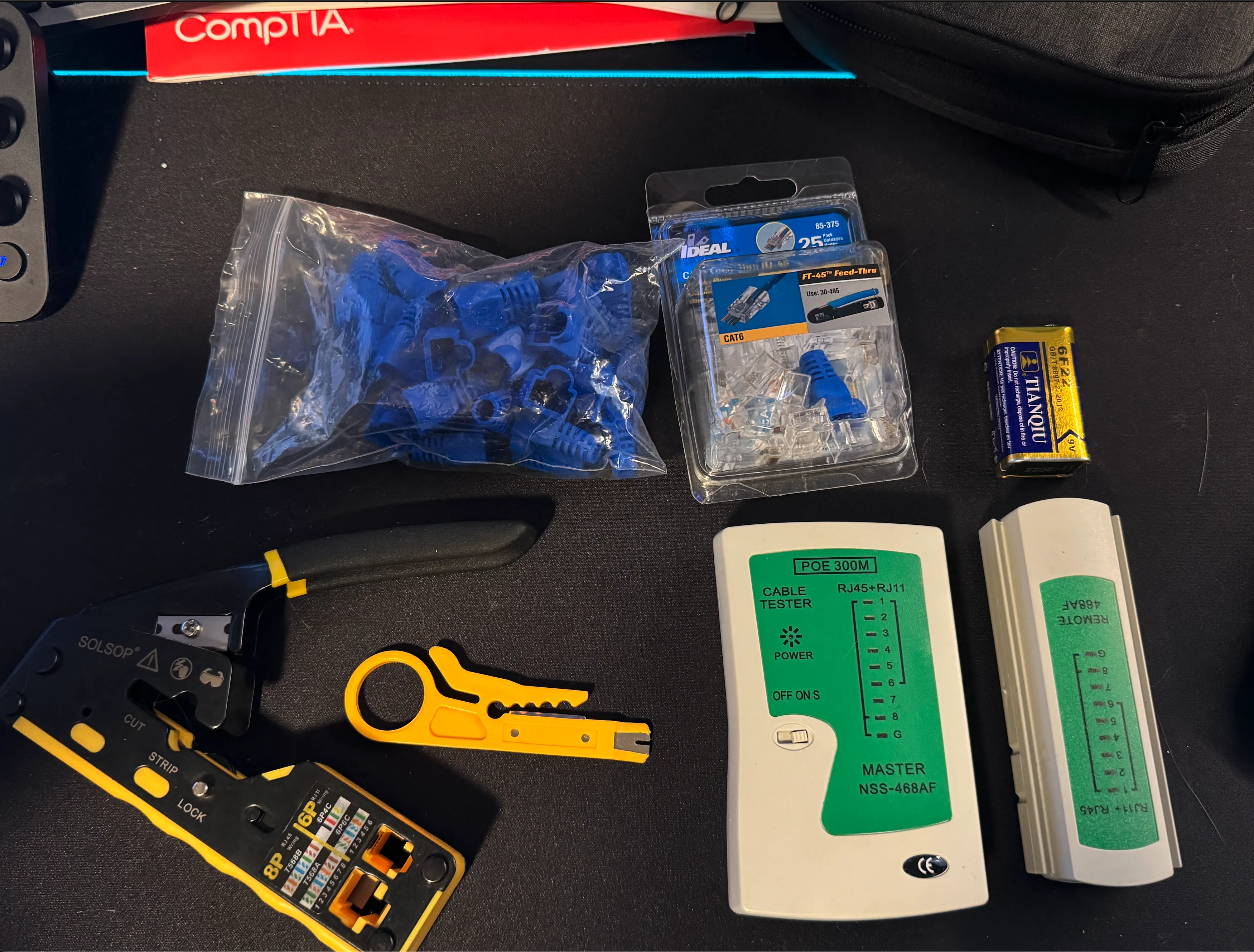
I started by watching YouTube tutorials and learning the basics of cable making. My first project taught me about the different types of cables - straight-through and crossover - and how to properly terminate them. This knowledge became the foundation of my home networking journey.
Expanding the Network
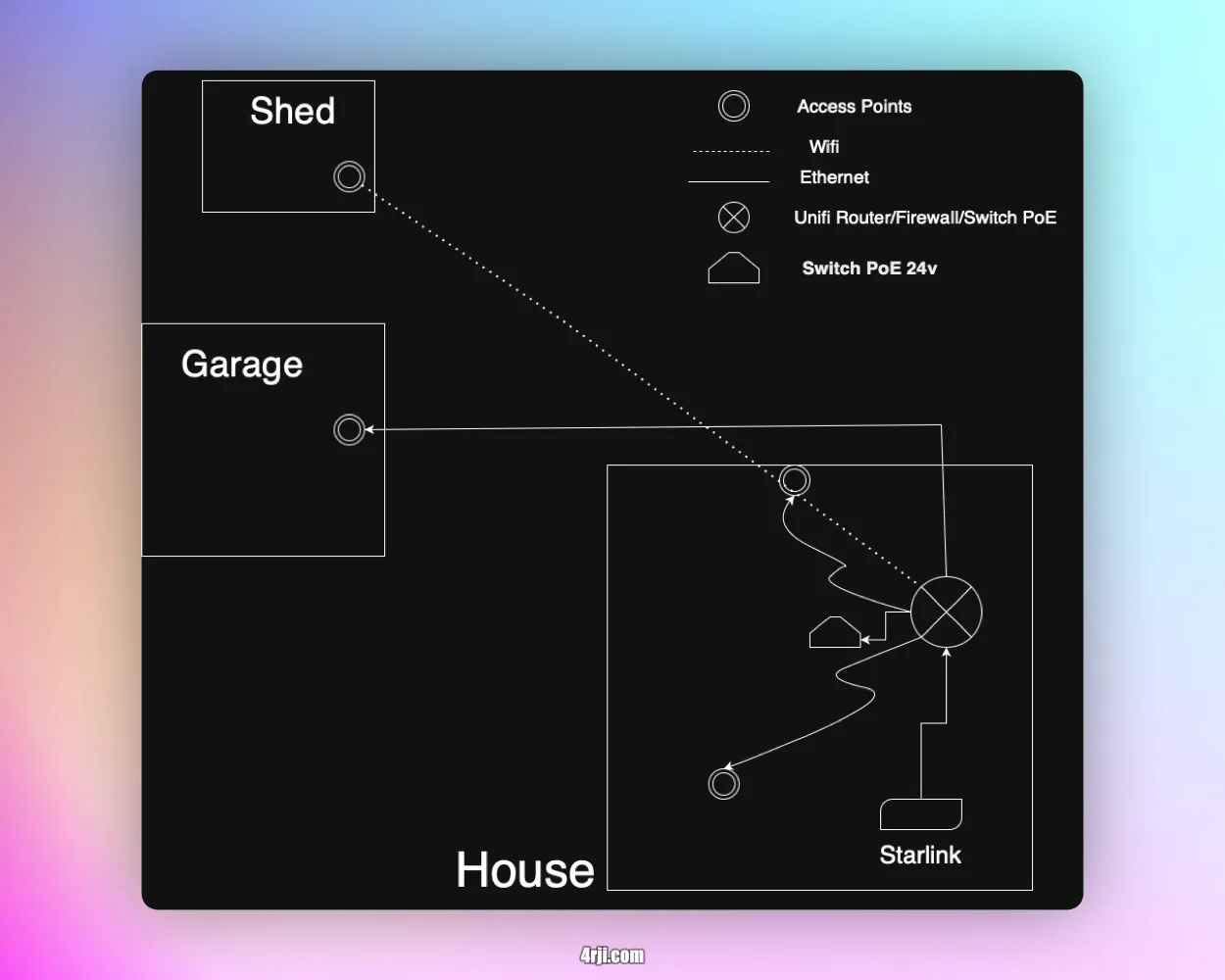
As my homelab grew, so did my network infrastructure. I began adding more access points and security cameras, requiring careful planning and execution of new cable runs. For the outdoor connections to my garage, I used special outdoor-rated cable designed for direct burial, ensuring durability and safety.

Current Network Infrastructure
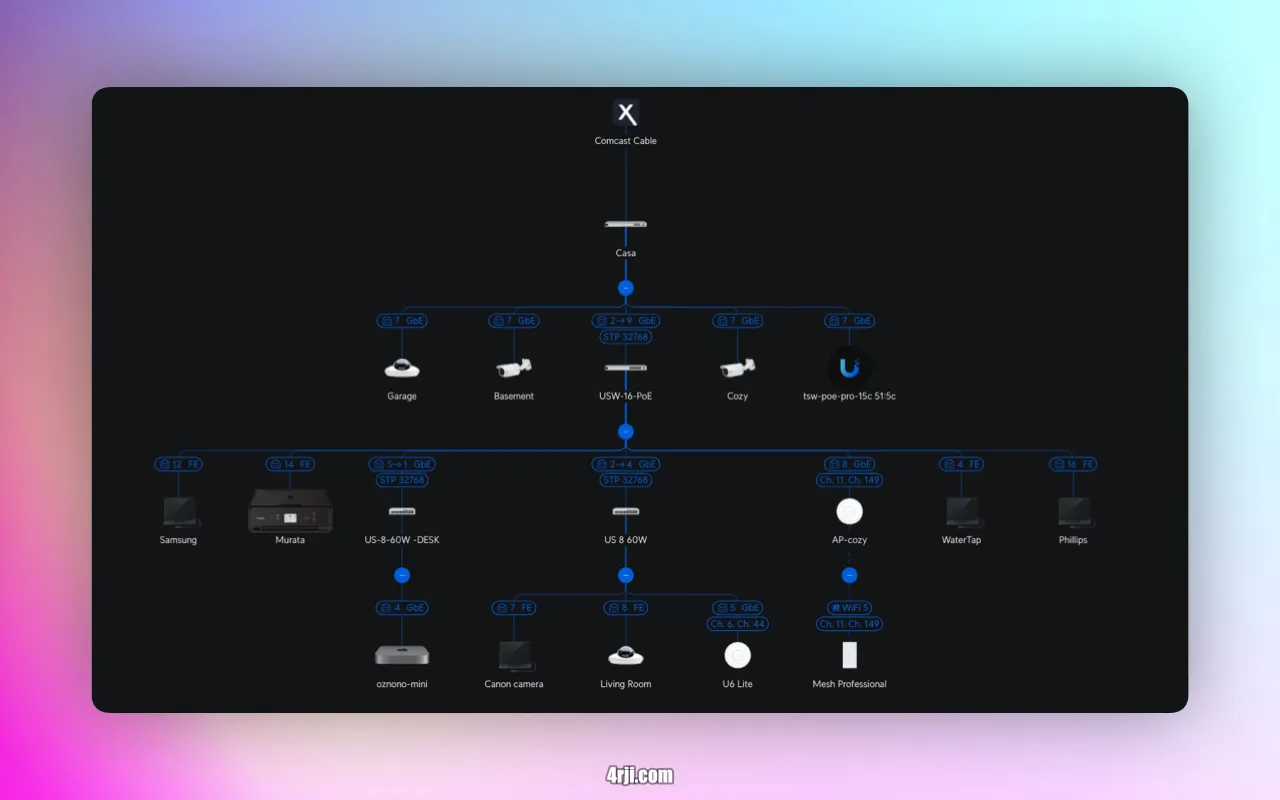
Today, my home network is powered by Unifi switches, creating a robust and manageable network environment. The current setup supports 15 devices connected via Ethernet and over 51 Wi-Fi devices throughout the house, creating a seamless connected experience.
Internet Redundancy
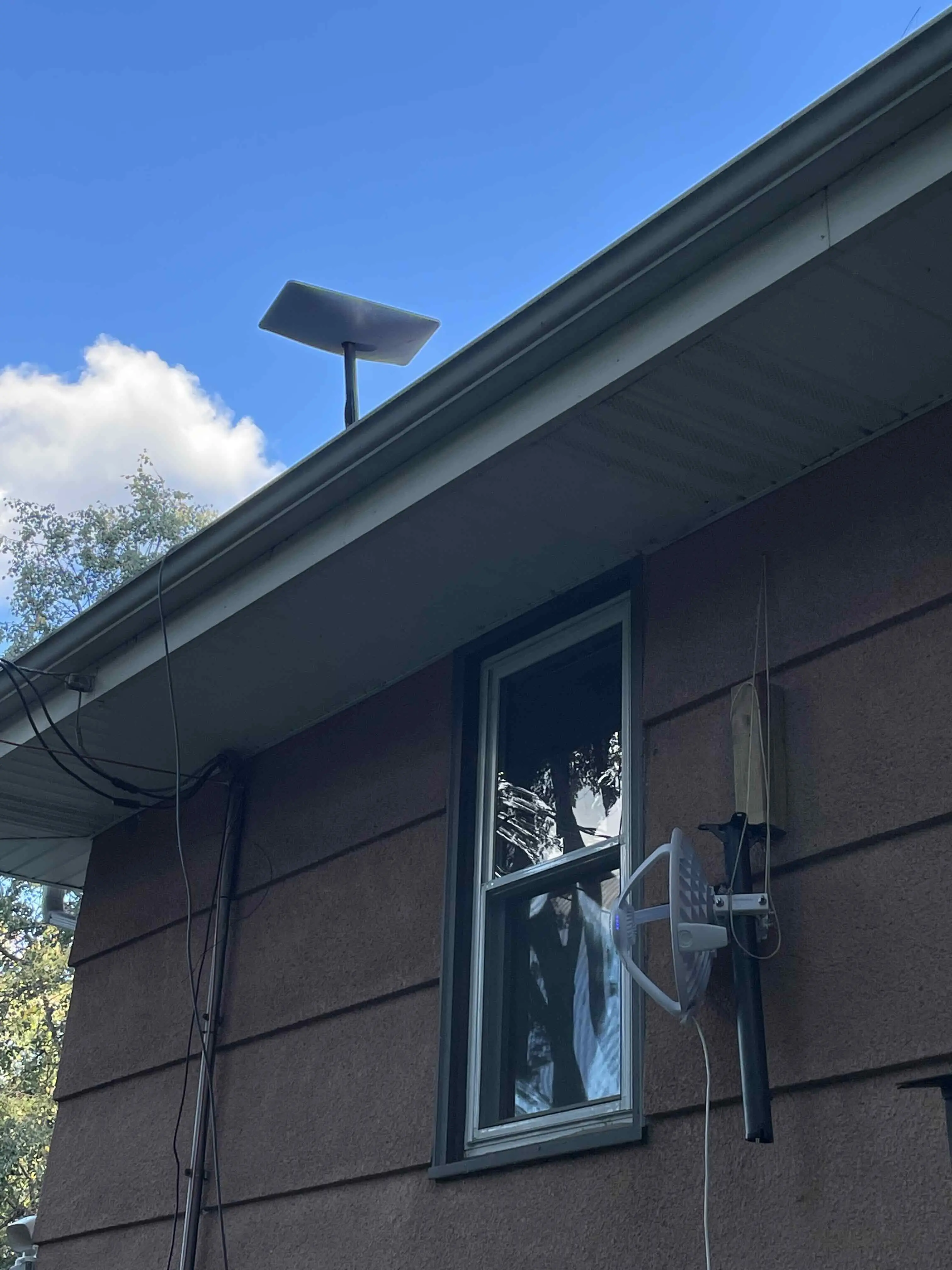
One of the most interesting aspects of my network setup was implementing internet redundancy. Initially, I received internet from my neighbor using an airFiber 60 Long-Range antenna installed on my roof. While I've since switched to Starlink, this experience taught me valuable lessons about network redundancy and failover systems.
This journey from basic cable making to a full home network has been both challenging and rewarding, teaching me valuable skills in networking and infrastructure management.