
Project Highlights
Linux DNS configuration project focused on systemd-resolved, Cloudflare DNS, and custom scripts for quickly viewing, changing, and locking resolver settings.
- Documented the `dns` script for checking current resolver configuration and validating active DNS servers.
- Used the `resolvdinst` script to install and configure systemd-resolved with Cloudflare DNS.
- Included the `cdns` workflow for editing `/etc/resolv.conf`, `/etc/systemd/resolved.conf`, and custom DNS values.
- Provided a manual systemd-resolved setup path for configuring Cloudflare DNS without the automation scripts.
DNS Configuration with Custom Scripts
Step-by-step guide to configuring DNS with "dns" and "resolvdinst" scripts
-
1
Check Current DNS Configuration
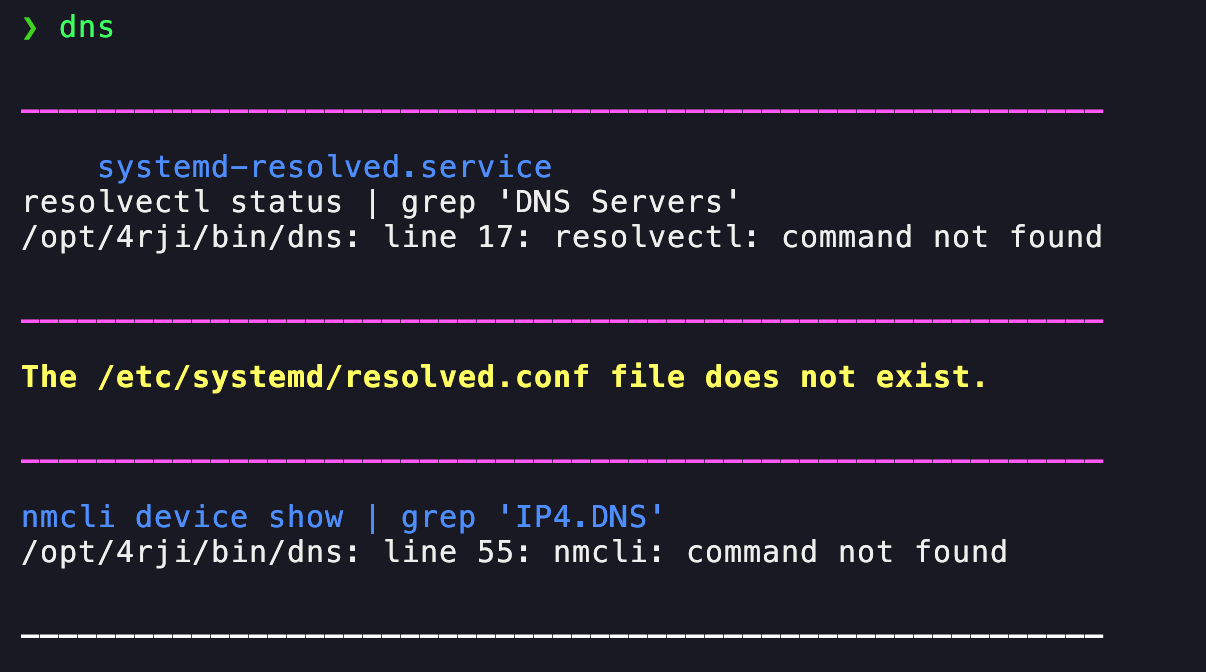
First, use the script named "dns" to display your currently configured DNS servers.
The script will output a list of DNS servers configured on your system, similar to this:
-
2
Install and Configure systemd-resolved
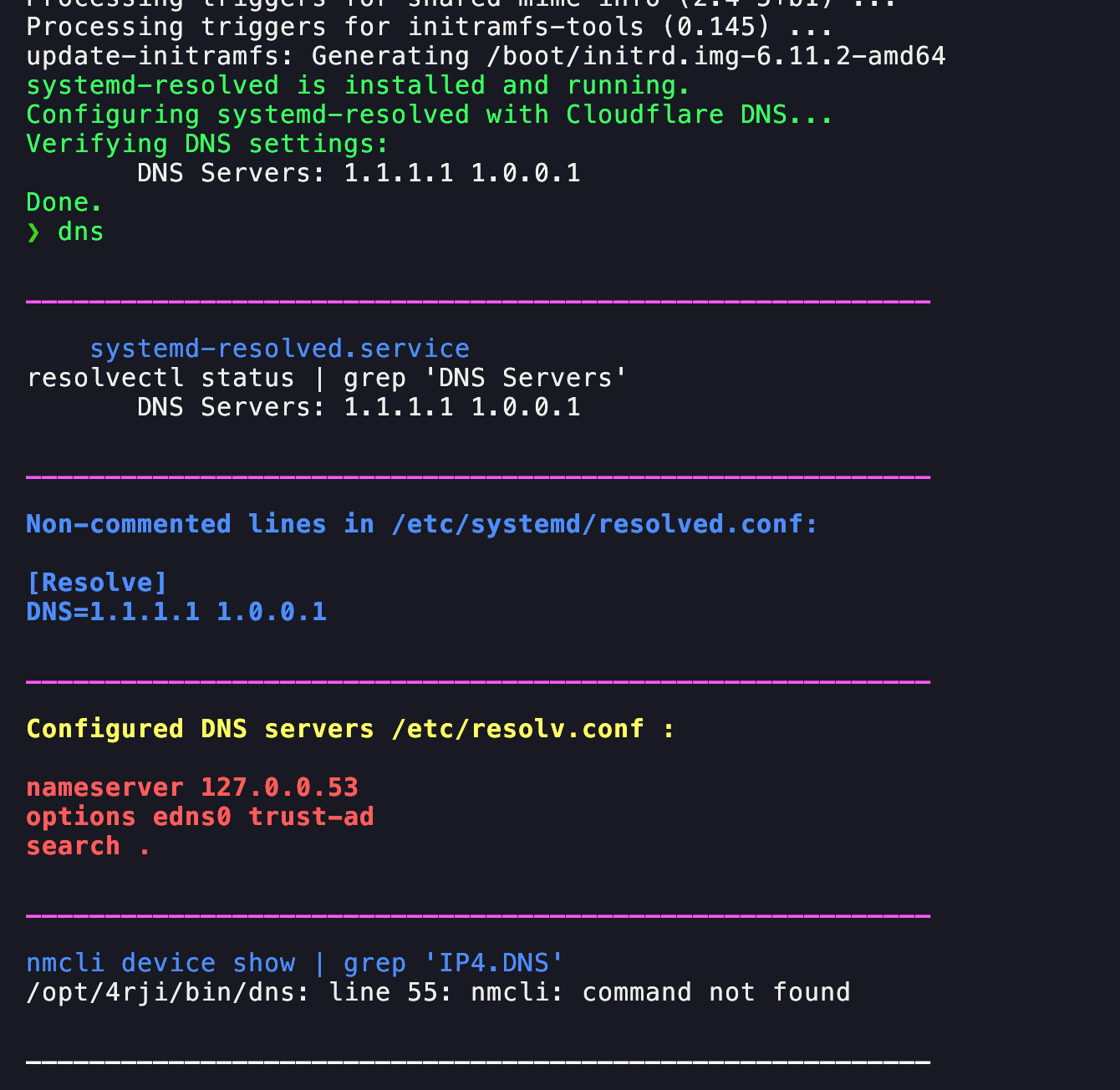
Run the script "resolvdinst". This script will:
- Install systemd-resolved if it is not already installed.
- Automatically configure the DNS settings to use Cloudflare DNS servers (1.1.1.1 and 1.0.0.1).
After execution, the script will ensure that the system DNS settings are updated and active.
-
3
Verify New DNS Configuration
Re-run the script "dns" to confirm that the DNS servers have been updated to Cloudflare:
If the changes are not reflected, check for errors in the "resolvdinst" script output and retry the process.
Modify DNS Configurations
Using the "cdns" script for advanced DNS configuration
-
1
Run the "cdns" Script
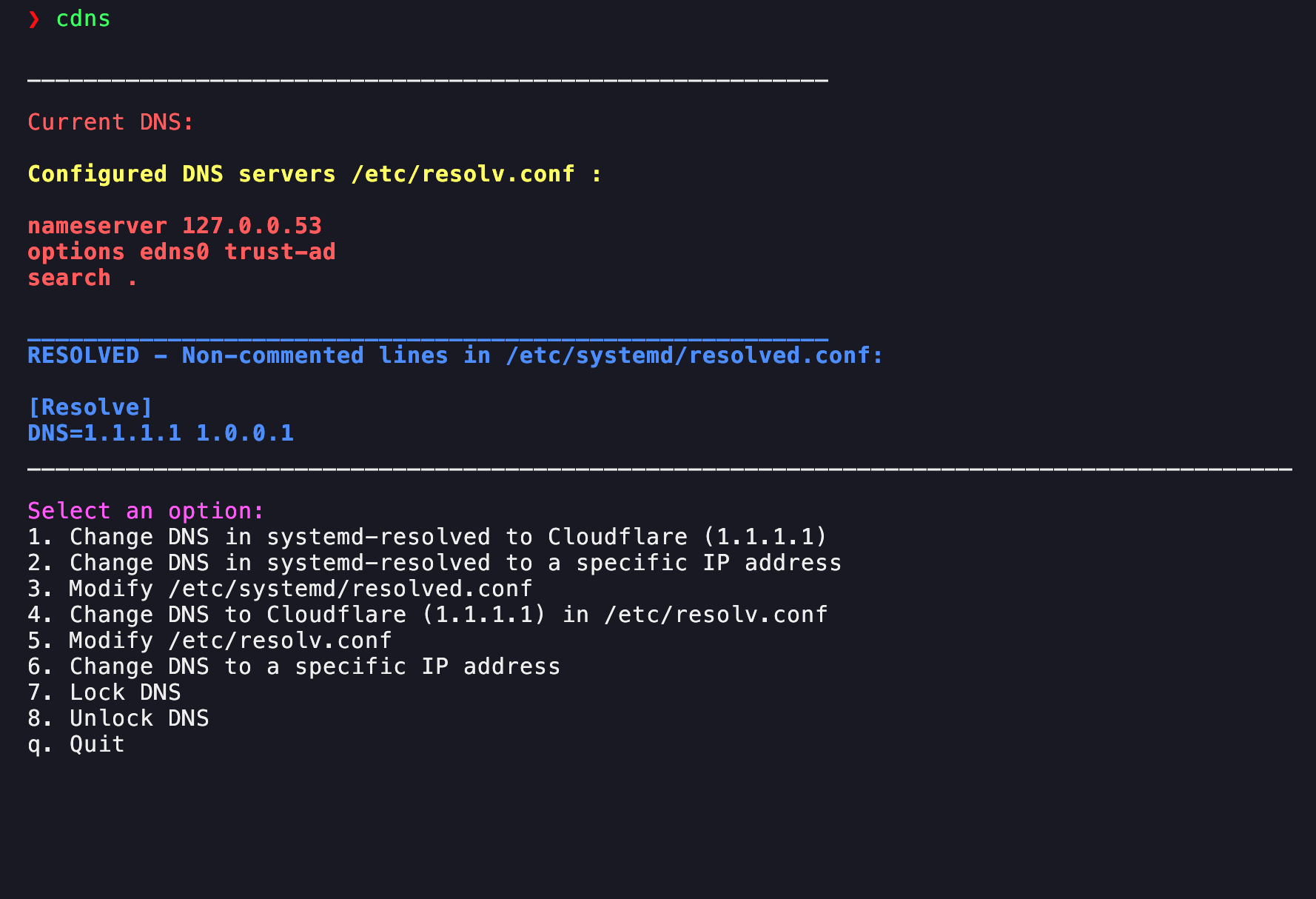
The script "cdns" allows you to modify DNS configurations for both
/etc/resolv.confand systemd-resolved.When executed, the script will display the following menu options:
Select an option:
1. Change DNS in systemd-resolved to Cloudflare (1.1.1.1)
2. Change DNS in systemd-resolved to a specific IP address
3. Modify /etc/systemd/resolved.conf
4. Change DNS to Cloudflare (1.1.1.1) in /etc/resolv.conf
5. Modify /etc/resolv.conf
6. Change DNS to a specific IP address
7. Lock DNS
8. Unlock DNS
q. Quit
Choose the appropriate option based on your requirements to modify DNS settings effectively.
Systemd-resolved with Cloudflare DNS
- without the scripts
-
1
Prepare the Environment
Update the system's package index to ensure all dependencies are available.sudo apt update -
2
Install systemd-resolved
Install the systemd-resolved package and verify its status.sudo apt install -y systemd-resolved if systemctl is-active --quiet systemd-resolved; then echo "systemd-resolved is active." else echo "Installation failed." exit 1 fi -
3
Configure Cloudflare DNS
Edit the systemd-resolved configuration file to use Cloudflare's DNS servers:- Comment existing DNS lines in
/etc/systemd/resolved.conf - Add the Cloudflare DNS entries:
DNS=1.1.1.1 1.0.0.1
sudo sed -i '/^DNS=/s/^/#/' /etc/systemd/resolved.conf echo "DNS=1.1.1.1 1.0.0.1" | sudo tee -a /etc/systemd/resolved.conf > /dev/null - Comment existing DNS lines in
-
4
Restart and Verify
Restart the systemd-resolved service and check the configuration:sudo systemctl restart systemd-resolved resolvectl status | grep 'DNS Servers' -
5
Completion
Ensure that the system is now using Cloudflare DNS and all changes have been applied successfully.Output should confirm
DNS Servers: 1.1.1.1 1.0.0.1.