
In January 2024, in preparation for the CCDC competition, I was practicing in the cloud to create intentionally vulnerable machines for my teammates and myself. I focused on techniques like configuring gateways and establishing firewall rules. Additionally, I developed a script that automated the installation of backdoors, modification of permissions, and deployment of malicious PHP code.
Working in the cloud proved to be a highly engaging and valuable experience, though the associated costs could be substantial. Thankfully, I was able to leverage my Github Student Pack credits.
Regrettably, I did not retain documentation from my initial explorations with Azure, Google, and AWS, despite their similarities. I primarily used my student credits to create and install virtual machines across these providers. However, since I utilized the credits early in my learning process, I couldn't fully capitalize on all the available resources due to my limited knowledge at the time. Consequently, my experience was largely centered around basic hypervisor functions.
Lab Setup and Instructions
To ensure clear communication and organization, I created a dedicated Discord channel for the lab setup. This served as our central hub for instructions, updates, and team coordination during the training sessions.
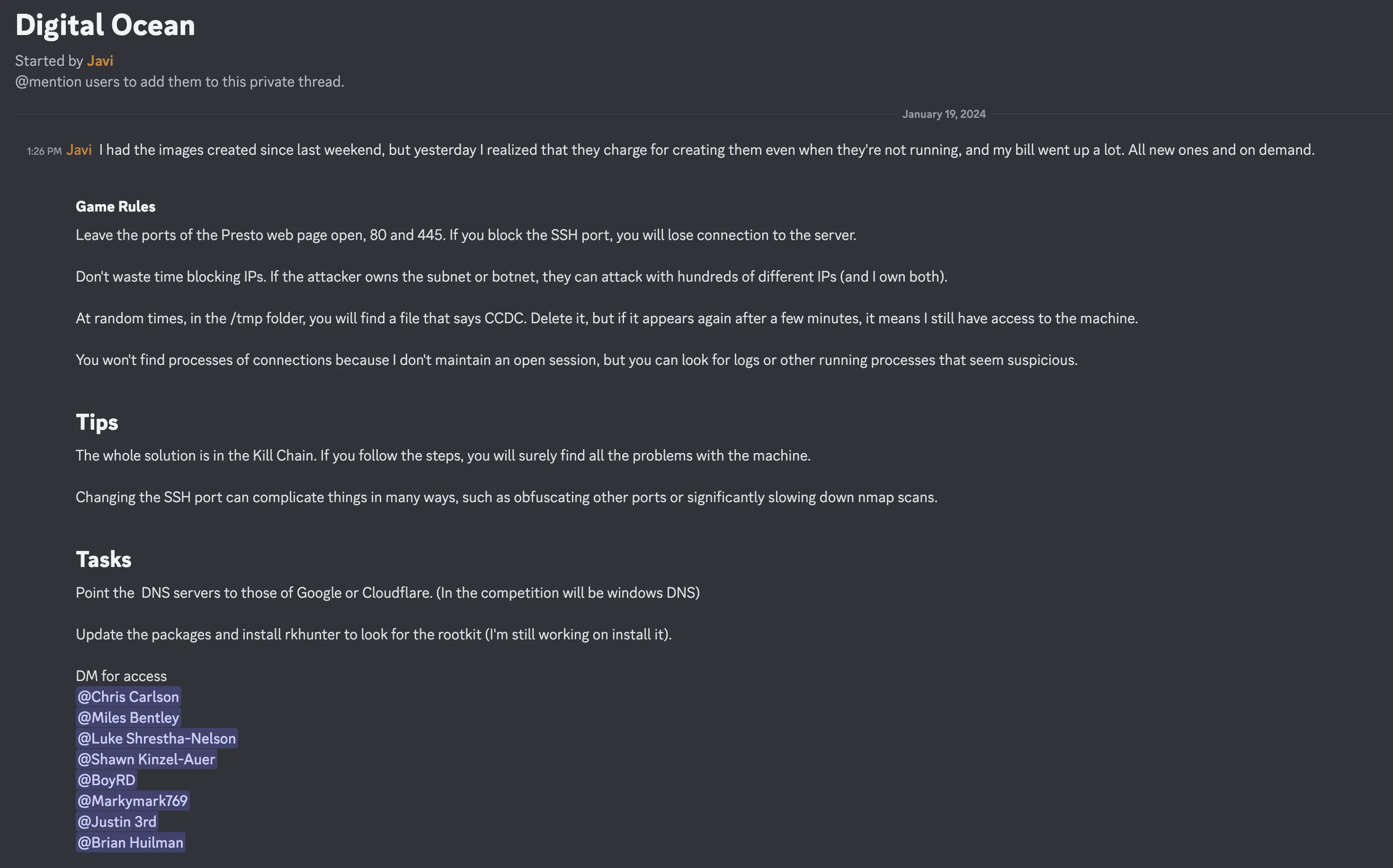
Digital Ocean Security Lab: From Droplets to Docker Networks
Leveraging Digital Ocean's Droplets (VMs), I created an extensive security testing lab that simulates real-world vulnerabilities. This environment became a crucial training ground for my team's CCDC preparation, allowing us to practice identifying and mitigating various security threats.
Why Droplets?
While not perfectly replicating the CCDC competition environment, Digital Ocean Droplets provided an efficient way to practice Linux fundamentals and user management. Compared to ESXi (which I have access to at both home and school), Droplets offer significant advantages:
- Rapid server deployment and configuration
- Minimal time spent on image creation and management
- Ideal for quick testing and practice sessions
- Perfect for basic Linux and user management exercises
Lab Components
- PHP backdoors for web application testing
- Users with elevated credentials
- Hidden processes and crontab tasks
- Concealed files with simulated malware
- Implanted SSH credentials
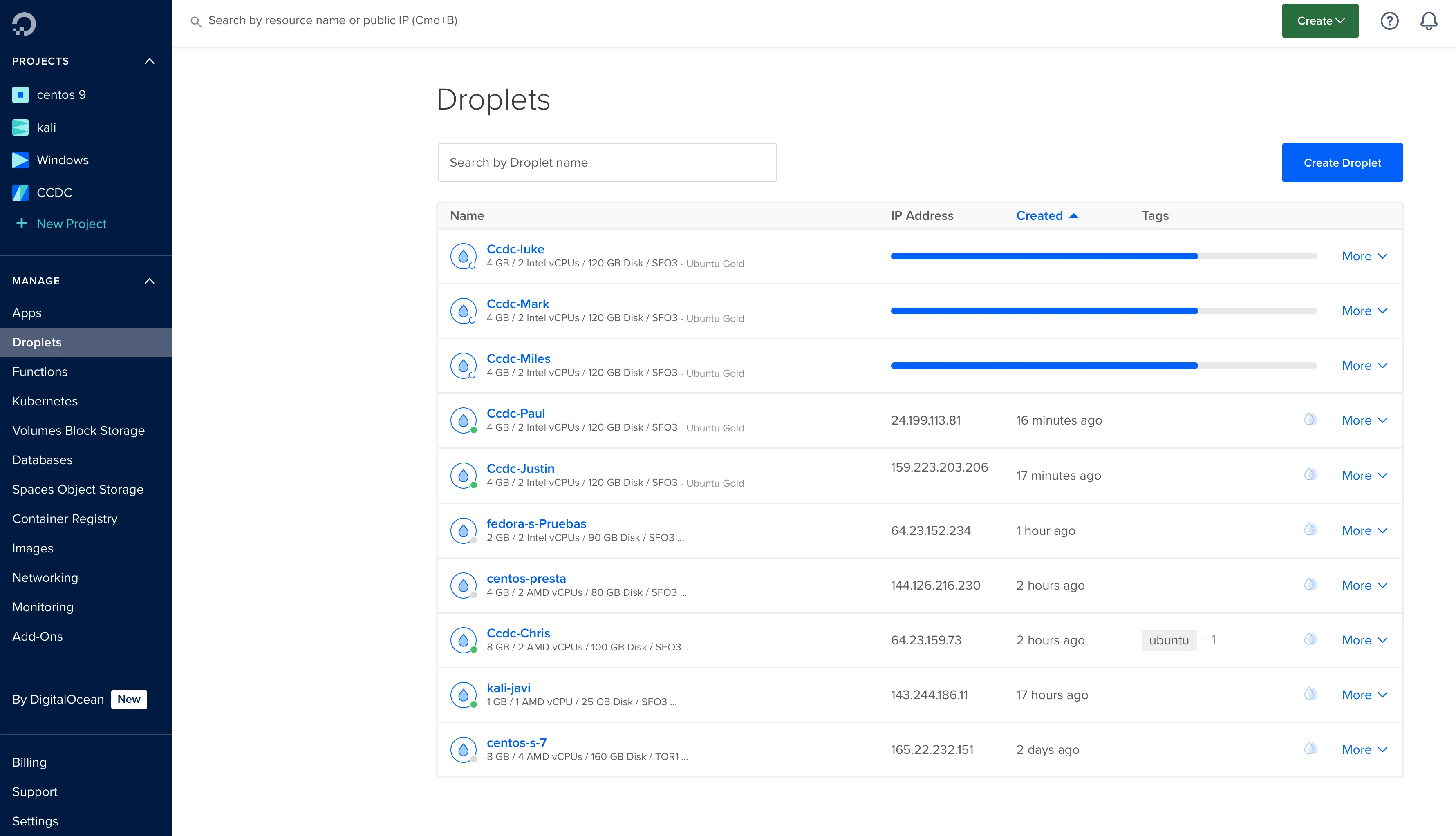
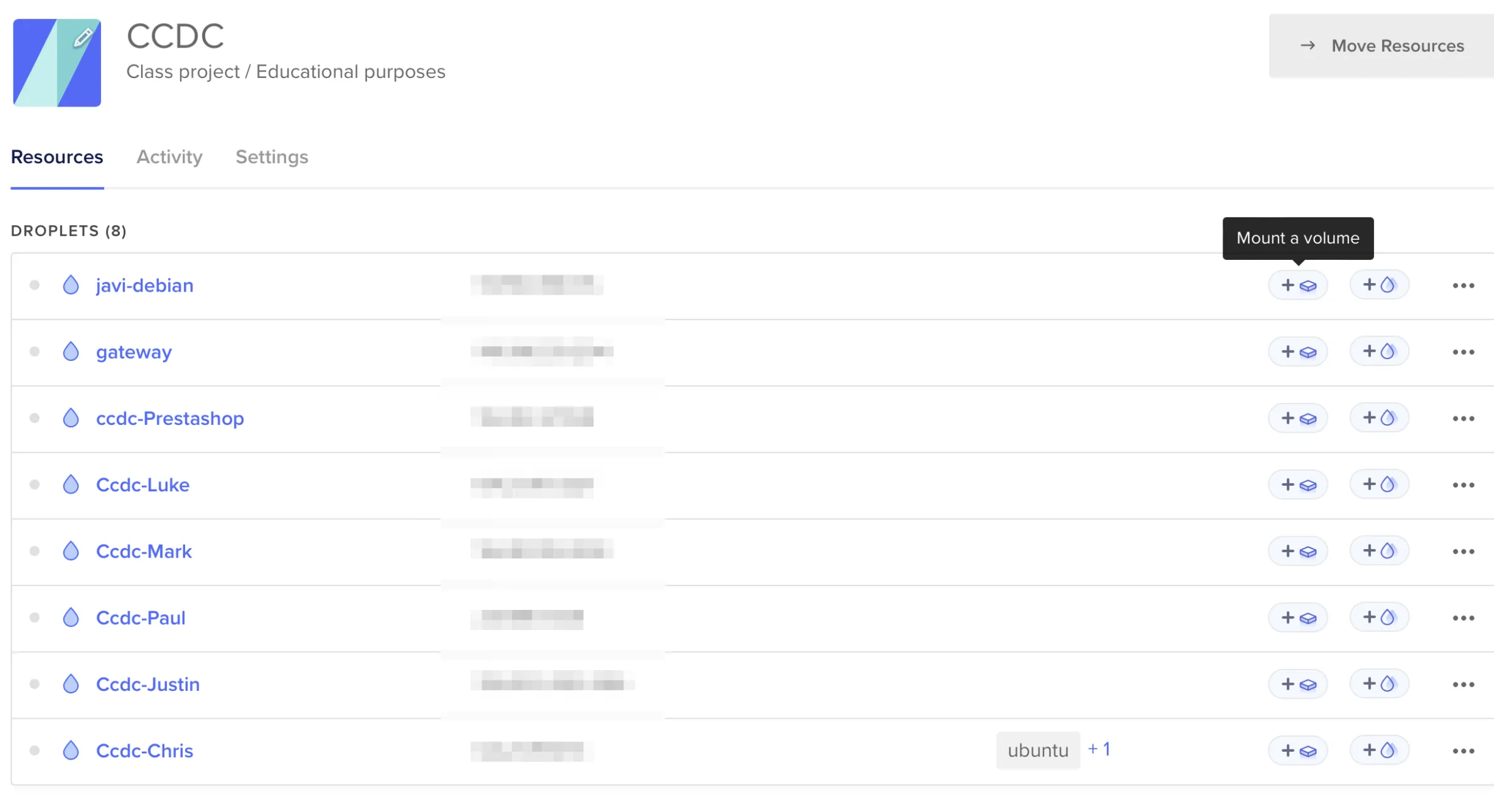
Digital Ocean Dashboard
Here is my digital ocean dashboard where i manage the VMs.
Infrastructure Design
To maintain persistent access while avoiding detection, I implemented several advanced techniques:
- Created a /16 subnet for unlimited IP availability
- Deployed a Gateway on a Docker VM
- Automated tasks using the redhavi script and Ansible
- Implemented the dcc script for ephemeral Kali Linux containers
- Exposed vulnerable folders for reverse shell testing
Key Learnings
- Advanced Docker networking concepts
- Cloud gateway configuration and management
- Practical SSH jump host implementation
- Subnetting and network segmentation
- Process hiding techniques in Linux
- PHP backdoor implementation and detection
- MySQL and PrestaShop security basics
The journey from basic Docker knowledge to implementing complex networking solutions was challenging but rewarding. Revisiting NetworkChuck's videos after a year of hands-on experience made the concepts much clearer and more applicable to real-world scenarios. The cloud environment presented unique challenges compared to traditional setups, particularly in gateway deployment and traffic redirection.
Note: While cloud environments provide excellent flexibility, costs can accumulate quickly. Careful resource management and monitoring are essential for maintaining an efficient training environment.