
Connect Without Borders: Your Desktops, United!
Barrier is a software tool that removes the divide between your computers, allowing seamless control across different operating systems. Find releases for Windows and macOS, or check if your Linux distro already includes Barrier. For convenience, we also offer Barrier as a Flatpak and a Snap. Simplify your workflow by controlling multiple machines with a single keyboard and mouse.
-
Mac
Download the tool from GitHub https://github.com/debauchee/barrier
For Mac users, download the DMG file and simply drag it into the Applications folder. From there, a straightforward program will guide you through the setup process.
https://github.com/debauchee/barrier/releases/download/v2.4.0/Barrier-2.4.0-release.dmg -
Linux
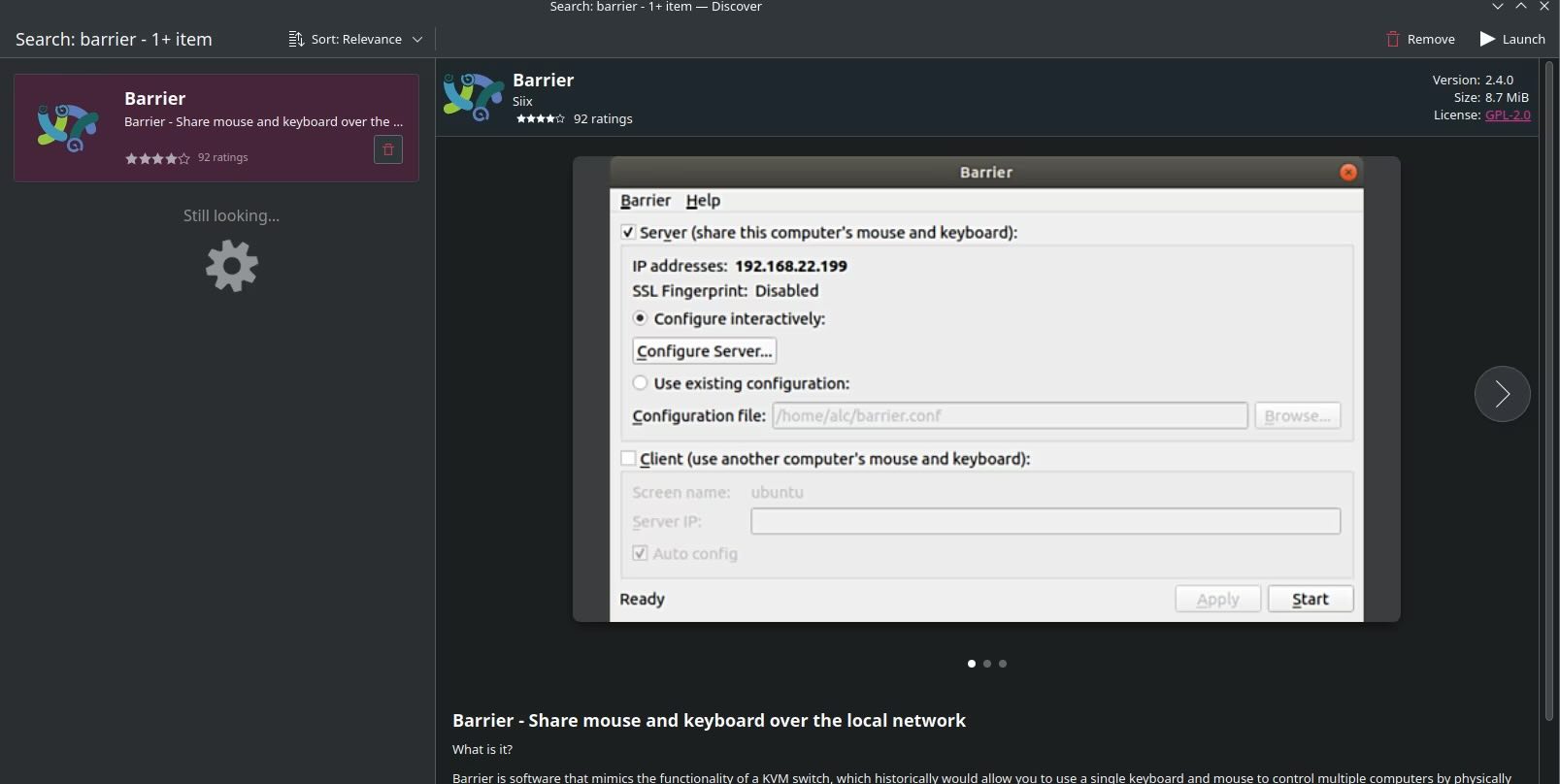
On Arch Linux, use Flatpak to download it directly from the Discovery section, where applications are available for one-click installation.
-
3
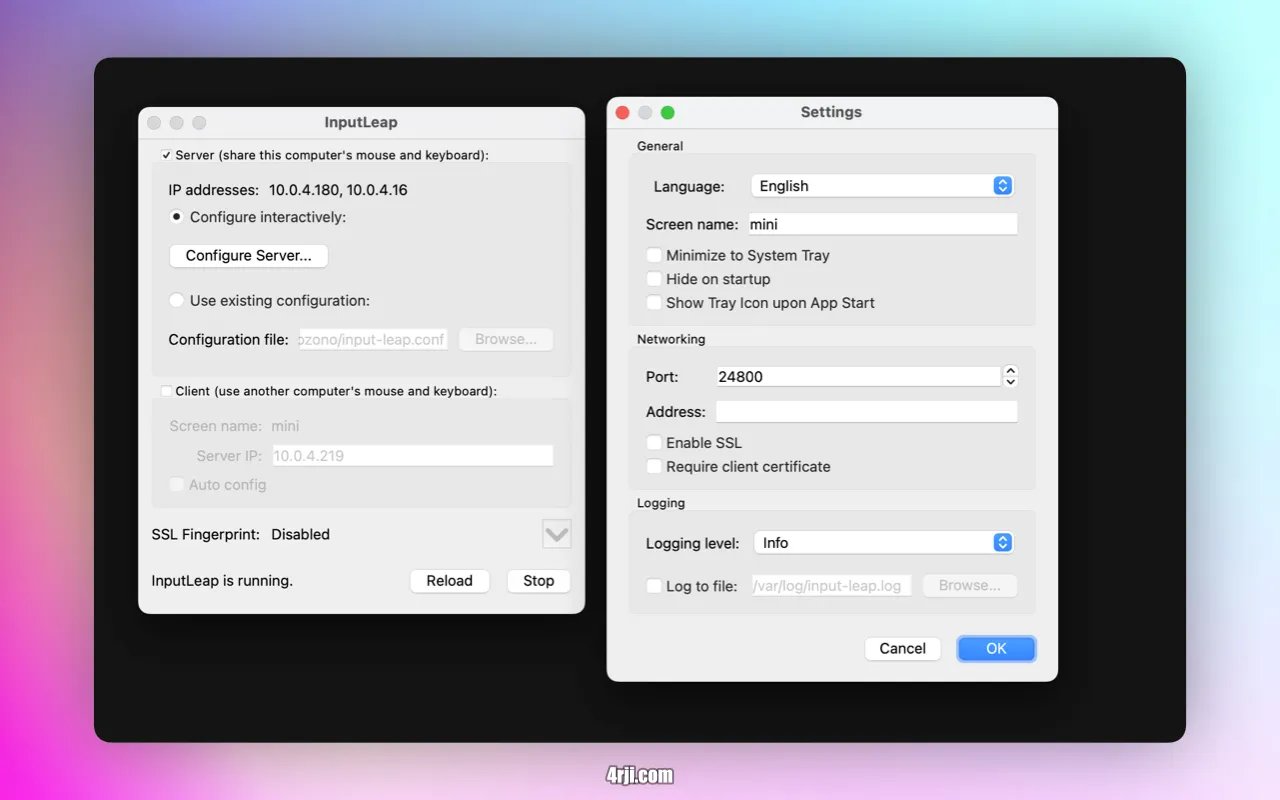
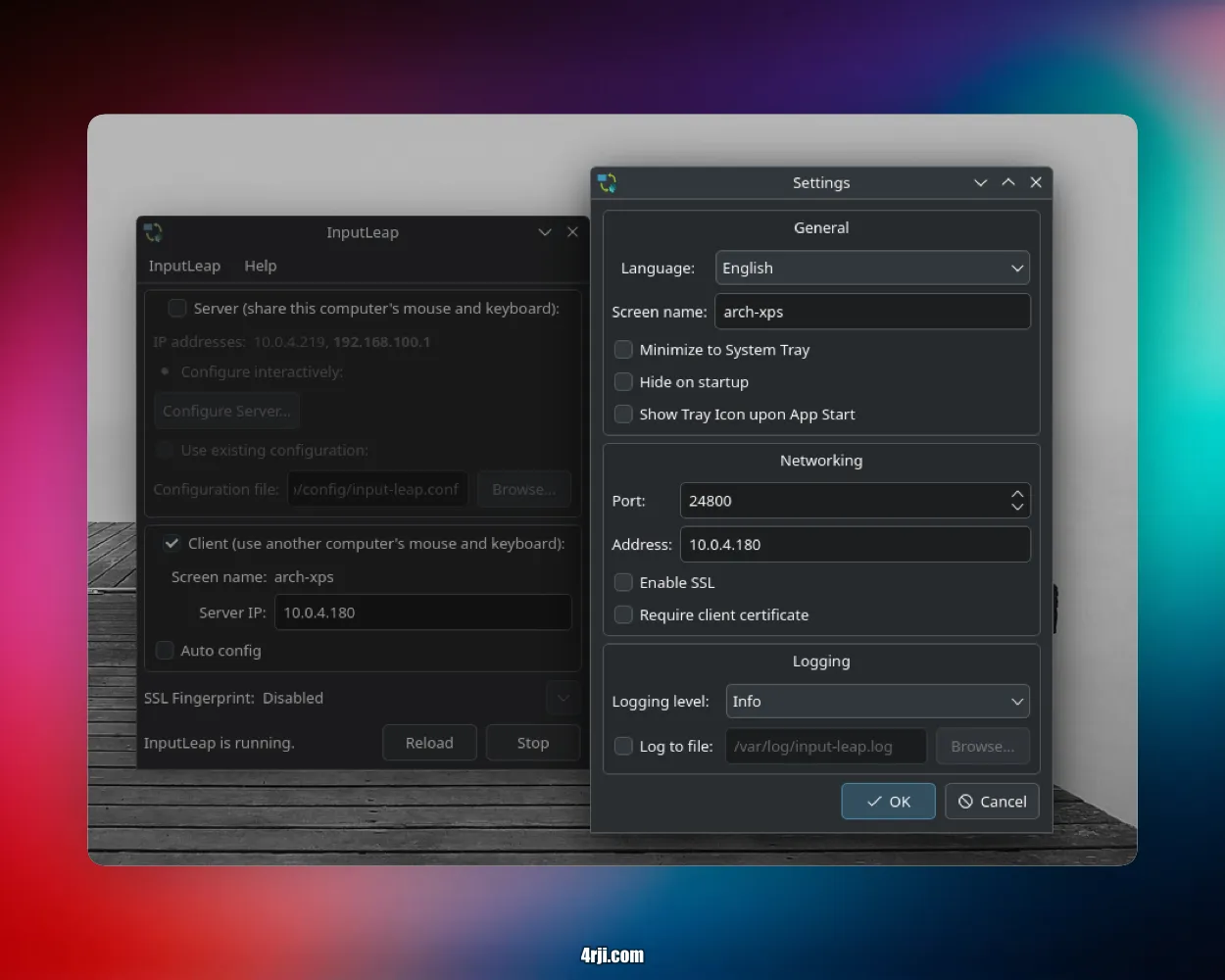
Once both applications are downloaded, configure them, ensuring that the machine names are exactly the same and the IP addresses are correct. You can also view the logs of the apps to monitor the connection.
Mac Server
Arch Linux as Client
Easy and simple