
Setting Up Azure VPN Gateway
This guide will walk you through setting up an Azure VPN Gateway, including network planning, firewall deployment, and workstation configuration.
Server Functions and Network Planning:
1. Create Virtual Network Gateway
In your resource group, create a new virtual network gateway:
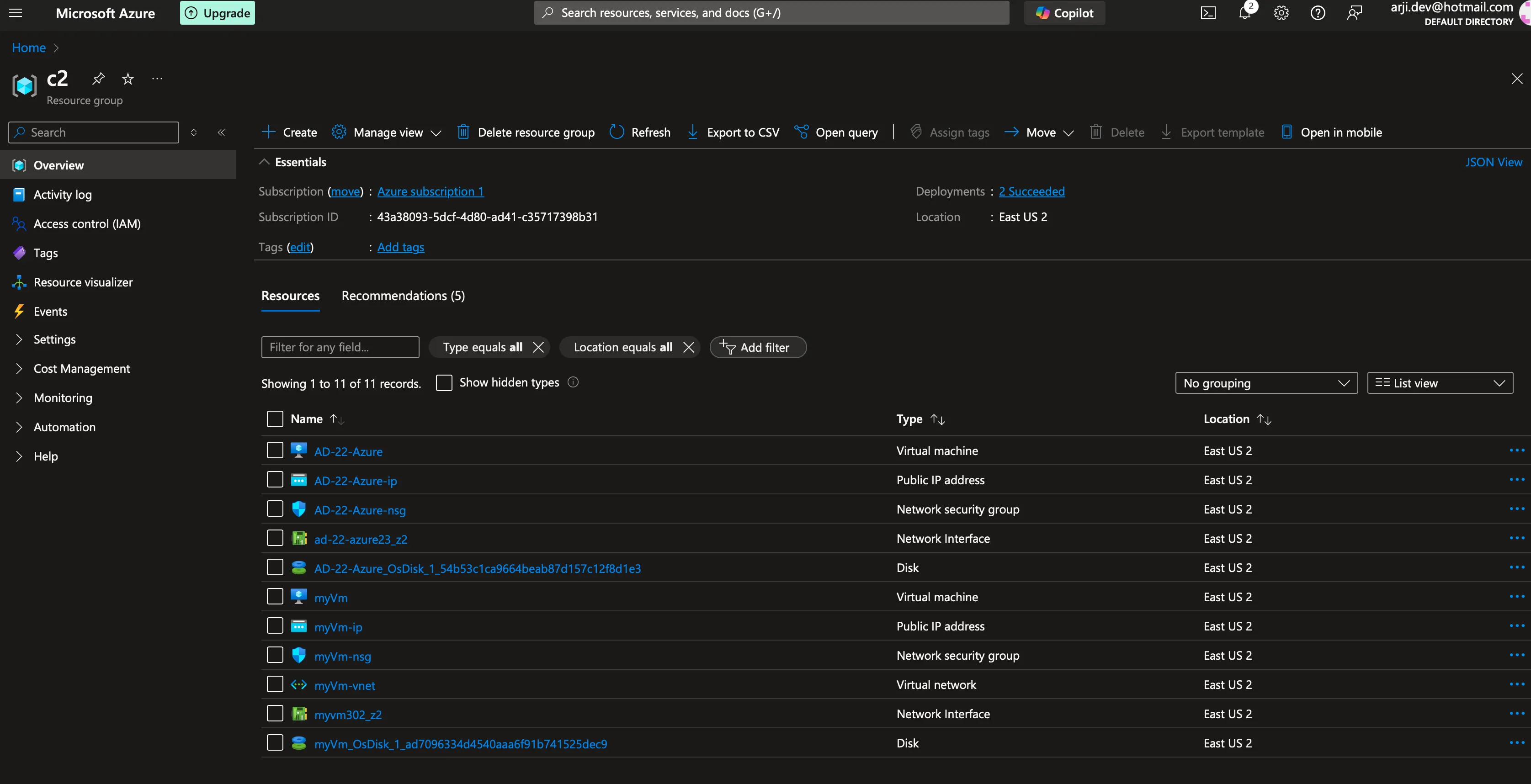
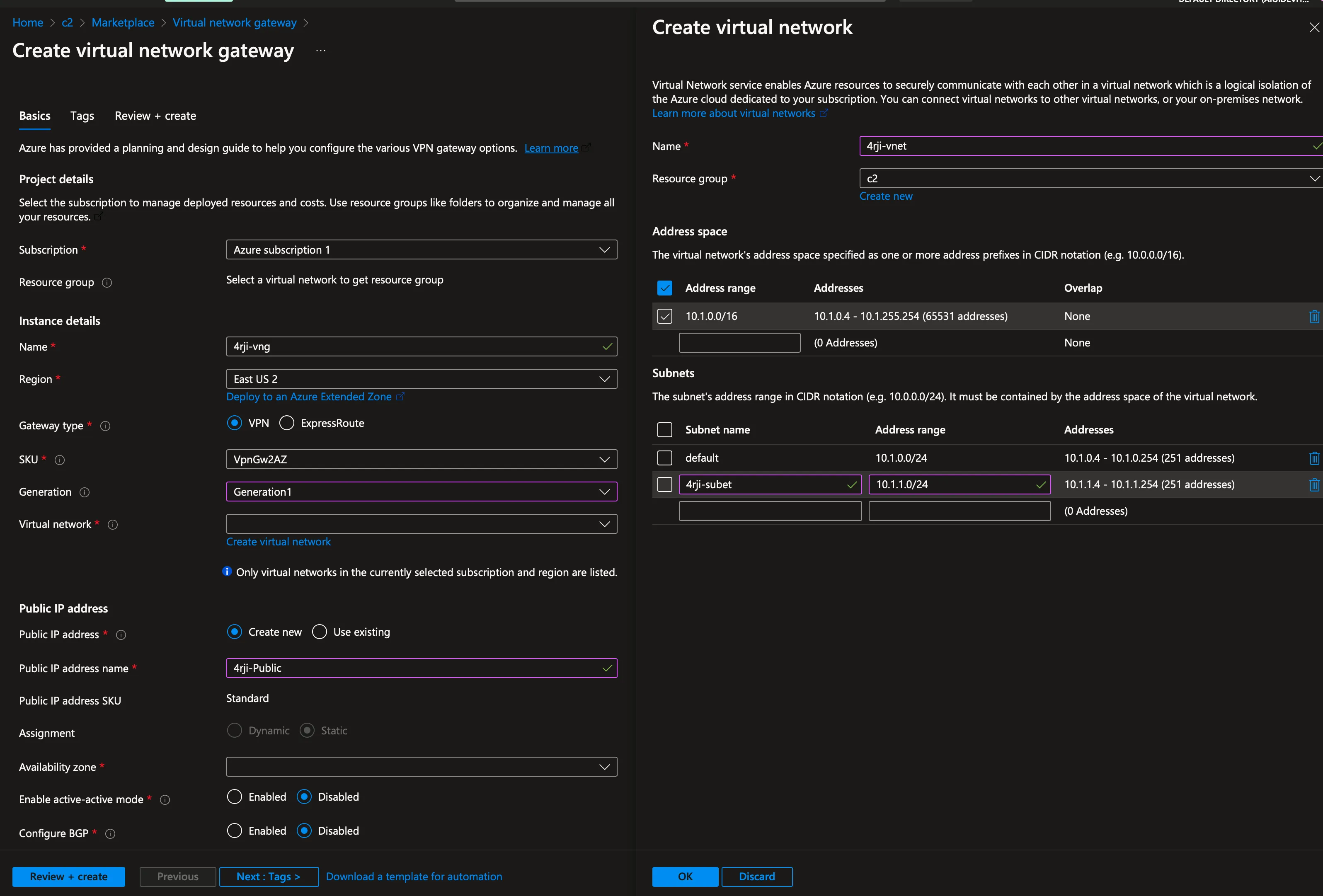
2. Create Local Network Gateway
Set up the local network gateway to connect to your on-premises network:
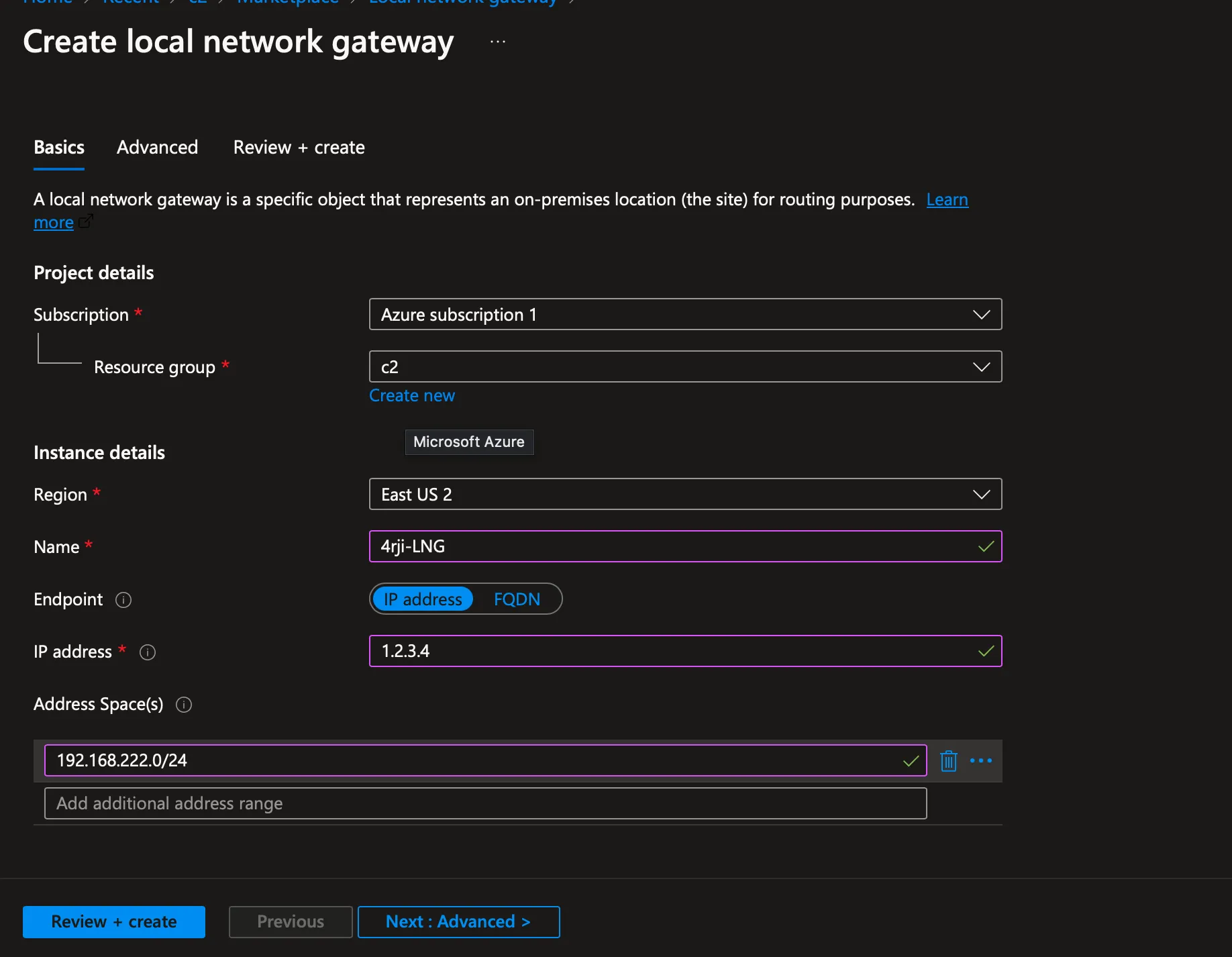
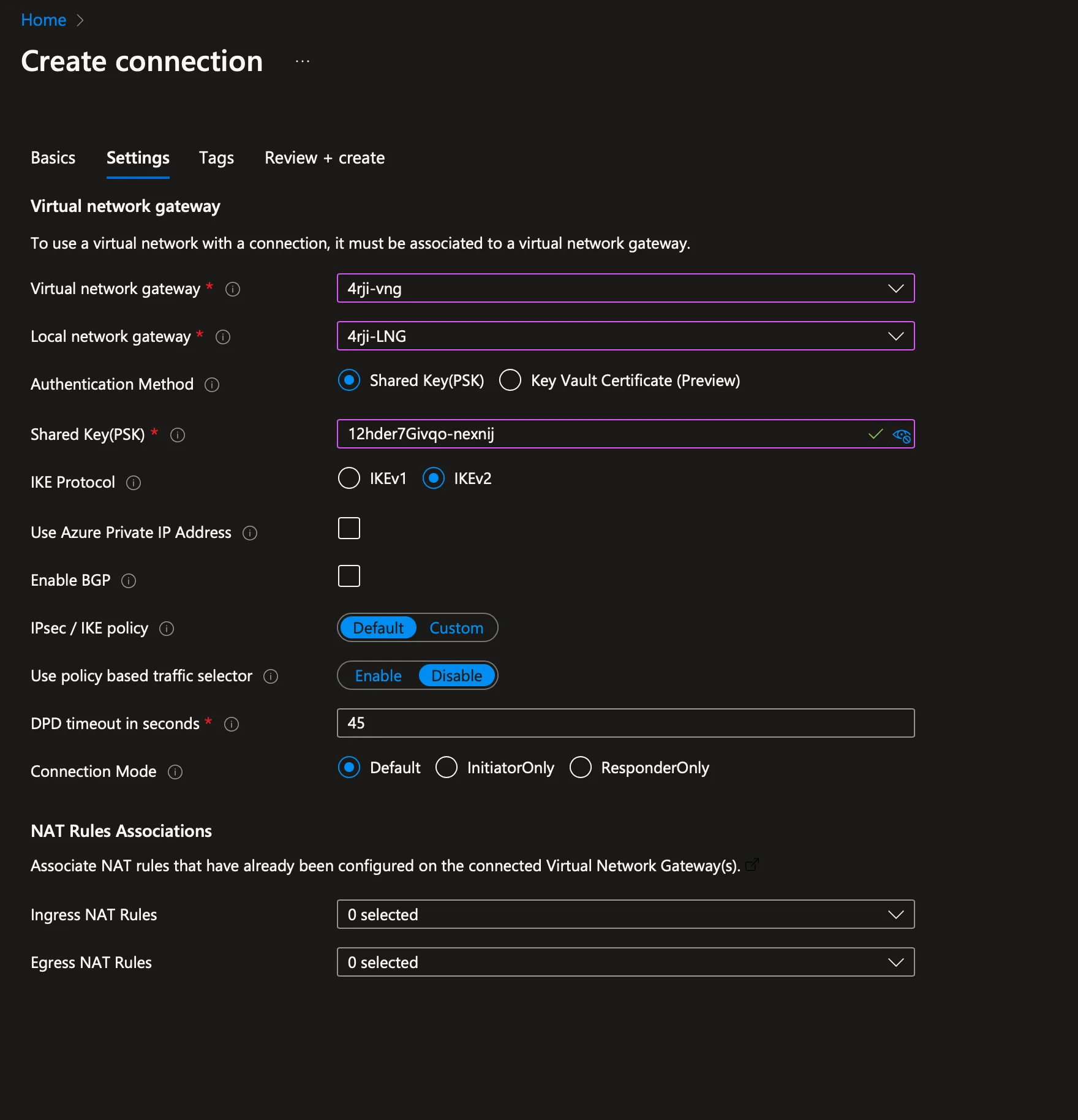
3. Create Connection
Establish the connection between the virtual network gateway and local network gateway:
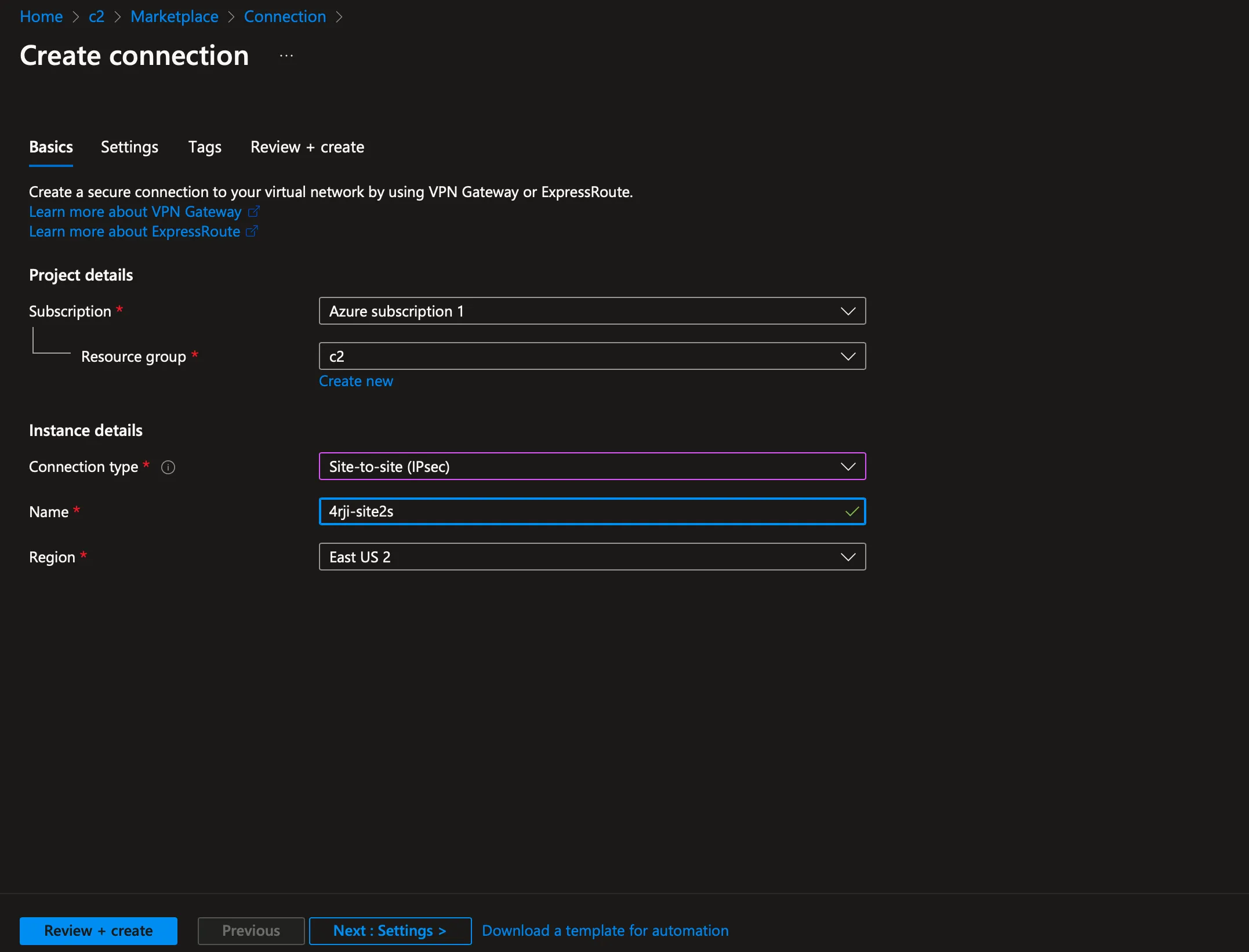
4. Connection Configuration
Configure the connection with the following credentials:
- Password: 12hder7Givqo-nexnij
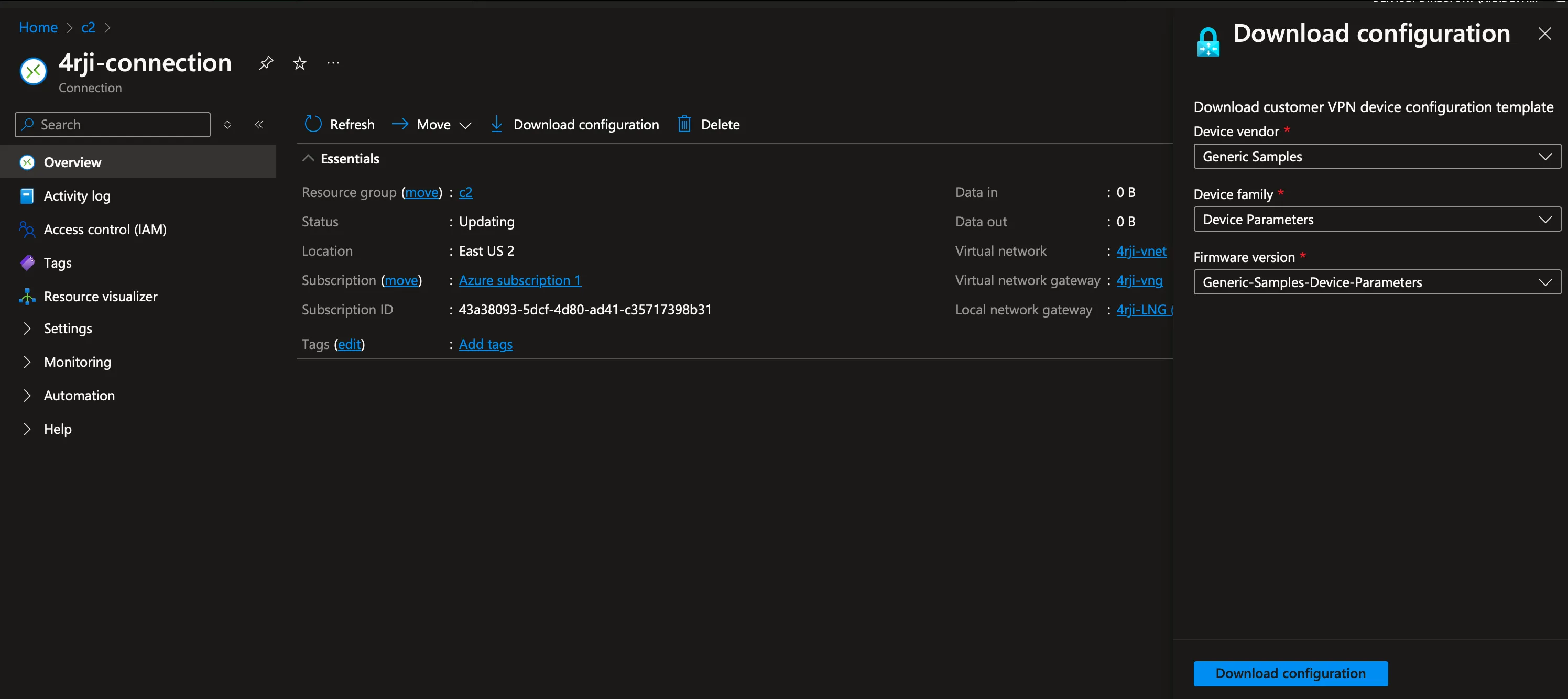
5. Download Connection Configuration
Download the connection configuration for your VPN client:
Remember to keep your VPN credentials secure and update them regularly for better security.